
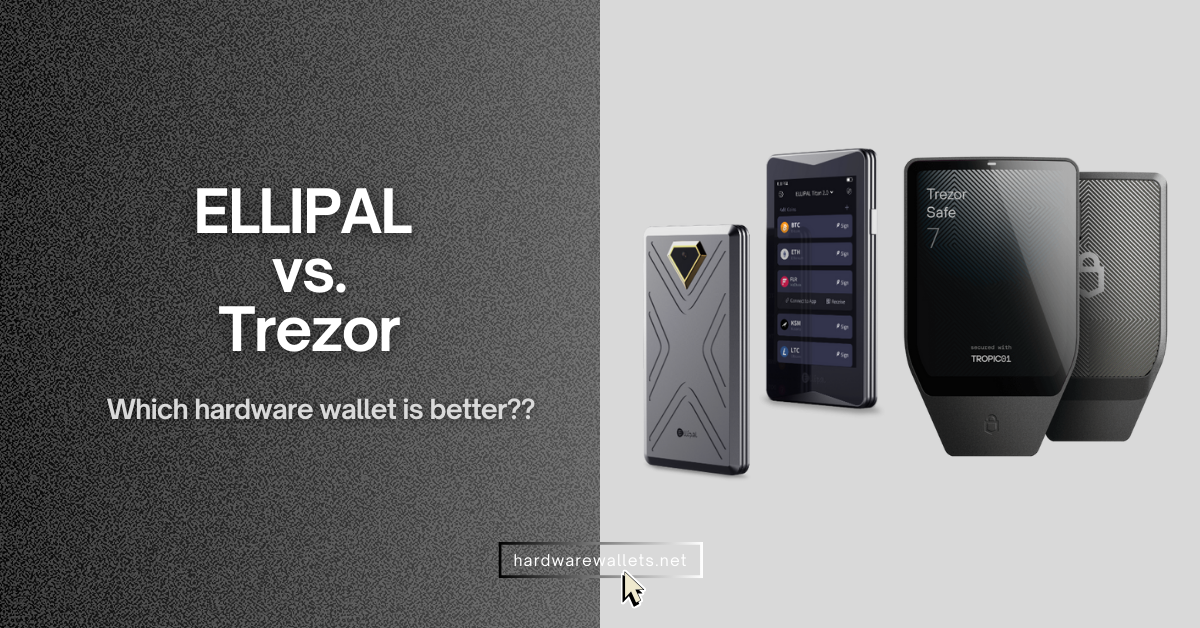
Quick summary, which hardware wallet is best: ELLIPAL is better than Trezor in terms of security with an air-gapped design, mobile usability with a fully-featured mobile app, and altcoins supports with over 10,000+ supported coins on 40+ blockchains. But, Trezor is better than ELLIPAL in terms of privacy features (Tor browser and CoinJoin), desktop usability with Trezor Suite app, and Bitcoin storage with BTC-only firmware.
Okay, so, here is a quick ELLIPAL vs Trezor hardware wallets comparison… I will go into detail later.
- ELLIPAL uses a fully air-gapped design with QR or NFC-based signing (no WiFi, no Bluetooth, No Cellular), while Trezor relies on a USB connection for transaction approval.
- Generally, ELLIPAL wallets are mobile-first and work fully on Android and iOS with a feature-rich mobileapp, whereas Trezor devices are designed mainly for desktop use through Trezor Suite. Even there is no iOS app for Trezor.
- The ELLIPAL cold wallet supports DeFi, dApps, and NFT interactions directly through its mobile app, while Trezor depends on third-party wallets and desktop integrations for similar features.
- Trezor crypto wallet is more privacy-focused for BTC users, as it supports Tor browser for IP hiding and CoinJoin for transaction mixing. ELLIPAL does not offer these features.
- The Trezor wallet also offers a BTC-only hardware wallet that supports only Bitcoin without any altcoin support.
- ELLIPAL keeps backup and recovery simple with standard seed phrases and passphrases, whereas Trezor offers advanced options like Shamir backup and MicroSD-based security features.
ELLIPAL vs Trezor Hardware Wallets Comparison
ELLIPAL and Trezor take two very different security paths, and that is the biggest thing you notice right away. You see, ELLIPAL is built as a fully air-gapped crypto wallet, meaning it never connects through USB, Bluetooth, or Wi-Fi, and every transaction is signed using QR codes only.
Trezor wallet follows a connected security model, where you approve transactions directly on the device while it stays plugged into a computer via USB-C. Plus, Trezor hardware wallets are also famous for being “open-source” and having support of the “Tor browser” for IP hiding.
In daily use, ELLIPAL feels more like a mobile phone. Yes, very user-friendly. At the same time, Trezor feels more like a lightweight security key.
So, you can say, ELLIPAL’s 4-inch touchscreen, metal body, and built-in battery make it independent and phone-first, especially for users who manage crypto through mobile apps. Trezor Safe 5 is much smaller and lighter, and mostly works on a desktop setup.
Now, from a backup and recovery point of view, I would say Trezor offers more flexibility, as it supports 12-, 20-, and 24-word recovery phrases along with advanced multi-share Shamir backups and optional MicroSD encryption. Here, ELLIPAL keeps things simpler with a standard 12 and 24-word recovery phrase and passphrase protection, which obviously works well for all kinds of users.
Next, about the advanced features, ELLIPAL clearly targets DeFi and NFT users with built-in WalletConnect, mobile dApp access, and NFT support on Ethereum and Polygon. But here, Trezor lacks in this area. It is quite limited, with little-to-no DeFi and NFT support. But yes, Trezor leans more toward privacy-focused users with tools like coin control, Tor integration, and FIDO2 authentication support.
| Feature | ELLIPAL Brand | Trezor Brand |
|---|---|---|
| Connection Type | 100% Air-gapped (QR Codes) | USB-C Cable (Wired) |
| Operating System | Closed System (Android-based) | Open Source (Custom OS) |
| Main Device Material | Metal (mostly) | Plastic & Aluminum |
| Mobile Support | Excellent (Native Mobile App) | Good (via Trezor Suite Lite) |
| Battery Life | Long (built-in battery) | Varies (Safe 5 is good) |
| Setup Difficulty | Very Easy (Scan codes) | Easy (Plug and play) |
ELLIPAL Titan 2.0 vs Trezor Safe 5
Okay, so here is a quick comparison between the most popular models of Ledger and Trezor:
| Features | ELLIPAL Titan 2.0 | Trezor Safe 5 |
|---|---|---|
| Security model | Air-gapped (no WiFi, no Bluetooth) | Connected device (USB use) |
| Connection / connector | QR scanner only (air-gapped) | USB-C |
| Wireless radios | No Wi-Fi / Bluetooth / USB data (QR workflow) | No wireless; USB-only |
| Secure element | CC EAL5+ | Certified chip EAL6+ |
| Transaction approval | Scan + verify + sign via QR | On-device confirmation |
| Display size | 4.0-inch color IPS | 1.54-inch color |
| Screen resolution | – | 240 × 240 |
| Screen protection | – | Gorilla® Glass 3 |
| Haptic feedback | – | Yes (haptic engine) |
| Dimensions | 118 × 66 × 9.7 mm | 65.9 × 40 × 8 mm |
| Weight | 140 g | 23 g |
| Battery | 1400 mAh (built-in) | No battery (USB powered) |
| Firmware upgrade method | MicroSD card | Desktop-based update |
| MicroSD slot / use | Firmware upgrade only | MicroSD encryption support |
| Backup / recovery words | 24-word + passphrase | 12 / 20 / 24-word |
| Advanced backup | Not available | Multi-share backup |
| PIN / passphrase | Passphrase supported | PIN + passphrase |
| App / platform | Android & iOS mobile app | Trezor Suite (desktop) |
| Third-party wallets | MetaMask, WalletConnect, dApps | Multiple third-party wallets |
| Supported assets | 40+ blockchains, 10,000+ tokens | 9,000s of coins & tokens |
| NFT support | Ethereum & Polygon NFTs | No native NFT support |
| Privacy tools | – | Coin control, Tor support |
| 2FA capability | – | FIDO2 support |
| Build material | Fully metal sealed body | Plastic + aluminum backplates |
| Accounts supported | Up to 10 accounts | – |
| Hidden / secret wallet | Yes | – |
| Starting price (USD) | $169 | $179 |
ELLIPAL X Card vs Trezor Safe 3: Key Differences
The Ellipal X Card and Trezor Safe 3 are designed for very different types of users, even though both aim to provide secure cold storage. You see, the X Card focuses on portability and ease of use by using an air-gapped NFC signing model, whereas Trezor Safe 3 follows a more traditional USB-connected hardware wallet approach.
Here is a quick ELLIPAL vs Trezor comparison of their basic models…
| Key Feature | ELLIPAL X Card | Trezor Safe 3 |
|---|---|---|
| Security model | Air-gapped NFC signing | USB-connected with a secure element |
| Secure chip | CC EAL6+ secure element | CC EAL6+ secure element |
| Connectivity / signing | NFC (tap to sign) | USB-C |
| Display | No dedicated screen on the card | OLED screen (128 × 64) |
| Input / controls | NFC tap & app | Buttons |
| Battery / power | No battery, passive card | Powered by USB |
| Setup method | NFC & offline seed generation | USB connection to Trezor Suite |
| Backup / recovery | Standard seed phrase support | Seed phrase + optional Shamir backup |
| Passphrase support | Yes (via app) | Yes (on device) |
| Asset support | 40+ blockchains, 10,000+ tokens | 9,000+ of coins & tokens |
| dApp / DeFi interaction | NFC with ELLIPAL app | Through Trezor Suite / third party |
| Swap / trade | App-based swap via connected app | Supported via connected app interfaces |
| Staking | App-based through mobile | Through connected wallets |
| Mobile support | iOS + Android (NFC) | View only on mobile; full on desktop |
| Ease of use | Very simple, portable card form | Standard wallet setup |
| Portability | Credit-card sized | Small USB-style device |
| Firmware updates | No firmware updates needed | Updates via USB |
| Price | $79 | $79 |
| Target user | Ultra-portable cold storage | Standard secure hardware wallet |
Okay, Which is the Better Hardware Cold Wallet, ELLIPAL or Trezor??
So, is ELLIPAL better than Trezor, or is Trezor safer than ELLIPAL…
Well, there is no single winner. It depends on you.
- For Safety, Mobile App, and Altcoins = go for ELLIPAL cold wallets without any doubt (because of the air-gapped signing mechanism)
- For Privacy, Desktop, and Bitcoin = go for Trezor hardware wallets (because of Tor support and BTC-only firmware)
Well, choose ELLIPAL Titan 2.0 if you hate cables. Really, if you want to manage your crypto while lying in bed using just your phone, ELLIPAL is the best. The large screen is beautiful. It is easy to use. The air-gapped thing gives you peace of mind that no virus from your PC can jump to your wallet. It is great for DeFi and NFTs because you can see the art right on the screen.
But again, you should choose Trezor Safe 5 if you only trust open source firmware crypto wallets. A lot of Bitcoin maxis only trust Trezor because of its minimal BTC-only firmware hardware wallet. They like that the code is public. Also, if you use a desktop computer more than a phone, Trezor is smoother. You plug it in, open Trezor Suite, and it just works.
Here is a final summary to help you pick, ELLIPAL vs Trezor…
| User Type | Recommended Wallet | Why? |
|---|---|---|
| Mobile-First User | ELLIPAL Titan 2.0 | Works perfectly with phones, no cables needed. |
| Desktop User | Trezor Safe 5 | Great desktop app, reliable USB connection. |
| Budget Conscious | Trezor Safe 3 | Best security features for a low price. |
| Ultra-Portable | ELLIPAL X Card | Fits in a regular wallet, credit-card style, very light. |
| Security-First Users | ELLIPAL Titan 2.0 | 100% Air-gapped, physically impossible to plug in. |
Read more comparison guides: