
You know, selecting a secure Binance Smart Chain wallet is the most important thing you can do to protect your BEP-20 assets. In this guide, I will include both hardware and hot wallets because different people have different needs.
So, if you only do occasional transfers and want maximum security, hardware wallets like Ledger Flex or ELLIPAL Titan is best, OR If you trade memecoins every day or use dApps, a hot wallet such as Trust Wallet may suit you.
Let’s review the top 5 best Binance Smart Chain (BSC) wallets…
Top 5 Best Binance Smart Chain Wallets in 2026 (Ranked)
Now, ranking the best Binance Smart Chain wallets requires looking at how well they handle BEP-20 tokens, BNB staking, and how safe they keep your private keys. Here is my list of the best BNB chain wallets:
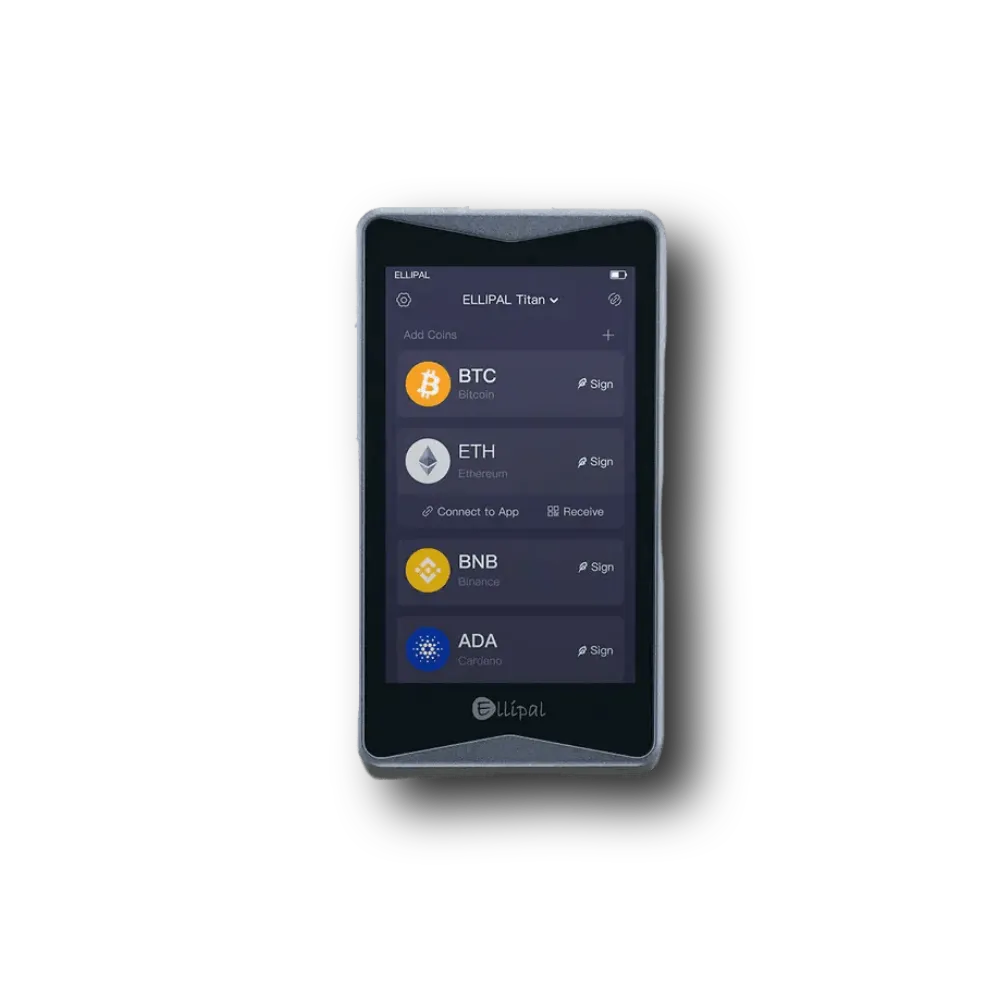
- ELLIPAL Titan 2.0: Safest air-gapped BNB chain cold wallet (no WiFi, no Bluetooth: QR-code based)
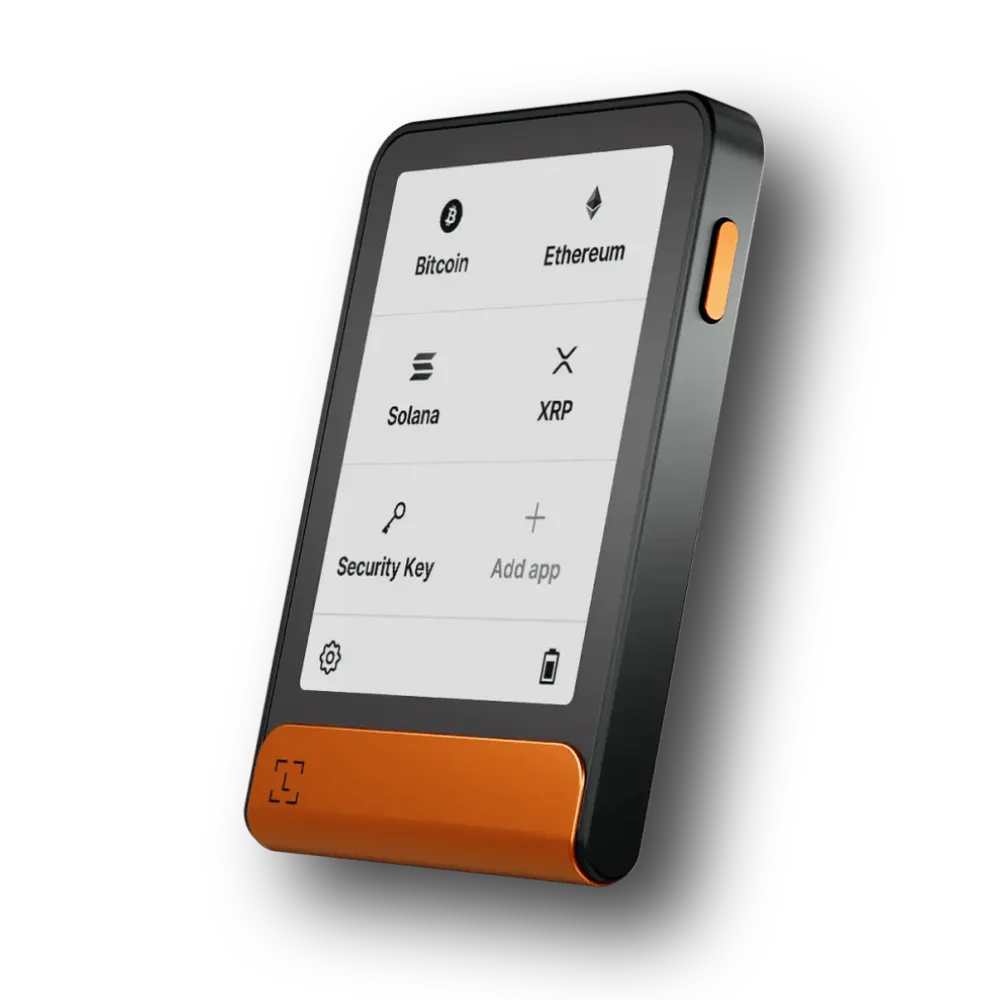
- Ledger Flex: Best for staking and storing BNB on hardware wallets (trusted by 10M+ users)
- Trezor Safe 5: Privacy-focused Binance Smart Chain Wallet (Tor browser for IP hiding)
- Tangem: Most user-friendly and easiest BNB wallet for beginners (credit card style tap-and-go)
- Trust Wallet: Mobile wallet for Binance Smart Chain tokens and meme coins (but hot wallet; not safe)
My Recommended (Storing BNB on Hardware Wallets)
These are my recommended safest hardware wallets for storing BNB and Binance Smart Chain (BSC) tokens:
5 Safest Wallets to Store Binance Smart Chain Tokens: Best BEP-20 Wallets Reviewed
Now, below you will find detailed reviews of the top 5 best Binance Smart Chain wallets. Each section tells you why the wallet is one of the best for BNB in 2026, and then I explain how it supports BNB storage and staking, and finish with pros and cons so you can weigh your options…
1. ELLIPAL Titan 2.0: Best cold wallet for BNB chain
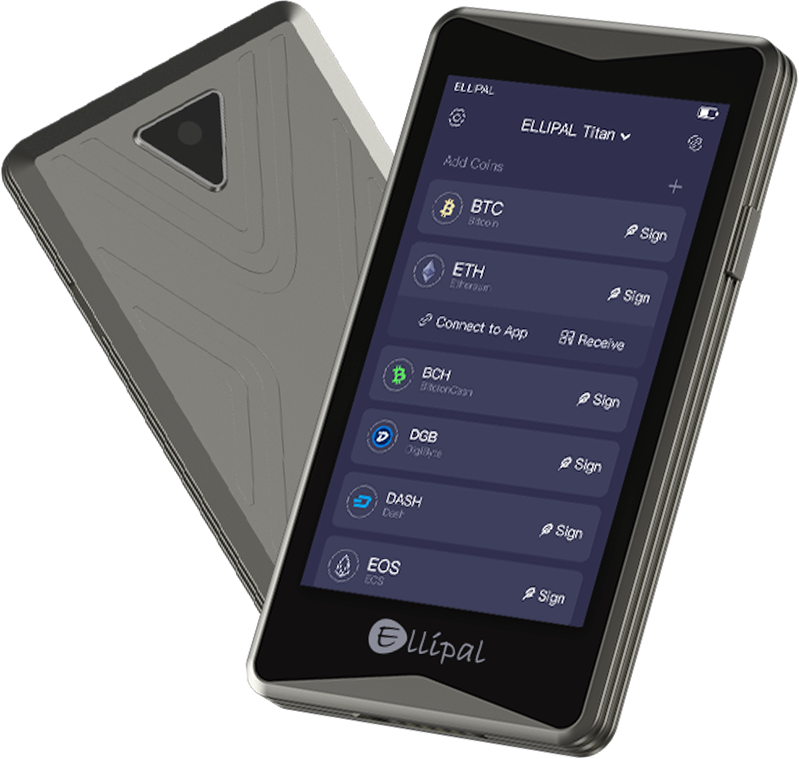
The ELLIPAL Titan 2.0 is a fully air-gapped hardware wallet for Binance Smart Chain that uses QR codes to sign transactions without any physical or wireless connection. Exactly, this means there is no physical or wireless path for a hacker to reach your BNB.
It looks a lot like a small smartphone with a 4-inch IPS touchscreen. Hence, this makes it very easy to read your transaction details before you sign them. The metal body is super strong, and it even has a self-destruct feature if someone tries to pry it open. (Read more: best cold storage wallets for altcoins)
Why is it the best Binance Chain wallet
- Supports over 10,000 tokens: It works with Binance Smart Chain tokens as well as other major coins like Bitcoin, Ethereum, and Cardano, plus thousands of tokens on different blockchains. You can manage all your assets in one place.
- Secure element: There is a CC EAL5+ secure element that stores your private keys of BNB chain tokens. Yes, that is slightly lower than the EAL6+ chips in Ledger and Trezor, but still robust and far better than a software wallet.
- BNB compatibility: You can store BNB and other Binance Smart Chain tokens directly on the Titan. Also, for the staking part, there is no native interface, so you must use a third‑party dApp via WalletConnect to delegate your BNB to a validator.
- Hidden wallet: You can set up a secret secondary wallet with a different password for extra safety. This can act as a decoy BNB wallet, too.
What I don’t like
- No native BNB staking: You cannot stake BNB directly on the device; you must use third‑party DeFi apps.
- Pricey: At about $169, it is not the cheapest air‑gapped wallet.
- Bulkier than a card: Now, compared with a credit‑card‑style wallet (like ELLIPAL X Card), the Titan is quite heavier and less pocketable as well.
2. Ledger Flex: Best hardware wallet to store BNB

Ledger Flex is another best hardware wallets for BNB and Binance Smart Chain assets. It is a high-end offline wallet that features a 2.84-inch E-Ink display and an industry-leading CC EAL6+ certified chip. You see, Ledger has been around for a long time, and the Flex is their latest device with robust blockchain support.
Why is it the best BEP-20 hardware wallet
- Top security: The Flex uses a secure element certified to CC EAL6+. Yes, it is among the highest levels for consumer devices. Your private keys never leave the chip, and Ledger’s firmware (BOLOS) ensures all actions are verified on the device.
- Native BNB support: Ledger Live lets you buy, sell, swap, and stake BNB directly on the mobile or desktop app. The staking service partners with a BNB validator, so you can delegate coins within the app and track rewards.
- Bluetooth 5.2 and NFC: You can easily connect your Flex to a smartphone via Bluetooth or use USB‑C for a wired connection. Plus, it has NFC support, so you can even tap the device to a phone for quick authentication.
- Battery life and display: Its E‑Ink display uses very little power. You can check your balance at a glance, and the device holds a charge for weeks or months on standby. (Read more: best hardware wallets for altcoins)
Some Negatives to Consider
- Costly: It is around $249. Hence, this makes it one of the more expensive BNB hardware wallets.
- Non‑replaceable battery: The Flex has a built‑in battery that cannot be swapped by the user; once it dies after several years (around 10 years), you may need to get a new device.
- Learning curve: Ledger Live offers many features and can feel overwhelming to a new user. So, you need to get used to it.
- No backlight: The E-Ink screen doesn’t have a backlight for dark rooms. So, you probably need to use it in some light.
3. Trezor Safe 5: Safest wallet for Binance Smart Chain
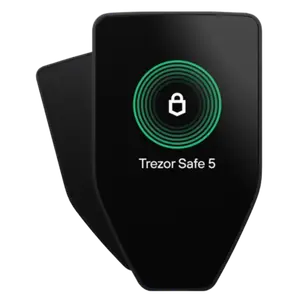
Trezor Safe 5 is the latest high-end wallet that uses an NDA-free EAL6+ Secure Element to protect your private keys. Well, look, if you care about transparency, this is the one for you because almost everything they do is open-source.
It has a bright color touchscreen with haptic feedback, so it vibrates slightly when you tap it. Basically, this makes it feel very responsive when you are entering your PIN or confirming a BNB transaction.
Why is it the safest BNB chain wallet
- Secure element and open source: The Safe 5 uses a CC EAL6+ secure element and runs open‑source firmware. Hence, anyone can inspect the code and verify that there are no backdoors. A passphrase is also there on top of the PIN for an extra 2FA.
- Multi‑network support: You can manage BNB on Binance Smart Chain, opBNB, and cross‑chain bridges using Trezor Suite. Yes, sending and receiving tokens is very simple through the app.
- Rich backups: The Safe 5 supports the standard 12‑, 20‑, or 24‑word recovery phrases. It also offers Shamir Backup. Here, you can split your recovery seed into multiple shares stored in different places. So, losing one share does not compromise your wallet.
- Third‑party integration: It connects with popular Binance Smart Chain hot wallets like MetaMask. Well, this allows you to use DeFi apps or stake BNB through dApps that support hardware wallets.
Drawbacks to Note
- No native BNB staking: Generally, it offers only ETH and ADA native staking; you need third‑party dApps to stake BNB.
- Wired connection only: There is no Bluetooth or NFC; you must connect via USB‑C. Also, it is mostly suited for desktop users, since it has limited connectivity options for Android and does not have an iOS app.
- Small screen: The 1.54-inch display size can sometimes feel cramped for long addresses.
4. Tangem: Easiest offline way for BEP-20 token storage
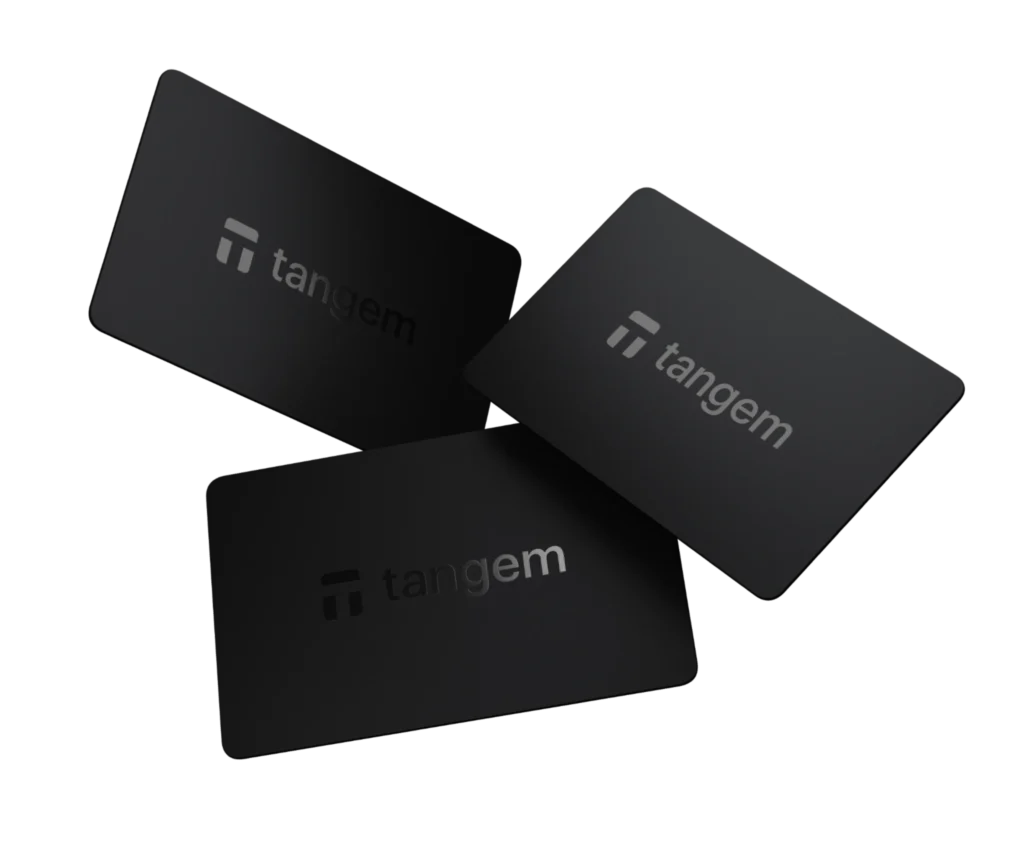
Tangem is a Binance Smart Chain wallet that uses a credit-card form factor and features a Samsung S3D350A secure element. It is probably the easiest hardware wallet to set up because you just need to tap it against your phone’s NFC.
There are no batteries to charge and no cables to lose. You get two or three cards in a pack, so if you lose one, you can use the others to get back into your account. It is also IP69K waterproof and can survive being dropped or stepped on. Basically, it is a great choice if you hate the idea of managing a small electronic device. (Read full Tangem Wallet review)
Why is it the top Binance Smart Chain wallet
- Credit‑card form factor: Tangem cards are as thin as normal payment cards, and you can carry them in your wallet. There is no battery, screen, or cable.
- Instant setup: You can just tap the card to your phone, install the Tangem app, and set up your wallet in minutes. There is no need for a computer configuration.
- Native BNB staking: The Tangem app added direct staking for BNB in late 2024. So, you can delegate your coins to a validator directly from the app, choose a validator, and then easily track rewards.
- Multi‑card bundles: Tangem sells its wallets in packs of two or three, and each card holds the same private key, so if one is lost, you can still access your funds. The company offers a 25‑year warranty on the cards.
- Wide token support: It supports more than 16,000 coins and tokens, including BNB, Ethereum, Solana, and Bitcoin. You can buy, sell, swap, and stake many of them within the Tangem app.
What I really don’t like
- No screen: Actually, without a display, you rely on the phone app to confirm transaction details.
- Mobile only: There is no desktop app; you must use a smartphone with NFC.
- Closed source: The firmware is proprietary, so you cannot audit it yourself.
5. Trust Wallet: Free BNB chain hot wallet
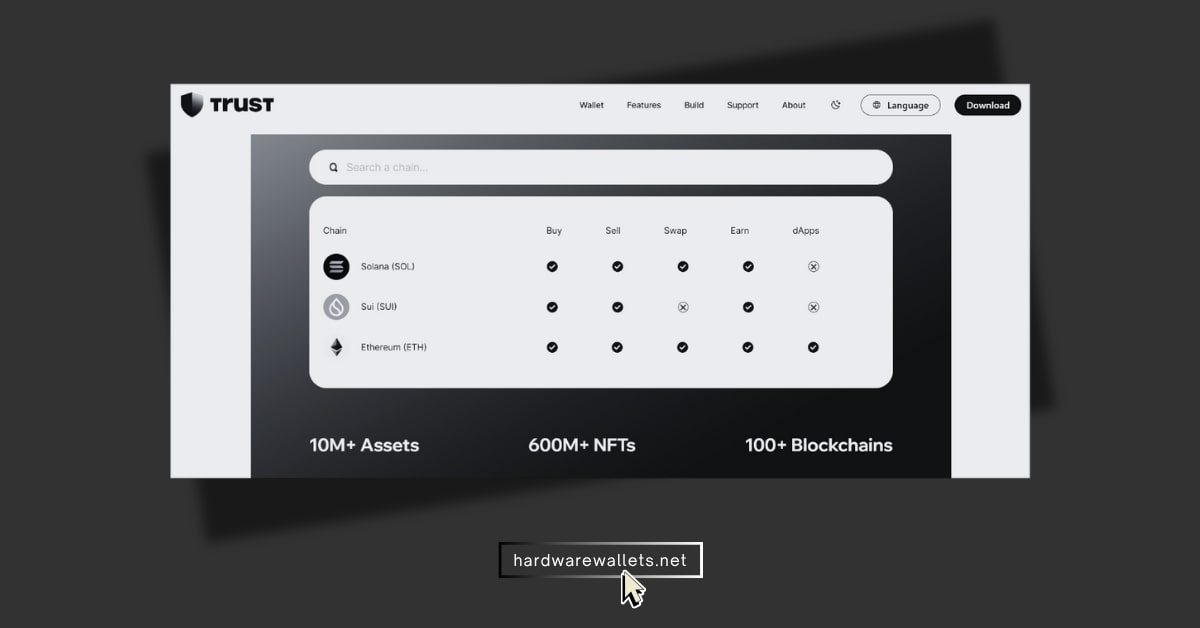
Trust Wallet is a non-custodial mobile crypto wallet for Binance Smart Chain coins that supports over 100 different blockchains and millions of tokens. It is completely free, and you can download it in seconds.
It is a “hot” wallet because it is an app on your phone, which makes it very convenient for trading BNB chain memecoins or staking your BNB. While it is not as safe as a hardware wallet, it is very secure if you keep your phone clean and don’t share your recovery phrase.
Why you should consider it for your BNB tokens
- Multi‑chain support: Trust Wallet works with more than 100 blockchains and millions of tokens. Also, BNB and BEP‑20 tokens are fully supported.
- Built‑in dApp browser: You can access PancakeSwap, Venus, and other Binance Smart Chain dApps directly in the app. A built‑in Web3 browser lets you interact with DeFi protocols without leaving your wallet.
- Staking and Earn: The Earn tab lets you stake BNB and several other coins. You can easily choose a validator, deposit at least 1 BNB, and start earning rewards with yields that fluctuate from about 3% to 8% per year.
- Zero custody fees: Trust Wallet does not charge fees for storing, swapping, or even staking tokens. You only pay network fees and validator commissions.
Disadvantages to know
- Hot wallet risks: Because it lives on your phone or browser, it is more exposed to malware and phishing than a BNB hardware wallet.
- Limited customer support: Well, customer support can be really slow or unreachable unless you hold the Trust Wallet Token (TWT). There are no phone numbers; you rely on chat and email.
- Hacks and bugs: In late 2025, a vulnerability allowed hackers to drain funds from some Trust Wallet extension users who had not updated. Yes, the team fixed the bug, but it shows that hot wallets are not invincible.
Comparing Top BNB Chain Wallets
Okay, I will compare these best Binance Smart Chain wallets and check how they stack up against each other…
| Wallet | Security | BNB staking support | Price | Ease of use |
|---|---|---|---|---|
| Ledger Flex | High (EAL6+ chip, secure element) | Native staking via Ledger Live | High ($249) | Medium |
| Trezor Safe 5 | High (EAL6+ chip, open source) | Limited (needs third‑party dApps) | Medium ($169) | Medium |
| ELLIPAL Titan 2.0 | High (air‑gapped with QR codes) | Limited (use dApps for staking) | Medium ($169) | Low |
| Tangem Wallet | Medium (secure element, no display) | Native BNB staking | Low ($55) | High (tap and go) |
| Trust Wallet | Low (software wallet) | Native BNB staking | Free | High (intuitive UI) |
How to Pick the Best Binance Smart Chain Wallet?
To choose the best Binance Smart Chain wallet for BEP-20 tokens, you need to consider these factors…
Security Certification
You must check the Common Criteria (CC) EAL rating of the secure element chip used in the device. A rating of EAL6+ is currently the gold standard for high-end wallets like the Ledger Flex or Trezor Safe 5.
Basically, this certification ensures the hardware can withstand sophisticated physical attacks from hackers. You see, most cheap BNB wallets lack this certification, so you should always check the manufacturer’s data sheets before buying.
Self-Custody Features
The best Binance Smart Chain wallet must give you full control over your 12 to 24-word seed phrase. Hence, you should never use a wallet that stores your keys on its servers because that is called a custodial service.
Now, with a non-custodial wallet, you are the only person who can access your funds, which is the main point of crypto. Again, if the company goes out of business, you can still recover your money using any other compatible wallet.
Staking Support
You need to verify if your best BNB chain wallet allows direct delegation to BNB Chain validators through its native interface. You know, native staking is much safer than connecting to random websites because it uses “Clear Signing” on your hardware device.
Also, some BEP-20 wallets only support “liquid staking” through third-party apps, which adds more smart contract risk. Hence, you should always look for a wallet that displays the APY and validator commission directly in the app.
BEP-20 Transaction Verification
The device should have a large, high-resolution screen to show you the full destination address and transaction fee. You see, small screens are dangerous because they might only show the first and last few characters of an address.
Hence, hackers can easily use “address poisoning” scams to trick you into sending money to the wrong place. A large screen like the one on the ELLIPAL Titan 2.0 makes it much harder for these scams to work.
DApp Compatibility
The best Binance Smart Chain wallet must support WalletConnect or have a built-in browser to interact with the BNB Chain ecosystem. You will need this to use PancakeSwap, Venus Protocol, or any other decentralized finance application.
Also, most modern wallets now use the EIP-712 standard to make reading these transactions much easier for the user. Hence, without good DApp support, your wallet is basically just a savings account with no other features.
Read more: Best hardware wallets for NFTs
Storing BNB on Hardware Wallets: Step-by-Step Guide
Basically, setting up your hardware wallet to store and manage BNB requires five specific steps to ensure maximum safety…
Step 1: Initialize and Secure the Device
You need to plug your Ledger Flex into your computer and follow the prompts on the 2.84-inch E-Ink display to set up a new device. You must choose a PIN code between 4 and 8 digits using the touchscreen.
Now, once you do that, the device will display your 24-word recovery phrase one word at a time. Write these words down on the provided paper sheet with a permanent pen and never take a photo or save them on a computer.
Step 2: Install the Binance Smart Chain App
Next, open the Ledger Live software on your desktop or mobile phone and navigate to the “My Ledger” tab. Search for “Binance Smart Chain” in the App Catalog and click the install button.
Your Ledger Flex will show a loading bar as it downloads the specific security logic needed to handle BNB transactions. This app is what allows the secure chip to communicate with the BSC network while keeping your keys hidden.
Step 3: Add your BNB Account
Go to the “Accounts” section in Ledger Live and click the plus icon to add a new account. Select “Binance Smart Chain (BNB)” from the list and follow the prompts to synchronize your hardware wallet with the software.
You will need to open the BNB app on your Ledger Flex and confirm the action by tapping the screen. Once the sync is finished, you will see your new BSC address appear in the Ledger Live dashboard.
Step 4: Receive your First Transaction
You need to click the “Receive” button in Ledger Live and select your new BNB account to generate a deposit address. The address will appear on your computer screen, but you must verify every character on the Ledger Flex screen itself.
Tap the right arrow on the device to scroll through the full address and ensure it matches the one on your computer. After you are 100% sure, copy the address and send a small test amount (like 0.05 BNB) from your exchange.
Step 5: Monitor and Stake your Funds
Now, wait about 3 to 5 seconds for the Binance Smart Chain to confirm your transaction and show the balance in your wallet. Once the test amount arrives safely, you can send the rest of your BNB to the same verified address.
To start earning rewards, navigate to the “Earn” tab in Ledger Live and select your BNB account. Choose a validator from the list, enter the amount you want to stake, and sign the transaction on your Ledger Flex to finalize the delegation.
FAQs: Best BEP-20 Wallet for BNB (Hardware + Software)
What are the safest places to stake BNB?
The safest way to stake BNB is through a reputable hardware wallet like Ledger Flex or a secure smart card like Tangem with built‑in staking. Now, when you stake using the Ledger Live app, you can choose from over 10 different validators while maintaining full control of your assets at all times.
How to stake Binance Smart Chain tokens?
You will first need at least 1 BNB. Then open your wallet’s staking or Earn section, select BNB, choose a validator, and then delegate your coins. You need to confirm the transaction on your device or phone, and after about a day, you will start earning rewards.
Now, if your wallet does not have native staking, use a DeFi dApp like PancakeSwap or BNB Chain’s staking site, and then connect through WalletConnect.
What are the best crypto wallets for BNB chain memecoins?
Trust Wallet and Ledger are the leading choices for trading Binance Smart Chain memecoins due to their excellent integration with PancakeSwap and decentralized exchanges.
These best Binance Smart Chain wallets allows you to add custom BEP-20 token addresses manually, which is necessary for buying new coins that are not yet listed on major platforms. Trust Wallet is especially good because it has a built-in dApp browser on Android and connects easily via WalletConnect on iOS devices.
Is Ledger the best hardware wallet for storing BNB?
Ledger Flex is widely considered the best hardware wallet for BNB users who want a balance of high security and a modern user interface. It uses a CC EAL6+ certified secure element, which is the same level of security used in high-end bank cards and biometric passports.
Plus, the Ledger Live software supports native BNB staking, so you do not need to connect to any risky third-party websites to earn rewards.
Do Ledger and Trezor support BNB staking?
Both Ledger and Trezor fully support BNB staking through their official software or by connecting to the MetaMask browser extension.
Ledger users can access staking directly through the “Earn” dashboard in the Ledger Live app, where they can track their daily rewards and validator status. Trezor users generally connect their device to MetaMask or the BNB Chain Wallet extension to interact with the staking contract on the blockchain.