
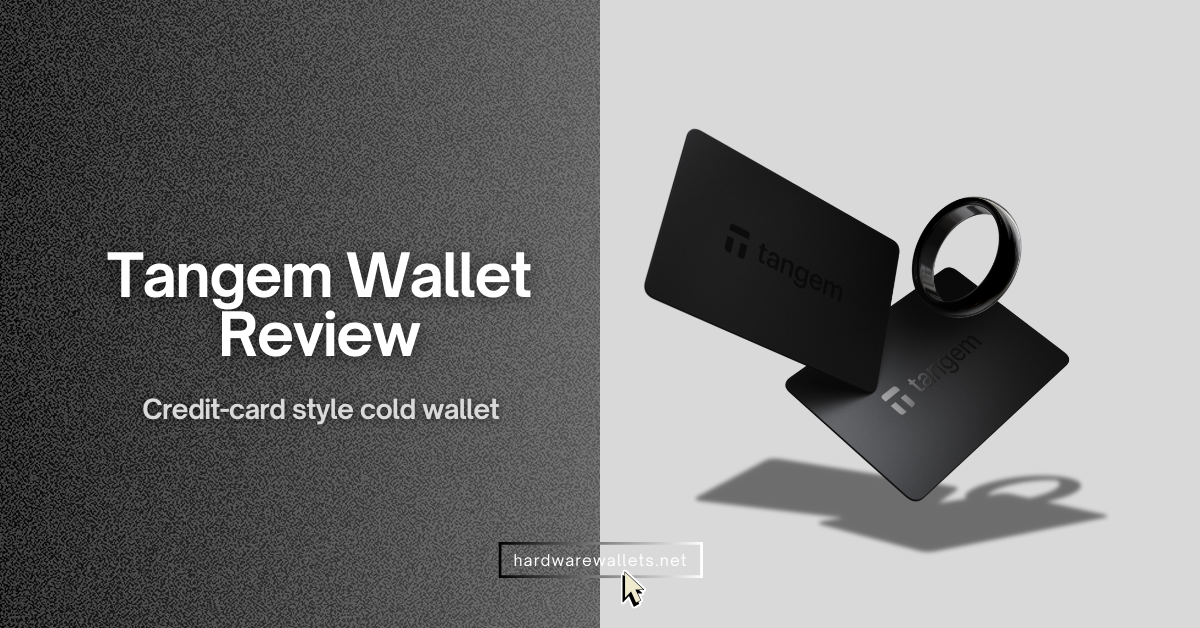
I have been using and testing the Tangem Wallet for quite some time. It looked just like a credit card. No buttons, no screens, no cables. Just a card.
In my Tangem wallet review, I’ll cover everything from the wallet’s specs and security to what I loved (and didn’t love) about using it. So, by the end, you’ll know if the Tangem crypto wallet is worth it for you.
Recent Vulnerability (fixed): In late 2024, a security researcher discovered a vulnerability related to the Tangem app (not the card itself). So, if a user set up their Tangem with a seed phrase (the less common method) and then used the app’s support feature within 7 days, there was a flaw where the app log could include the private key and potentially send it to Tangem support inadvertently. Tangem addressed this immediately: they fixed the app to stop logging any sensitive info, deleted all stored support logs on their end, and notified the few users who could have been affected to migrate funds. This incident showed me that while the Tangem hardware held up fine, the software had a hiccup.
2026 Tangem Crypto Wallet Overview: Key Specifications at a Glance
Well, here’s a quick overview of the Tangem Wallet’s key specs and features at a glance. This table sums up what the Tangem cold wallet is all about:
| Wallet Type | Cold storage hardware wallet (NFC smart card or ring form factor) |
| Form Factor | Credit card size (85.6 × 54 mm, 1 mm thick) – fits in any wallet; also available as a wearable Tangem Ring |
| Weight | ~6 grams per card (light as a feather) |
| Material & Durability | Card: Flexible plastic, water-resistant and dust-proof (sealed design); Ring: Zirconia ceramic (IP69K waterproof, highly scratch-resistant) |
| Power & Connectivity | No battery needed; powered via NFC. Connects wirelessly to smartphone via NFC tap (ISO 14443). No cables or Bluetooth required. |
| Compatibility | Mobile only: Requires NFC-enabled smartphone (Android or iOS). No native desktop support (no USB connection). |
| Display | None on device. Uses your phone’s screen and the Tangem app for all interface and confirmations. |
| Security Chip | Common Criteria EAL6+ certified secure element (Samsung S3D232 chip). |
| PIN / Access Code | Yes |
| Backup Method | 2-card or 3-card set, optional seed phrase |
| Firmware Updates | Firmware is fixed and not upgradable (by design for security) |
| Audits & Certifications | Independent security audits (e.g. by Kudelski Security and Riscure) |
| Supported Assets | 85+ blockchains and 16,000+ cryptocurrencies/tokens supported |
| Staking & DeFi | Supports staking on multiple chains (e.g. Tron, Cosmos, Solana, Cardano, etc.) Connects to DeFi via WalletConnect |
| Mobile App | iOS 15+ and Android 7.0+ with NFC |
| Price (USD) | $54.90 for a 2-card pack, $69.90 for 3-card pack (official retail). Tangem Ring (ring + 2 backup cards) around $150 |
| Warranty & Longevity | Cards and ring designed for long-term use (ring has a 25-year warranty) |
My Pros and Cons of Tangem
What I Like About Tangem Wallet
When I first got my Tangem wallet, a lot of things impressed me. Here are the biggest positives I’ve found…
You just need to tap the card on phone’s NFC to send crypto
You see, in most cold wallets, sending crypto usually involves plugging in a device, entering a PIN on a tiny screen, and waiting for a connection. Well, with Tangem, you cut that time down significantly. The NFC antenna inside the card is powerful enough to trigger instantly when it touches the back of your phone. I timed it once, and the actual signing process takes about 1 or 2 seconds max.
Now, if you’ve used contactless payments or Apple Pay, it’s the same method. This simplicity makes Tangem super appealing, especially if you found other hardware wallets too fiddly with wires or button combinations. Also, the NFC connection is surprisingly stable. So, my overall rating of its NFC usability is 10/10.
It fits perfectly in my wallet holder, exactly like a credit card
Tangem adheres to the ISO 7810 ID-1 standard, which is the exact dimension for credit cards (85.60 mm by 53.98 mm). It is only roughly 1 mm thick, so it adds zero bulk to my everyday carry.
Also, the stealth factor is actually a huge security pro for me.
You see, if I carry a Trezor or a Ledger, anyone who knows crypto knows exactly what that weird USB stick is. It screams, “I have money.”
But the Tangem card is matte black and discreet. So, if I open my wallet to pay for coffee, nobody notices the Tangem card sitting behind my Visa, and again, if I were to get mugged, a thief would likely ignore it or think it is a gym membership card or a gift card.
Also, since there’s no battery or fragile screen, I don’t worry about tossing it in my pocket. For someone who travels or likes to keep a wallet on them, Tangem’s form factor is obviously a huge plus.
Affordable pricing compared to Ledger or Trezor hardware wallets
Hardware wallets can be expensive. Some of the high-end ones cost over $150 or even $200. Tangem is way cheaper. At roughly $54.90 for a two-card pack, you are paying about $27.45 per hardware device. That is an incredibly low barrier to entry for top-tier security. Even the three-card pack at $69.90 is a steal when you consider you are getting three separate hardware keys.
Let’s look at the competition. A Ledger Nano X costs around $99. A Trezor Safe 6 is often over $179. Even the cheaper Ledger Nano S Plus is around $59 now.
Tangem undercuts them all while providing similar, if not better, chip security. You know, for someone who is just starting with $500 or $1000 in crypto, spending $150 on a wallet feels painful. Spending $50 feels reasonable.
No annoying cables or batteries to worry about ever
Tangem has no battery inside – it powers up via NFC from the phone’s energy when you tap it. That means I never have to charge it (unlike some hardware wallets that need occasional charging or replacing batteries).
Also, since it doesn’t use USB, I’m not carrying cables around or fumbling with connectors. Over time, this has made using Tangem feel very hassle-free. There’s no “ugh, I need to find the cable” moment. It’s always ready to go as long as I have my phone.
Backup is simple with the two or three-card pack, seed phrase is optional
Okay, this part is interesting. You see, most cold wallets force you to write down a 12 or 24-word seed phrase on paper. Tangem innovated here by offering a “smart backup” system.
So, when you set up the wallet, the chip generates the private key, and then, using an encrypted channel via the app, it copies that key to the second and third cards in your pack.
This process happens only once during setup. After that, the cards act as independent keys to the same wallet. If I lose my main card, I just go to my drawer, grab the backup card, and I still have full access to my funds. I don’t need to hunt for a piece of paper I wrote on 3 years ago. For many people, a physical card is easier to keep track of than a list of random words.
However, I know some crypto purists hate not having a seed phrase. So Tangem actually updated their firmware to give you a choice. You can choose to generate a standard seed phrase if you want to.
Well, I personally recommended that you should use both backup methods.
What I Don’t Like About Tangem Cold Wallet
The main drawbacks: the lack of a screen and desktop support are inherent design trade-offs with Tangem, and the mobile app, while user-friendly, still has room to grow in stability and features.
The card has no screen to confirm wallet addresses
Basically, this is the biggest criticism people have. On a Ledger, you see the address on the device’s screen before you sign. This prevents malware on your phone from swapping the address at the last second. Tangem has no screen. You have to trust what your phone shows you.
Basically, “blind signing” means you are trusting the phone’s display. If a hacker has complete control of your phone’s operating system, they could theoretically show you one address on the screen but send a different address to the card via NFC. Since the card has no screen to show you the “real” address it is signing, you wouldn’t know until the money is gone.
While this sounds scary, the reality is that for a hack like this to happen, your phone needs to be severely compromised with sophisticated malware specifically targeting the Tangem wallet. Tangem mitigates this by having the app verify the security of the connection, but the physical limitation remains.
Now, for small everyday transactions, I didn’t mind, but I’ll admit that when sending a large amount, I felt a bit nervous not having a second confirmation on a device screen. It’s a trade-off for the convenience; you sacrifice that extra verification step that screen-based wallets provide.
Also, if you’re very security-conscious, this lack of a screen might bother you as a potential phishing risk. I mitigated it by double-checking addresses very carefully in the app and only using the official Tangem app (which has anti-tampering measures), but still, I miss having a screen for 100% confidence.
Zero desktop support, you should use your phone, that too NFC-supported
Tangem wallet is strictly a mobile affair, as there’s no desktop application for PC or Mac where you can plug in the card (it can’t plug in at all).
Personally, I do most crypto management on my phone anyway, so it wasn’t a huge issue for me. But at times I wished I could use a larger screen or manage my wallet from a laptop – and Tangem just doesn’t do that.
Also, your phone needs NFC capability. You see, most modern smartphones have it (e.g. iPhone 7 or later, most Android phones in recent years), but if you happen to have a device without NFC, you simply can’t use the Tangem cold wallet.
So, that’s a consideration: no phone NFC, no Tangem usage. And no direct tablet support either, since iPads, for example, don’t have NFC readers typically. It’s somewhat limiting that you can’t use Tangem on a desktop or on a non-NFC device in a pinch.
Tangem wallet App freezes or acts buggy sometimes
The app is generally good, but I have encountered some frustrating glitches. Well, on a few occasions, I tapped the card, and the app just didn’t respond, like it wouldn’t recognize the card was there. In those cases, I had to close and reopen the app, or even restart my phone once, to get it working again.
Yes, it doesn’t happen every time, but it’s enough that I took notice. The Tangem wallet app has, of course, improved with updates, but I’d still say it’s not 100% flawless yet. I’ve also seen minor UI quirks, like price charts taking a long time to load or the app feeling a bit sluggish when updating balances.
Generally, it works, but those occasional bugs can be annoying, especially if you’re in a hurry. Compared to, say, a MetaMask or Trust Wallet, Tangem’s app felt a tiny bit less polished in those moments. The team seems to be updating it regularly, so I expect it to get better, but I have to mention my actual experience here.
It does not have many advanced trading features
The Tangem wallet app is easy to use, yes, but if you’re a power user wanting advanced features, you might feel a bit limited.
For example, there’s no built-in exchange interface beyond simple swaps, and even those are done through integrated third-party services. There’s no support for things like setting custom transaction rules, advanced charts, or direct DeFi lending/borrowing dashboards in-app.
I tried connecting Tangem via WalletConnect to some DeFi platforms; it works for basic things, but it struggles with more complex dApps. Again, while WalletConnect works, it adds friction. You have to approve sessions, switch back and forth between apps, and sometimes the connection drops. If you are someone who does 50 trades a day or manages complex DeFi positions, the Tangem app itself will feel limiting. It is definitely a “storage first” wallet, not a “trading station.”
So if you do anything beyond holding tokens (like staking in an external protocol, LP tokens, etc.), Tangem’s app doesn’t give insights into those; you’d have to track them elsewhere.
Firmware is closed-source
You see, some in the crypto community prefer fully open-source crypto wallets (like Trezor) so that code can be audited by anyone.
Tangem’s secure chip firmware is closed, which means only the auditing firms and Tangem know the exact code. Basically, you have to trust those third-party audits.
Tangem wallet vs Ledger: How is it Compared to Alternatives
I get asked this a lot. “Should I buy Tangem or Ledger?”
I’ve used both Tangem and Ledger devices, so I’ll break down the differences. Below is a comparison table highlighting some key points between the Tangem Wallet (card) and the Ledger Nano series…
| Feature | Tangem Wallet | Ledger Nano S Plus | Ledger Nano X |
|---|---|---|---|
| Price | ~$54.90 (2-pack) | ~$59.00 | ~$99.00 |
| Form Factor | Credit Card (Plastic) | USB Stick | USB Stick |
| Screen | No (Blind Signing) | Yes (OLED) | Yes (OLED) |
| Connectivity | NFC Only (Mobile) | USB-C (PC/Android) | Bluetooth & USB-C |
| Battery | No Battery | No Battery | Yes (Rechargeable) |
| Waterproof | Yes (IP68) | No | No |
| Setup Time | < 3 Minutes | 15-20 Minutes | 15-20 Minutes |
| Mobile iOS | Yes (via NFC) | No (Android only) | Yes (via Bluetooth) |
| Desktop App | No | Yes (Ledger Live) | Yes (Ledger Live) |
| Security Certification | EAL6+ | EAL5+ | EAL5+ |
So, in summary, Tangem wallet vs Ledger comes down to convenience vs convention:
- Tangem is ultra-portable, easy to set up, and more affordable. It’s fantastic if you want a straightforward cold wallet you can carry everywhere, and if you prefer managing crypto on your phone.
- Ledger (and similar devices) are feature-rich and time-tested, with the advantage of a screen and broad software support (desktop apps, integrations).
(Quick note: Another alternative, Ellipal, is a screen device that’s completely air-gapped using QR codes. And SafePal is a cheaper device with QR and a small screen. These fall somewhere in between, but they aren’t as slim or convenient as Tangem, but they are more secure. You can also check out my recommended list of the best cold storage wallets.)
Tangem Pay Review
Tangem Pay lets you spend your crypto in the real world using a Visa card.
Here’s how Tangem Pay works, based on my experience and what Tangem has rolled out:
- Virtual Visa Card: When you activate Tangem Pay in the app, it actually creates a virtual Visa debit card for you. You can add this virtual card to Apple Pay or Google Pay on your phone. There’s no physical card yet (they plan to offer a physical Tangem Pay card later), but the virtual one works anywhere Visa is accepted.
- Use USDC on Polygon: Tangem Pay currently uses USDC stablecoin on the Polygon network as the spending balance. So you top-up a portion of your Tangem Wallet with USDC (Polygon), and that acts as your payment balance. Now, when you make a purchase, it automatically converts the needed amount of USDC to USD for the merchant, at a 1:1 rate.
- KYC Required: To use Tangem Pay, you do have to complete a KYC (identity verification) in the Tangem app. This is one area where anonymity purists might not be thrilled, but again, since it’s a payment product connected to Visa, regulations demand KYC. Also, Tangem makes a point that this KYC info is siloed; it’s only for the Tangem Pay service, and your main Tangem Wallet usage remains private (Tangem doesn’t get your identity info; it goes to their payment partner). Still, it’s something to be aware of: you’re revealing your identity to use the card feature.
- Where It’s Available: As of now (early 2026), Tangem Pay is rolling out region by region. They started in late 2025 with the United States, parts of Latin America, and the Asia-Pacific on a waiting-list basis.
Is Tagem Cold Wallet Safe? Security Measures Explained
You are probably thinking, “Is a card without a screen actually safe?” Well, yes. Actually, it might be safer in some ways. Here are the specific security measures that convinced me:
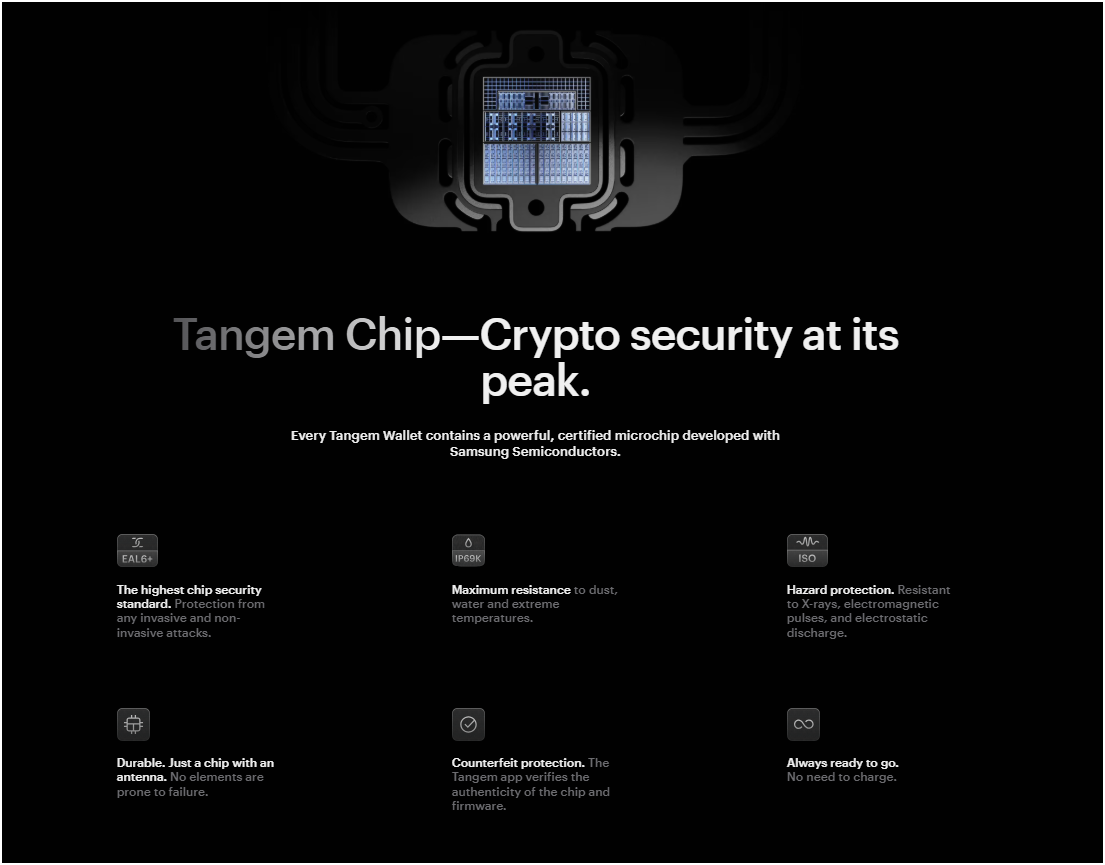
- EAL6+ Secure Element: The chip inside is a Samsung S3D350A, and this is the same grade of chip used in high-security passports. EAL6+ is the highest certification level for consumer security chips, actually higher than the EAL5+ found in Ledger Nano X.
- Monolithic Firmware: The firmware on the card is “monolithic,” meaning it is burned into the chip at the factory and cannot be updated or changed. So, this prevents hackers from injecting malicious code or malware into the card later on.
- No Backdoors (Audited): The firmware has been independently audited by two major security firms, Kudelski Security and Riscure. They confirmed there are no backdoors and the cryptography is sound.
- Access Code Protection: You can (and should) set an Access Code, which acts like a PIN. Even if someone steals your physical card, they cannot access your funds without this code. Tangem also includes a delay mechanism that increases the wait time after wrong guesses, preventing brute-force attacks.
- Anti-Counterfeit Check: Also, when you tap the card to your phone for the first time, the app verifies the chip’s authenticity using a cryptographic challenge. Well, this ensures you aren’t using a fake card that someone tampered with in the supply chain.
- Environment Resistance: The card is IP68 rated. It is resistant to water, dust, X-rays, and electromagnetic pulses (EMP).
- Smart Backup: The backup process uses a secure Diffie-Hellman key exchange protocol to sync keys between cards. It means the private key is never exposed to the phone or the internet during the backup process.
My Advice for Tangem Security
In everyday use, I feel Tangem is very safe. My main advice to anyone using it (or any wallet) is:
- Set a strong, hard-to-guess PIN/access code.
- Utilize the backup cards immediately and keep them safe in separate spots.
- Only use the official Tangem app (download from App Store/Google Play) to avoid any fake apps.
- Keep your phone secure too (since the phone is the interface: use biometric lock, don’t install sketchy apps that could compromise your phone, etc.).
Tangem Wallet Review: Supported Cryptocurrencies
Tangem’s official count is over 16,000 assets supported. This includes tokens like USDT, USDC, SHIB, UNI. Basically, if it’s a standard token on a supported chain, Tangem can store it.
Tangem is really a multi-chain wallet. The app currently supports around 85 distinct blockchains. This list keeps growing, but to name a few beyond the ones above:
Hedera Hashgraph (HBAR), Avalanche C-Chain, Cosmos (ATOM), Tezos (XTZ), Near Protocol, Algorand, Polkadot and Kusama, Toncoin (TON), Tron and its TRC-20 tokens, Solana (with SPL tokens), Ethereum Classic, Internet Computer (ICP), Sui, Aptos, Arbitrum Nova, Optimism, Base (Coinbase’s L2), Kaspa (KAS), XDC Network, zkSync, Chia, and on and on.
Tangem has also added support for NFTs on certain networks. So, for instance, Ethereum and Polygon NFTs can be viewed and stored, and also Solana and TON NFTs are supported.
Tangem’s app supports native staking for some coins. Currently, I’ve noticed staking options for coins like Tron, Cosmos, Solana, Cardano, Polkadot, Polygon, BNB (Smart Chain) and a few others right from the app.
Tangem Wallet Pricing
- 2-Card Set: This is usually around $54.90, and this is great if you just want a main card and one backup.
- 3-Card Set: This goes for about $69.90. I honestly recommend this one. For an extra $15, you get a third backup. It is worth it for the peace of mind. If you lose one card, you have two left. If you lose two… well, you still have one.
- Tangem Ring: This is the new wearable. It costs around $160. It comes with the ring and two backup cards. It is a bit of a flex, wearing your wallet. But it functions exactly like the card.
Tangem Wallet App for iOS and Android Review
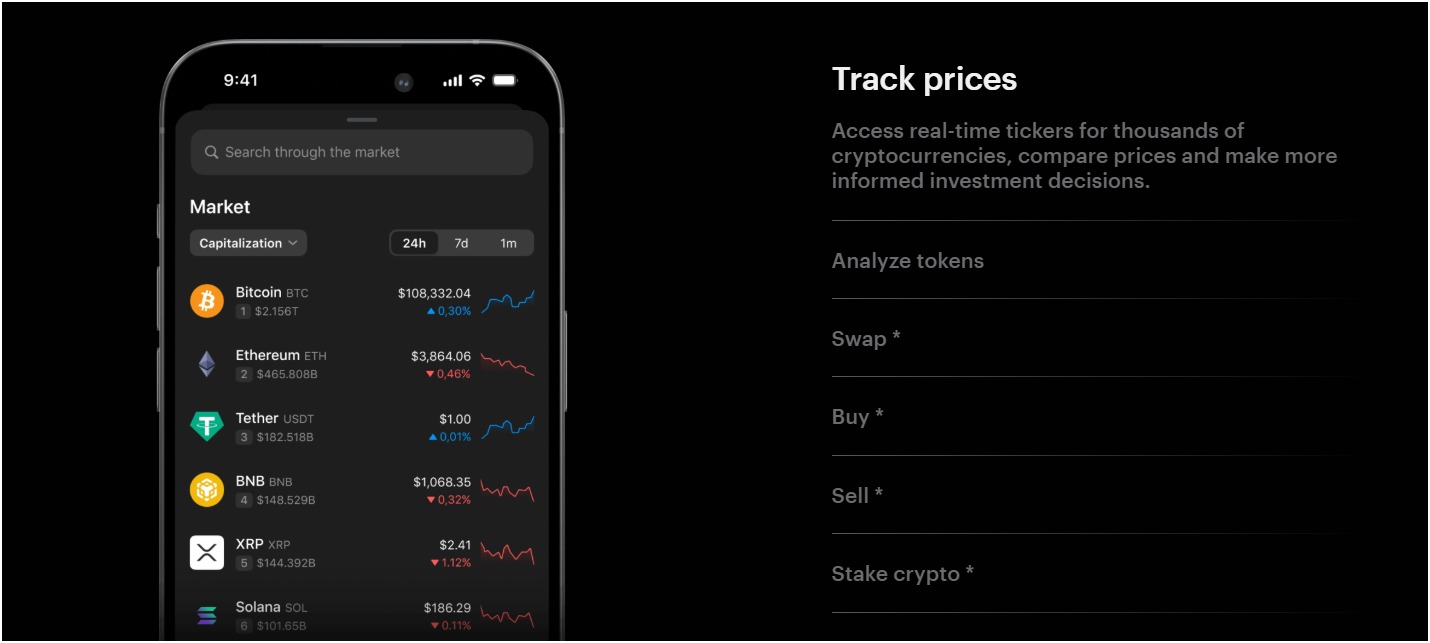
I use the iOS app mainly, and the design is incredibly sleek. It defaults to a modern dark mode that looks premium. The user interface is broken down into a few key tabs, making navigation intuitive.
The Home Screen is your dashboard. It displays your total portfolio balance at the top. You can tap a small “eye” icon to blur the balance, which is a nice privacy feature if you are opening the wallet in public. Below that, your tokens are listed as cards.
The “Manage Tokens” feature is robust. You can search through thousands of assets. What I love is the clarity; it tells you exactly which network a token is on. For example, if you search “USDT,” it clearly lists USDT (ERC20), USDT (TRC20), USDT (Solana), etc. This helps prevent the common mistake of sending coins to the wrong network.
The app lacks some power-user features, though. There is no built-in browser for dApps; you have to rely on WalletConnect. Also, there is no portfolio analysis tool that shows your profit/loss over time in a percentage graph. You just see the current value.
How to Set Up and Use Tangem Hardware Wallet?
Well, setting Tangem crypto wallet is arguably the easiest tech experience you will have in a long time. It takes literally 3 minutes. Here is exactly what you need to do, step-by-step:
- Unbox the Cards: Open the slide-out box. Inside, you find the three black cards. There are no cables or thick manuals, just the cards and a small “Get Started” leaflet.
- Install the App: Scan the QR code on the packaging. This takes you directly to the App Store or Play Store to download the official “Tangem” app.
- Initiate Scan: Open the app and tap “Scan Card.” Hold your main card against the top back of your phone. Your phone vibrates instantly, recognizing the card.
- Create Wallet: The app asks, “Create Wallet?” Tap the big button. At this moment, the chip inside the card generates your unique private keys using a true random number generator.
- Backup Process: The app then prompts you to back up the wallet. This is crucial. Tap the “Add Backup” button. The app asks you to scan the second card. Hold it to the phone for about 15 seconds while a progress bar fills up. Then it asks for the third card, and you repeat the process.
- Set Access Code: The app asks you to create an Access Code. Choose a strong, unique alphanumeric password. You have to type this code in and then scan each card again to lock the code onto it. This ensures nobody can use your cards without your password.
- Biometrics (Optional): Finally, the app asks if you want to use FaceID to unlock the app in the future. You should say yes for convenience.
Final Verdict: Is Tangem Cold Wallet Worth It?
To sum up my Tangem wallet review, in my opinion, yes – it’s absolutely worth considering, but for certain types of users only.
Tangem Cold Wallet is best for those who value simplicity, portability, and strong security without the usual hassles. Well, if you want a hardware wallet that you can carry like a normal credit card, that doesn’t cost a fortune, and that removes the headache of managing seed phrases (while still keeping you in control of your crypto), the Tangem wallet is best for you.
But yes, you might not find the Tangem wallet idea: If you’re a DeFi user who needs to connect to every protocol with custom functionality, or if you absolutely must have a physical confirmation screen due to trust issues with phones, then Tangem might feel limiting. Also, if you despise using a phone for everything and would prefer a device you plug into a computer with a big screen interface, you might lean towards something like a Ledger Flex or a ELLIPAL wallet. Tangem is very much designed with mobile-first users in mind.
FAQs: Tangem Crypto Wallet Review
What is a Tangem Wallet?
Tangem Wallet is a type of hardware crypto wallet that comes in the form of a smart card (and also a wearable ring variant).
The Tangem wallet uses NFC technology to communicate with your smartphone. It allows you to sign transactions and manage your portfolio by simply tapping the card against your phone, combining the security of cold storage with the convenience of a contactless bank card.
Is the Tangem wallet available in the USA, UK, and Australia?
Yes, the Tangem wallet is available and fully supported in the USA, UK, Australia, and over 170 other countries. They have a robust global shipping network.
The app is also available globally on the Apple App Store and Google Play Store without regional restrictions. You can purchase the cards directly from the Tangem website or through authorized official resellers on platforms like Amazon in these regions.
How do Tangem cards work?
Tangem cards work by utilizing a Samsung EAL6+ certified secure element chip embedded inside the plastic. Now, when you initialize the wallet, this chip generates your private key internally. The key never leaves the card and is never exposed to your phone’s memory or the internet.
Next, when you want to send crypto, the mobile app constructs the transaction and sends the data to the card via NFC. The card’s chip signs the transaction securely and sends only the digital signature back to the app, which then broadcasts it to the blockchain.
What are the most legit security concerns with the Tangem crypto wallet?
The primary security concern is “blind signing,” which means the card lacks a screen to verify the transaction details independently from the phone. Basically, users must trust that their phone’s screen is displaying the correct transaction information.
Now, again, another valid concern is that if you lose your physical card and your phone is compromised, or if you forget your Access Code and lose your card, recovery can be difficult compared to a standard seed phrase wallet (though Tangem now offers a seed phrase option to mitigate this).
How safe is the Tangem wallet?
The Tangem wallet is extremely safe and is considered one of the most secure options on the market. It boasts an EAL6+ certification, which is the highest level of security standard for cryptographic chips, protecting against sophisticated physical and logical attacks.
The firmware is monolithic and audit-verified, meaning it cannot be altered or infected with malware. Since it has no battery, ports, or Wi-Fi, the attack surface is virtually non-existent compared to complex electronic devices.
Is Tangem a real cold wallet like ELLIPAL?
Yes, Tangem is a 100% real cold wallet. The definition of a “cold wallet” is a device that keeps private keys offline and disconnected from the internet.
Tangem wallet fits this perfectly because the private keys are generated and stored inside the secure chip, which has no internet connectivity. Even though you use a smartphone interface to initiate actions, the critical signing process happens in the “cold” environment of the card’s chip.