
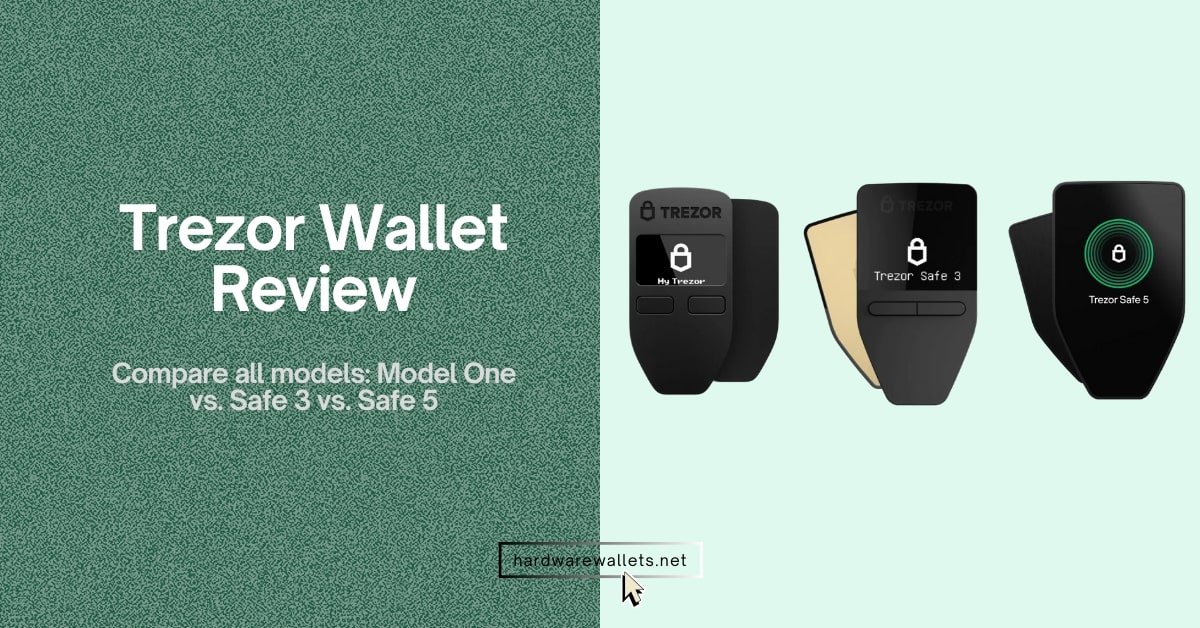
You might be thinking about buying a Trezor wallet. Is it actually worth it, and if yes, which hardware model is the best value for money: Model One, Safe 3, or Safe 5?
I’ve used each Trezor hardware wallet for managing Bitcoin, stablecoins, and even some altcoins, and trust me, the differences show up fast once you start using them daily.
Trezor has been a trusted name in hardware wallets for a long time, but with three different models available now, it’s easy to get confused. That’s exactly why I decided to write this Trezor wallet review based on my own hands-on experience with these devices. So, if you’re stuck choosing between them, I’ll help you figure out what’s worth your money in 2025.
Best Trezor Wallet Review: Which Model I Find Best for Secure Crypto Storage
I’ve tested all three Trezor models: Model One, Safe 3, and Safe 5, and after months of real usage, I can actually say the “Trezor Safe 5” version is the best option for secure crypto cold storage right now.
Let me explain why. Model One is quite affordable, but it lacks some basic security upgrades like a secure element chip or multi-word passphrase support. Well, I have used it for a few weeks, and honestly, it feels outdated for 2025 standards. Next model, Safe 3, fixes a lot of that. It adds a secure element, works great with all Trezor Suite features, and feels solid.
But once I tried Safe 5, it totally changed the experience. The touchscreen alone makes everything, from entering passphrases to confirming transactions, way easier and safer. Plus, it’s the only model that supports Shamir Backup, which I personally use because it splits the seed into parts.
So, while the Trezor Safe 3 is a great entry point, I feel that the Trezor Safe 5’s advanced features, especially the touchscreen and secure backup options, make it the most future-proof and practical choice.
Here’s a one-by-one Trezor wallet review for you…
Trezor Model One (Best for budget users)
- Price: usually around $59
- Best for: anyone on a tight budget who just wants a working cold wallet
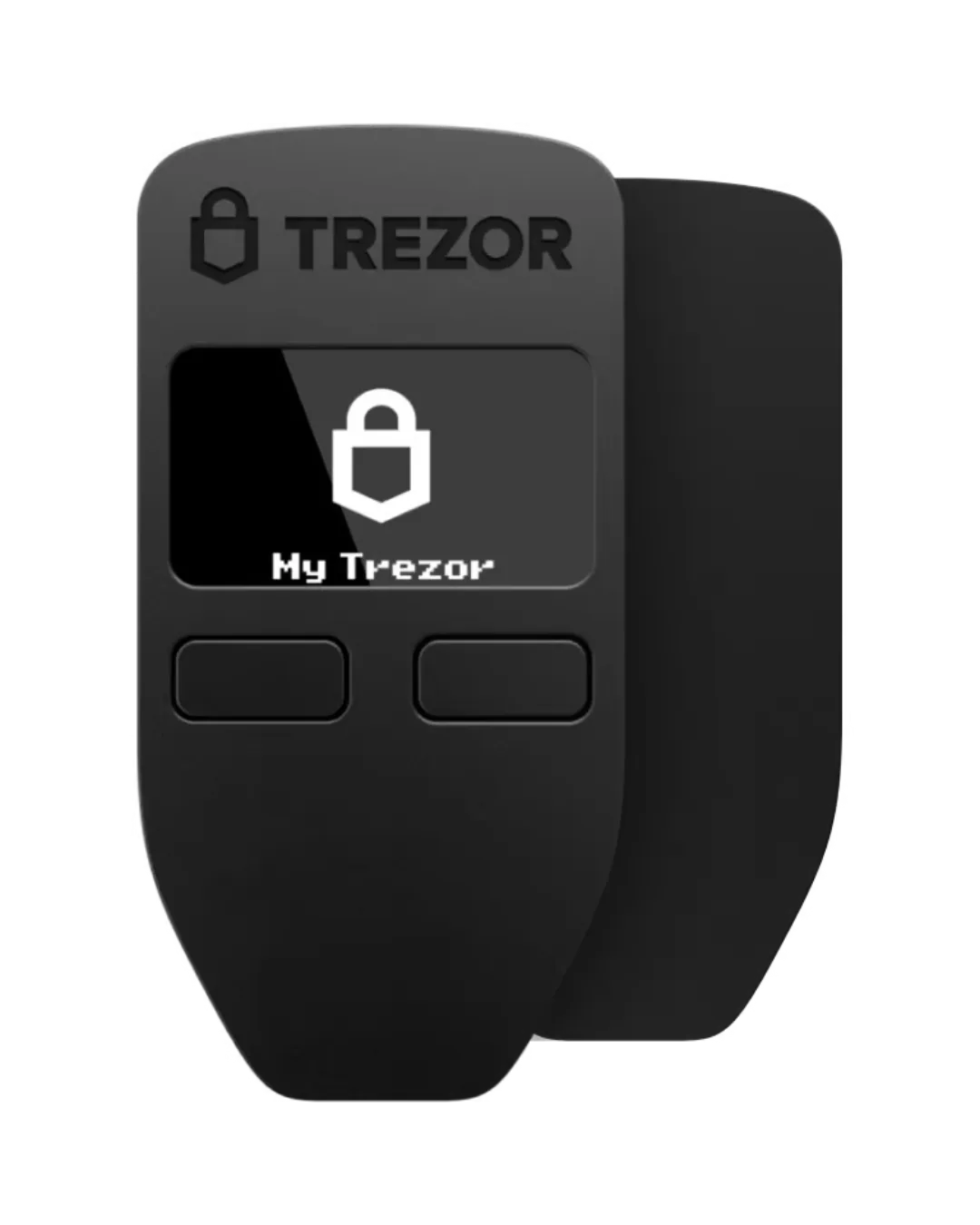
The Model One is a device that feels light and is constructed from hard plastic. It features a small black-and-white screen and two buttons for navigation, and from the very beginning, this wallet is known for its durability.
While it is a reliable device, its design is dated. The Model One uses a micro-USB port, which may require you to locate an older cable. Now, it supports many popular cryptocurrencies, including Bitcoin, Ethereum, and many ERC-20 tokens, but it still lacks support for most coins, such as XRP, Cardano, Monero, and Solana.
Also, it does not contain a secure element, and you must enter your passphrase on a connected computer, which introduces a potential risk from malware. The low-resolution screen and 120 MHz processor can make navigating token lists feel slow.
So, that’s why I suggest the Model One is better suited as a backup or an initial entry point into hardware wallets rather than a long-term solution. You can actually avoid it if you are not on a budget.
Why should you ignore Model One now?
- Why you should ignore Trezor Model One now?
- It does not have a secure element chip, which the newer models have.
- The small display can make it hard to verify transaction details.
- The two-button interface is much slower than a touchscreen.
- It uses a Micro USB connector, which is a bit old-fashioned.
- It doesn’t support the latest coin types as well as the new blockchain models.
Trezor Safe 3 (Best for balanced security & price)
- Price: around $79
- Best for: users who want a balance of security and cost.
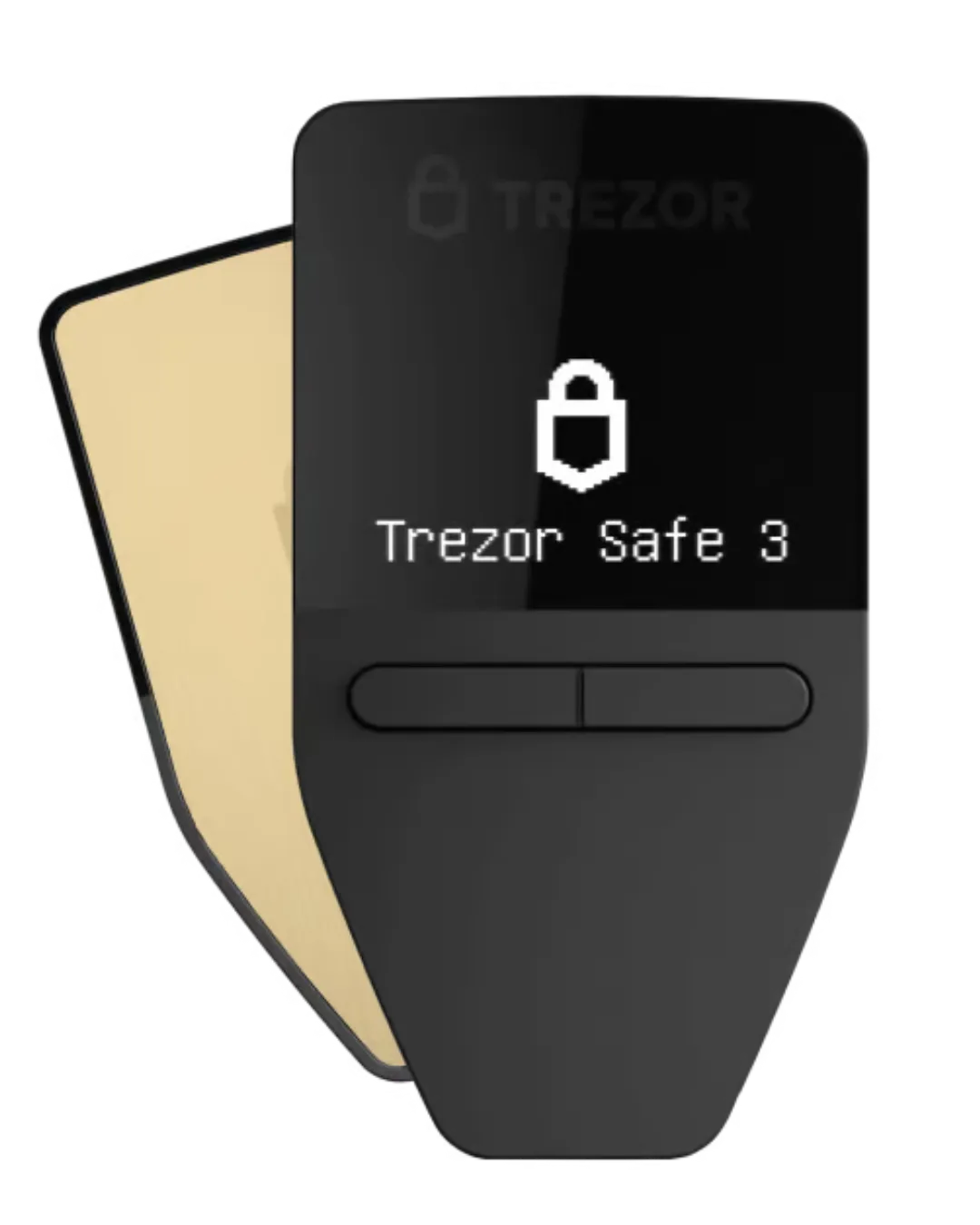
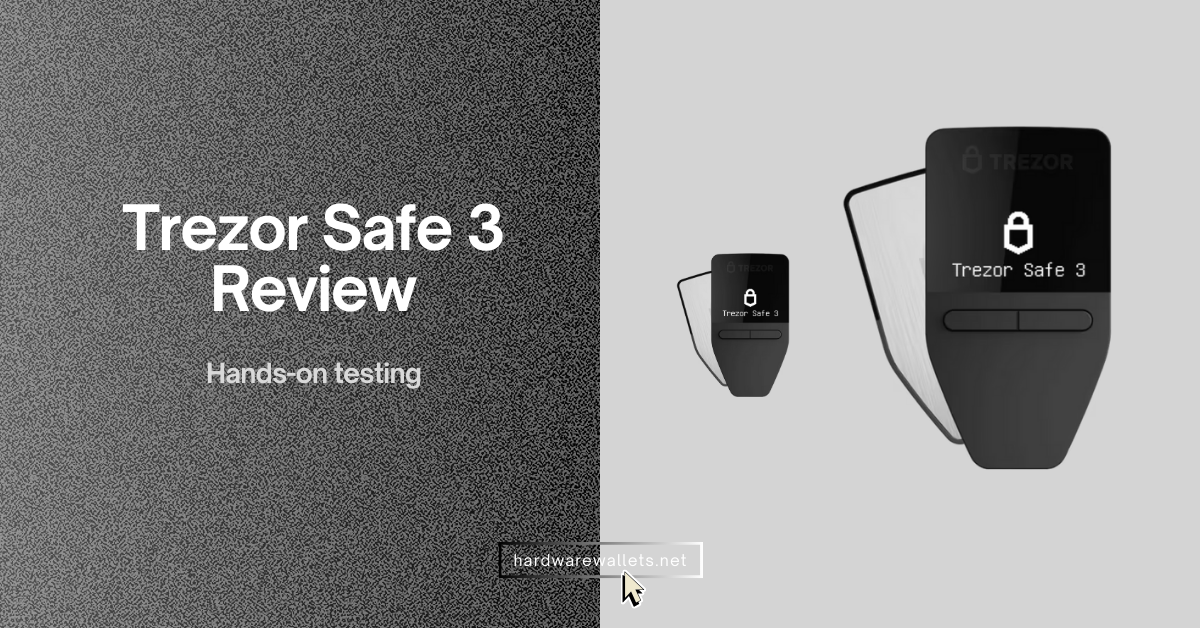
The Trezor Safe 3 is a great option because it combines modern security features with a very affordable price. It protects your assets with a special Secure Element chip (EAL6+), and also includes PIN and passphrase protection.
The design is transparent and open‑source, so anyone can verify its security. It still uses the classic two-button interface. This device is a huge upgrade from the Model One for a small price increase. (Read my honest Trezor Safe 3 review)
Who should go for Safe 3?
- People who are serious about security but don’t want to pay a high price.
- Users who want a hardware wallet with a secure element chip.
- Those who are comfortable with a two-button interface.
- Someone who wants to store a lot of different coins.
- Anyone looking for the best value for their money.
Trezor Safe 5 (Best for user-friendliness)
- Price: around $169
- Best for: users who prioritize advanced features and a simple experience.
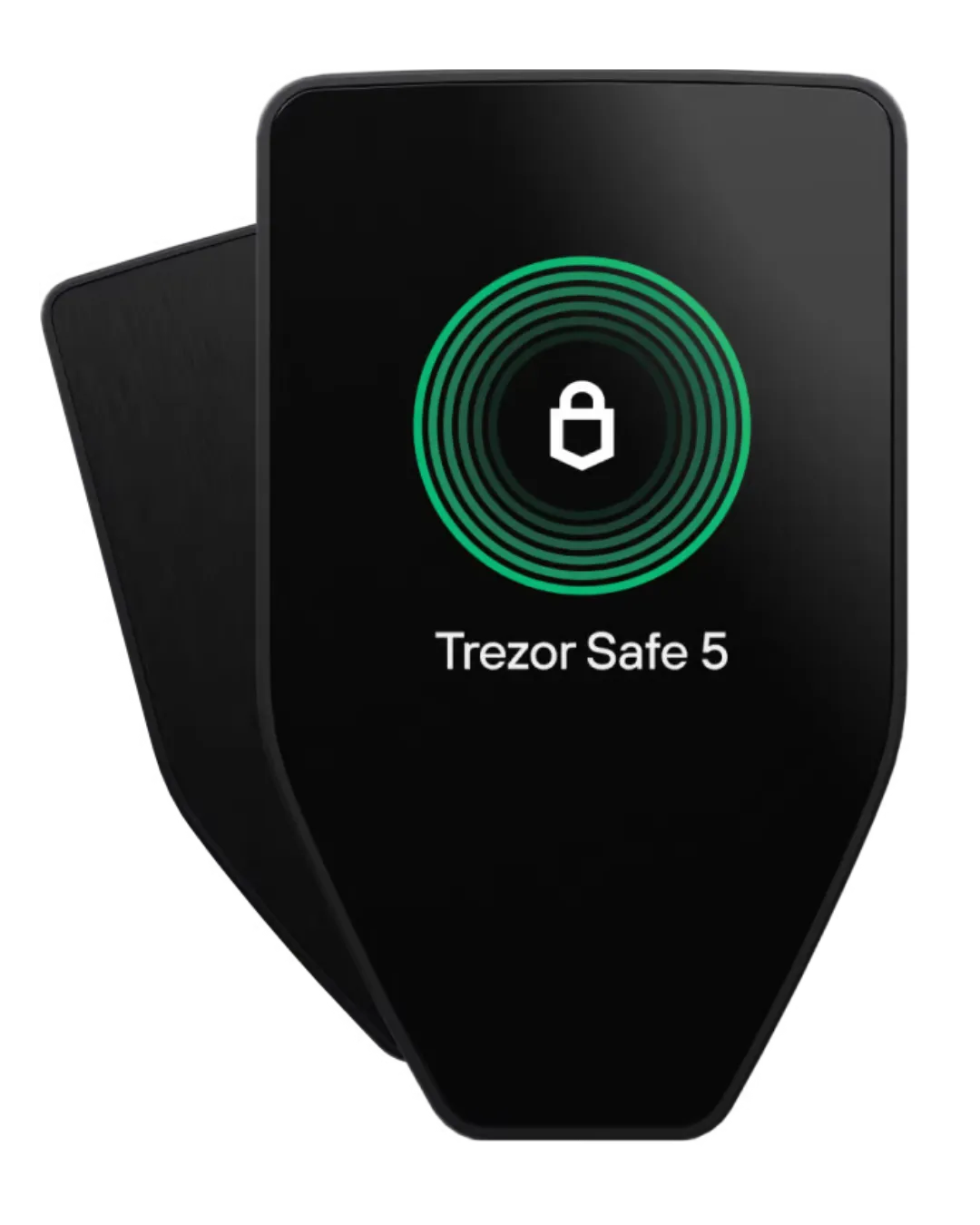
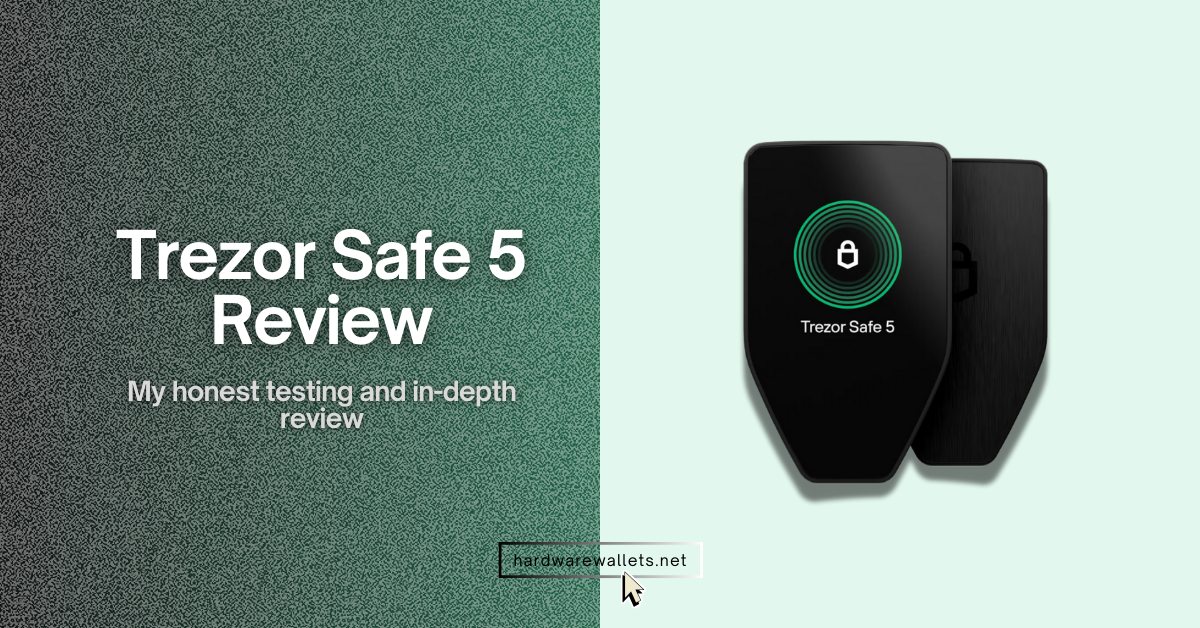
The Trezor Safe 5 is the newest and most user-friendly model available. Well, its main feature is a large, vibrant touchscreen with haptic feedback, making it much easier to use.
It keeps the NDA‑free EAL 6+ Secure Element from earlier models, plus retains PIN and passphrase protection, open‑source transparency, and Gorilla Glass durability. But now, backup options get updated too; you can choose a 20‑word SLIP‑39 “single‑share” or advanced multi‑share backup, a step up from the usual 12‑ or 24‑word options.
Who should choose Safe 5?
- Those who are willing to invest more for the best security and features.
- Users who want a large touchscreen for easier transaction verification.
- People who need a MicroSD card slot for storing very large recovery backups.
- Anyone who wants the most up-to-date and future-proof model from Trezor.
- Users who deal with a lot of transactions and want a faster, more fluid experience.
Compare Trezor Hardware Wallets: Model One vs. Safe 3 vs. Safe 5
Trezor has four different wallet models out there: the original Trezor Model One, the older Trezor Model T, the newer Trezor Safe 3, and the Trezor Safe 5. The Model T is a good wallet, but with the launch of the Safe 5, it just feels kind of outdated.
So, we are going to focus on comparing the three main contenders you should really consider: the Model One, Safe 3, and Safe 5.
| Feature | Trezor Model One | Trezor Safe 3 | Trezor Safe 5 |
|---|---|---|---|
| Year Introduced | 2014 | 2023 | 2024 |
| Price | $59 | $79 | $169 |
| Display | 0.96″ Monochrome OLED, 128×64 px | 0.96″ Monochrome OLED, 128×64 px | 1.54″ Color touchscreen, 240×240 px |
| Physical Controls | Two buttons | Two buttons | Touchscreen with vibration |
| Secure Chip | No | NDA-free EAL6+ | NDA-free EAL6+ |
| Passphrase Entry | On computer | On device | On device |
| Port Type | Micro-USB | USB-C | USB-C |
| microSD Slot | No | No | Yes |
| Seed Phrase Words | BIP39: 12-word, 24-word | 12-, 20-, 24-word via SLIP39 with Shamir share | Same as Safe 3: SLIP39 single & multi-share, 12/20/24-word |
| Shamir Backup | No | Yes | Yes |
| Coin Support | 1,000+ | 9,000+ | 9,000+ |
| Hardware Specs (CPU) | ARM Cortex-M3, ~120 MHz | ARM Cortex-M4, 180 MHz | ARM Cortex-M33, 160 MHz |
| PIN & Passphrase | Yes | Yes | Yes |
| Privacy Features | Coin control, Tor | Coin control, Tor | Coin control, Tor |
| Certifications | CE, RoHS, X-ray safe | CE, RoHS, X-ray safe | CE, RoHS, X-ray safe |
| Material & Build | PC/ABS plastic; rugged buttons | PMMA plastic with anodized back; sleek design | PC-ABS plastic, anodized aluminum back, Gorilla Glass 3 |
| Additional Features | 2FA (FIDO2) U2F | 2FA (FIDO2) U2F | Supports microSD-based PIN binding |
| FIDO2/WebAuthn | Yes | Yes | Yes |
| Weight | ~12 g | ~14 g | ~23 g |
| Battery Included | No | No | No |
| iOS Compatibility | No | No | No |
| Best For | Budget, proven hardware wallet | Mid-tier with enhanced security | Premium and more user-friendly |
What is the difference between Trezor Safe 3 and Safe 5?
Trezor Safe 3 and Safe 5 are quite similar, but the main difference is the user experience and the level of security in the backup process.
Safe 3 is basically an upgrade from the Model One, giving you that Secure Element chip and a USB-C port, but it still has a very simple interface with a small, basic screen and two buttons. You just need to press the buttons to confirm everything.
Now, the Safe 5 brings a whole new level of usability. It has a big, colorful touchscreen, and you can just tap and type right on the device, which makes the whole process of setting up and confirming transactions a lot more intuitive and fast.
Also, it has haptic feedback, so you get a little vibration when you press something, which is a nice touch. Seriously, it feels much more premium and modern, and the other big difference is the advanced multi-share backup that comes with the Safe 5.
This feature breaks your recovery phrase into multiple parts, and you need a certain number of them to recover your wallet. Mainly, it’s an extra layer of protection that is mainly for people who want ultimate security and a more complex setup.
So, here is a quick Trezor Safe 3 vs. Trezor Safe 5 comparison…
| Feature | Trezor Safe 5 | Trezor Safe 3 |
|---|---|---|
| Display & Touch Input | 1.54″ color touchscreen with haptic feedback | 0.96″ non-touch monochrome OLED screen |
| Screen Protection | Gorilla Glass 3 | No Gorilla Glass |
| Authentication Features | Includes microSD card slot | No microSD slot |
| Backup Options | SLIP39 20-word single-share, multi-share, 12/24-word BIP39 | Only 12/24-word BIP39 backup |
| Price (US) | USD 169 | USD 79 |
Which Trezor wallet is better, Model One or Safe 3?
The Trezor Model One is definitely cheaper, but the Trezor Safe 3 offers so much more for just a little extra money. Honestly, I think the Safe 3 is the clear winner here.
| Feature | Trezor Safe 3 | Trezor Model One |
|---|---|---|
| USB Connection | USB‑C connector | Micro‑USB connector |
| Secure Element | EAL6+ certified secure chip | No chip, only microcontrollers |
| Backup Options | Supports Shamir (multi‑share) and standard backups | Standard (BIP39) backup only |
| Supported Coins/Tokens | Supports XRP, SOL, ADA, XMR, and a broader range | Doesn’t support XRP, SOL, ADA, XMR |
Safe 3 adds a secure element, on‑device passphrase entry, and support for coins like XRP, Solana, and Monero.
Those improvements matter more to me than the modest price difference. Unless you really can’t stretch the budget another 20 dollars, I’d skip the Model One. It feels like buying an old smartphone when a newer one is within reach.
Which Trezor wallet is best for beginners?
Well, for a beginner, the best Trezor wallet is the one that gives you a great balance of security and ease of use without being too expensive. By that logic, the Trezor Safe 3 is the perfect starting point. Safe 3 hits a sweet balance: it’s affordable, has physical buttons that reduce mis‑taps, and still protects your keys with a secure element.
The Safe 5 is great, but it might be a bit of overkill for a beginner, and it is a lot more expensive. The Model One is just not worth the risk, especially with the Safe 3 being so accessible. So, to end this Trezor wallet review, my advice is simple: start with Safe 3 unless you have a specific need for the Safe 5’s bigger display.
You can also read my other articles, such as Ledger vs Trezor comparison, and a list of my most secure and best cold storage wallets.
I have reviewed Trezor wallet security measures…
The top Trezor wallet security measures are PIN and passphrase, open-source firmware, CC EAL6+ secure element chip, Coin Control and Tor browser support, Shamir Backup, and address poisoning protection. Let’s discuss some popular ones in more detail…
Open-source firmware
The open-source firmware is important in crypto because of transparency and trust. Here, instead of a company keeping its code a secret, Trezor makes its entire firmware code public. Hence, this means that literally anyone can look at the code, audit it, and check for any potential backdoors or vulnerabilities.
I find this to be a massive advantage because it relies on the collective intelligence of the developer community rather than just one company’s promises. And if there were a security flaw, it’s far more likely to be found and fixed quickly by the global community.
Also, the device uses a layered system, where the unchangeable boardloader verifies the bootloader, which then verifies the firmware, and this process ensures that only legitimate, community-vetted code can ever run on your device.
Coin Control and Tor browser support
Normally, when you send Bitcoin, your wallet picks which previous transaction outputs to use, and actually, this can sometimes be a privacy risk. Well, with Coin Control, I can manually select which specific “coins” (which are actually unspent transaction outputs, UTXOs) I want to use for a transaction.
Hence, it can help me avoid linking my new transaction to older ones in a way that could reveal my spending habits to blockchain observers.
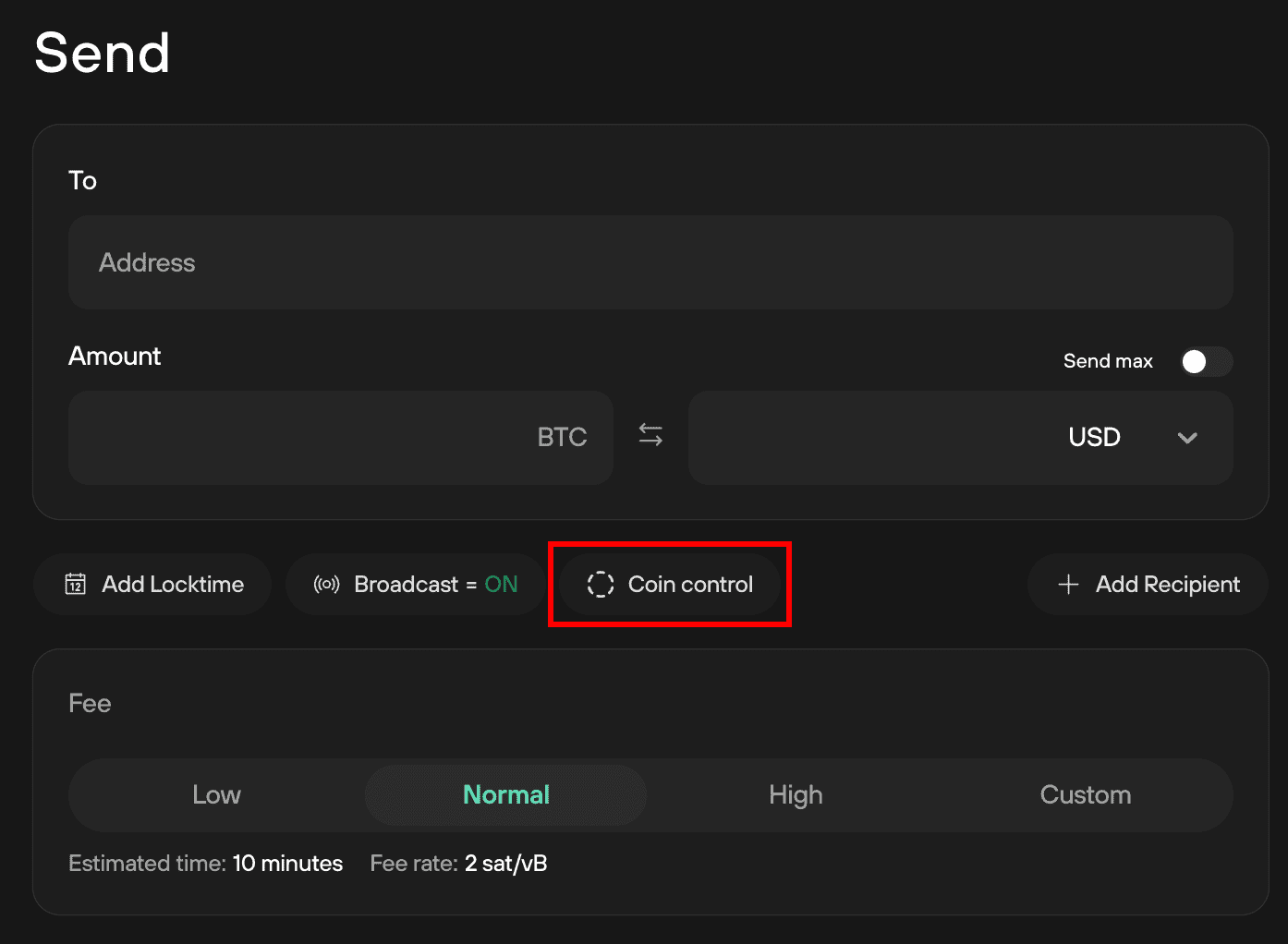
On top of that, Trezor Suite has integrated support for the Tor network. As you know, the Tor network anonymizes your internet traffic by routing it through a series of volunteer-operated servers, making it incredibly difficult for anyone to trace your device’s activity back to you.
Shamir Backup
I believe Shamir Backup is a game-changer here because it solves the biggest problem with a traditional single seed phrase: a single point of failure. The method lets you split your main seed into multiple unique “shares.”
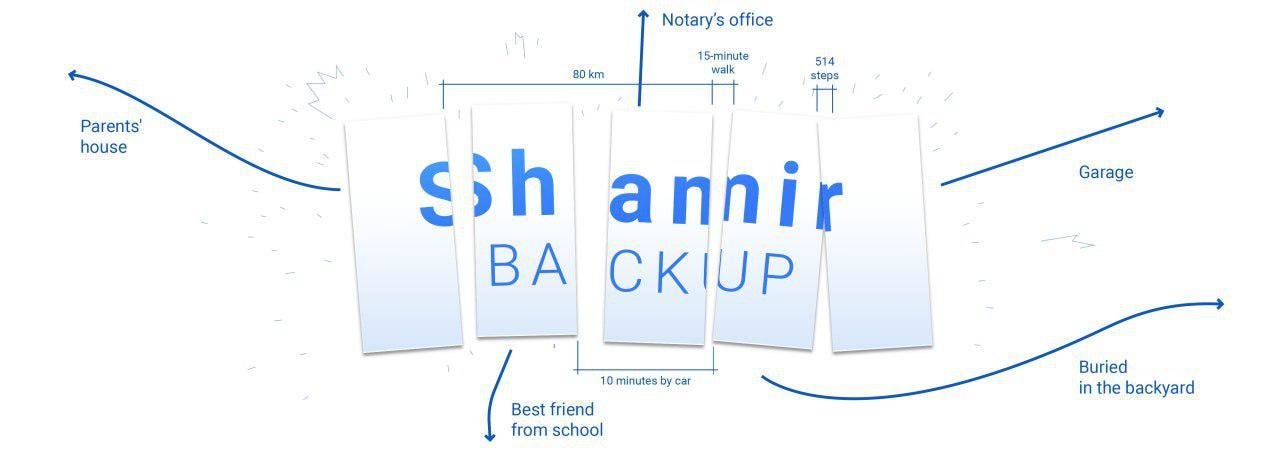
So, for example, you can create five shares and set a rule that you only need three of them to recover your Trezor wallet. So, I could give one share to a trusted family member, store another in a safety deposit box, and keep a third myself. Now, if one share is ever lost or stolen, my wallet is still safe, and I can still recover it as long as I have the other two.
Hence, this level of redundancy is so important because it protects you from both theft and accidental loss, and makes your recovery process far more resilient and secure than a single-phrase backup.
Address poisoning protection
Nowadays, address poisoning is a quite popular scam, where a hacker sends a zero-value transaction to your wallet from an address that looks almost identical to one you’ve used before.
Here, their goal is to “poison” your transaction history so that when you go to send a future transaction, you accidentally copy and paste their fake address instead of the real one. It’s a really easy mistake to make, and it can result in a total loss of your funds.
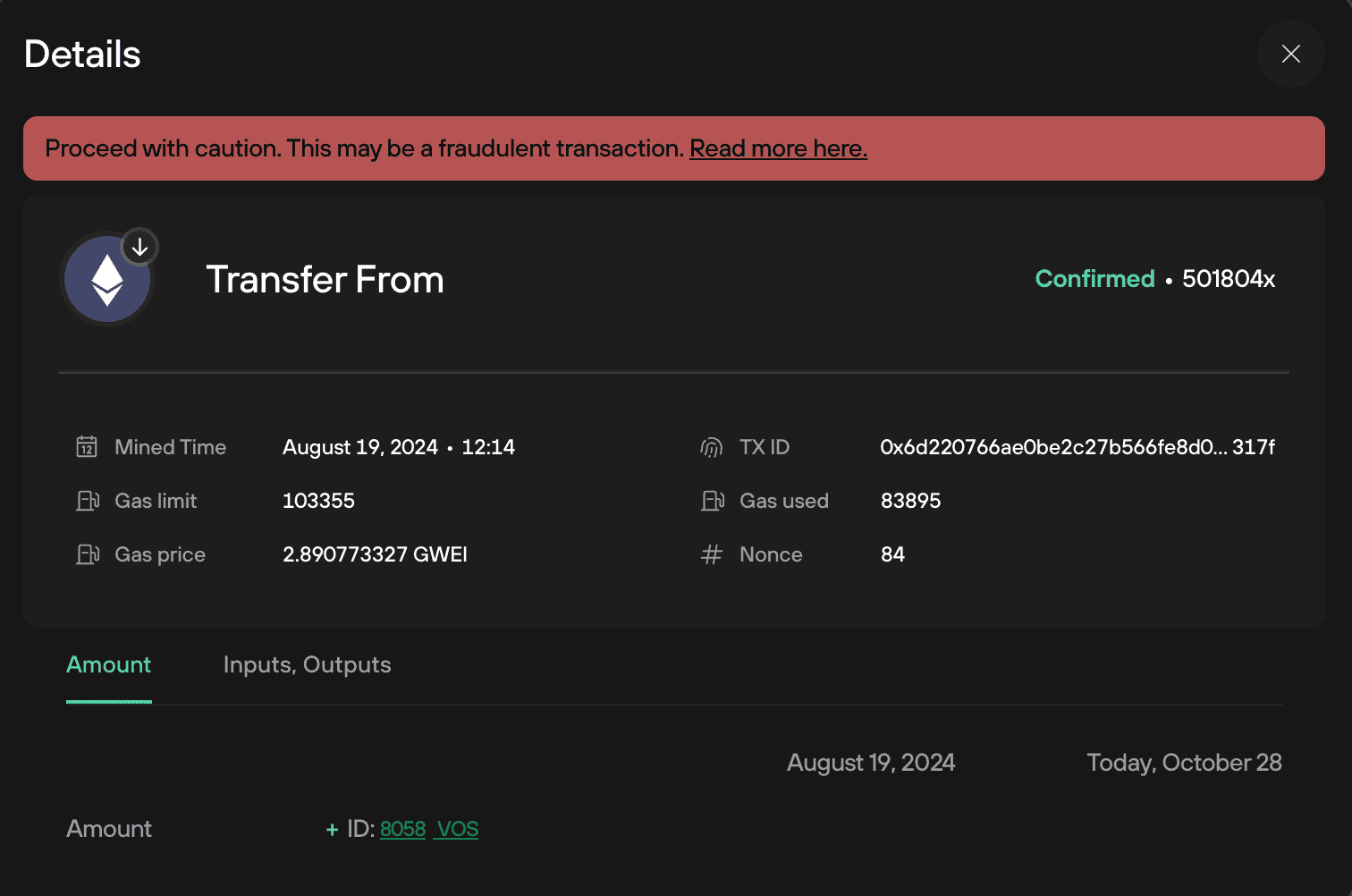
Now, Trezor’s protection for this is great because it has built-in features that blur or flag these suspicious, low-value transactions in your transaction history within the Trezor Suite app. Eventually, this makes it much easier for you to spot the fake entries and avoid the costly mistake of sending your funds to a scammer.
Can Trezor Crypto Wallet be Trusted?
It’s fair to say: yes, Trezor wallets are trustworthy. Trezor’s hardware wallets have built a solid reputation since 2014, with no known remote hacks ever successful.
I have even checked online Trezor reviews as well, and it consistently highlights why it remains one of the most trusted names in hardware crypto storage.
As discussed above, more recent models like the Safe 3 and Safe 5 raise the bar even further with advanced security features. They offer dedicated secure chips, optional micro‑SD PIN encryption, privacy tools like CoinJoin and Tor, and Shamir‑backup protocols.
Now, apart from Trezor, there are many hardware wallets, and I have reviewed over 15 best crypto hardware wallets, so you can explore that too.