
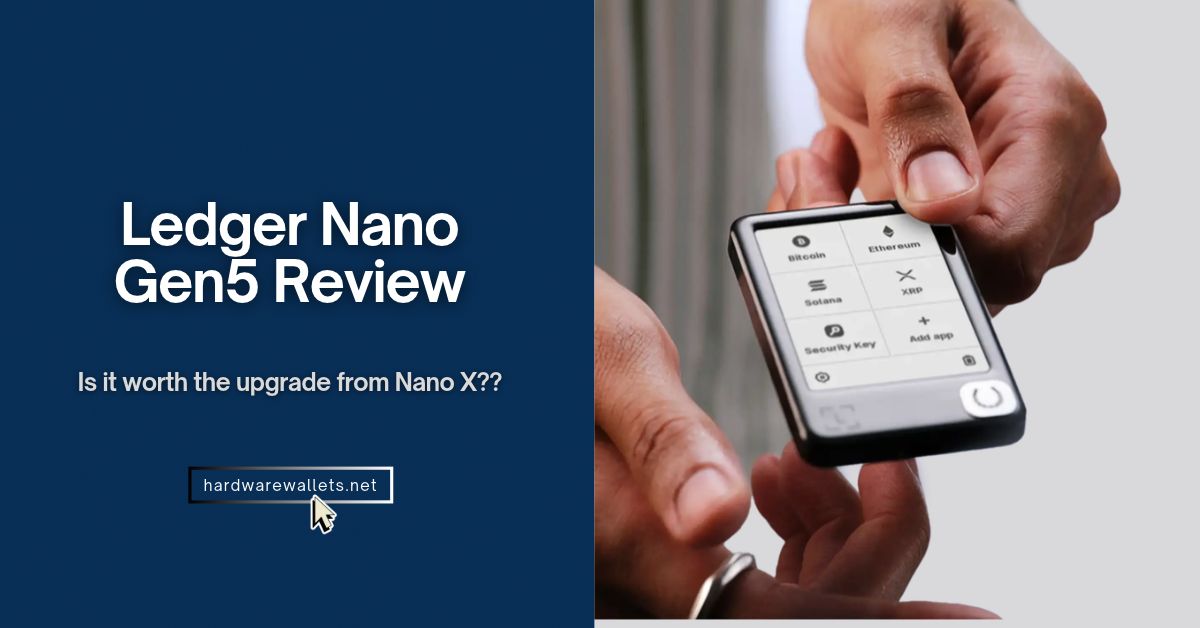
You see, the Ledger Nano Gen5 crypto wallet at $179, it costs $80 more than the Nano X but $70 less than the Ledger Flex. So, does it offer enough improvements to justify the extra money?
Well, the answer depends on how you use your crypto. The Ledger Nano Gen5 hardware wallet gives you a much larger screen for checking wallet addresses, smart contracts, and transaction details. You also get Bluetooth, NFC, a CC EAL6+ Secure Element, and a free Ledger Recovery Key. But it still uses a plastic body, runs closed-source firmware components, and lacks full air-gapped signing.
Quick update: In October 2026, tampered Ledger devices sold by a Southeast Asian reseller were linked to tens of millions of dollars in thefts. Ledger own store was not affected; it was a reseller. The short version for you is simple: buy only from Ledger’s official website.
So, in this Ledger Nano Gen5 review, I’ll explain its security, everyday features, drawbacks, supported coins, and differences from older Ledger models. More importantly, you’ll learn whether you should upgrade from a Nano X or save your money.
Ledger Nano Gen5 Review: My Quick Verdict
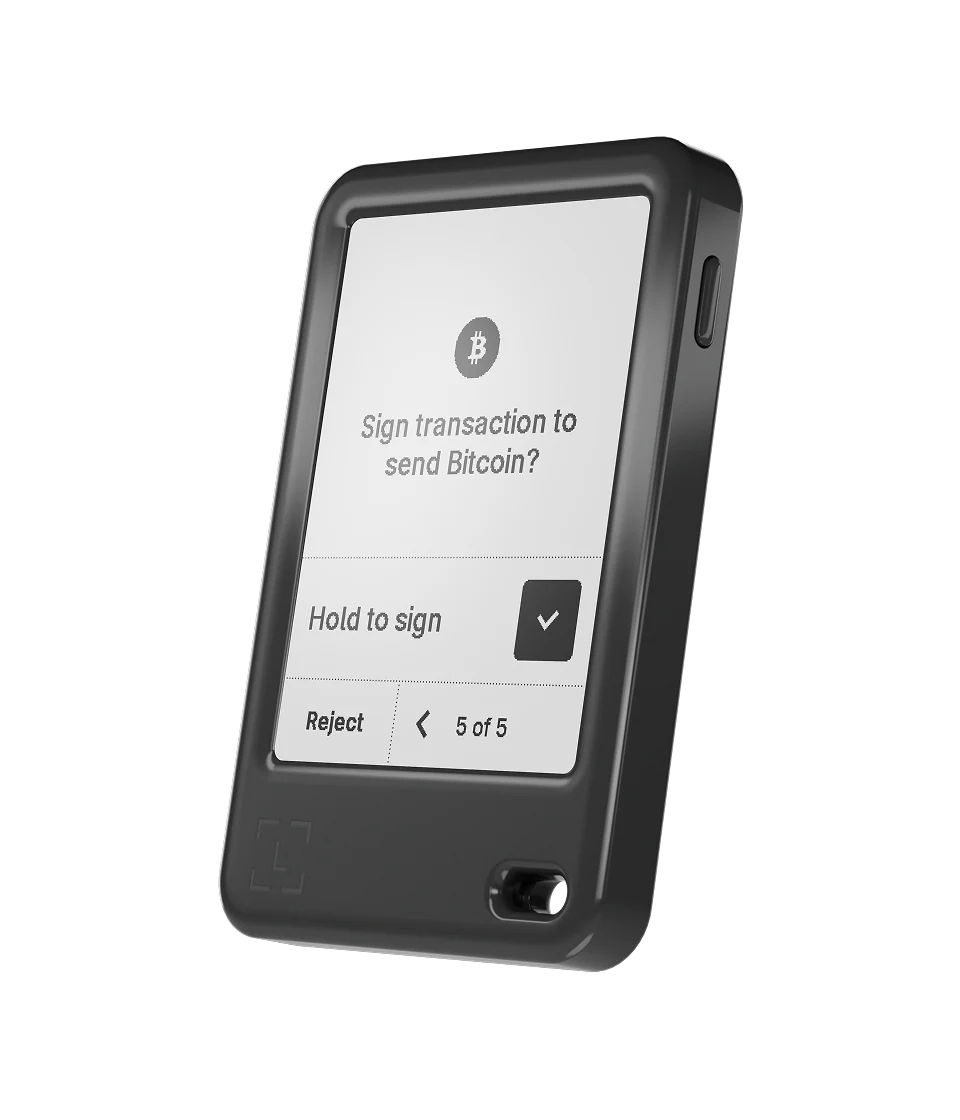
The Ledger Nano Gen5 crypto wallet is worth buying if you want a secure touchscreen wallet without paying $249 for the Ledger Flex. Its biggest advantage comes from how clearly it shows transaction details, not just from its newer security chip.
The older Nano X uses a small 1.09-inch OLED screen and two physical buttons. The Gen5 replaces that setup with a 2.8-inch E Ink touchscreen. You can review more information at once, enter your PIN with an on-screen keypad, and approve supported transactions without scrolling through so many small screens.
I also like the included Ledger Recovery Key. It gives you a second way to recover your wallet without relying only on a written recovery phrase. Plus, you don’t need a paid subscription to use it.
But again, I wouldn’t recommend the upgrade to everyone. You see, someone who already owns a working Nano X and only transfers Bitcoin a few times a year may see little benefit. Both models protect private keys in dedicated Secure Element chips, and both can securely sign transactions without exposing those keys to your computer.
Quick Ledger Nano Gen5 review: The Gen5 is best for people who regularly send crypto, use different blockchain networks, or interact with decentralized apps. Its larger screen and added transaction warnings can help you review risky actions before you approve them.
Ledger Nano 5th Gen Review: Specifications at a Glance
Here is a quick Ledger Nano Gen5 wallet review:
| Specification | Ledger Nano Gen5 |
|---|---|
| Launch date | October 23, 2025 |
| Official US reference price | $179 |
| Display | 2.8-inch E Ink touchscreen |
| Screen resolution | 300 × 400 pixels |
| Display colors | Monochrome (black and white) |
| Screen protection | Scratch-resistant glass, anti-glare coating |
| Secure Element | ST33K1M5 |
| Security certification | Common Criteria EAL6+ |
| Operating system | Ledger OS |
| Wireless connection | Bluetooth Low Energy 5.2 |
| Wired connection | USB-C |
| NFC | Yes, for Recovery Key and Security Key |
| Battery charging | USB-C |
| Wireless charging | No |
| Mobile compatibility | iOS 15+ and Android 10+ |
| Desktop compatibility | Windows 10/11, supported macOS and Ubuntu versions |
| Chromebook support | No |
| Dimensions | 79.4 × 53.3 × 8.6 mm |
| Weight | 46 g |
| Construction | Plastic frame and plastic back |
| Built-in security features | Secure Screen, Clear Signing, Transaction Check |
| Recovery methods | Recovery phrase, included Recovery Key, optional Ledger Recover |
| Crypto support | 500+ through Ledger Wallet; thousands with third-party integrations |
| NFT support | Yes, on supported networks |
| Login security | Ledger Security Key / FIDO2 passkeys |
What’s in the Box?
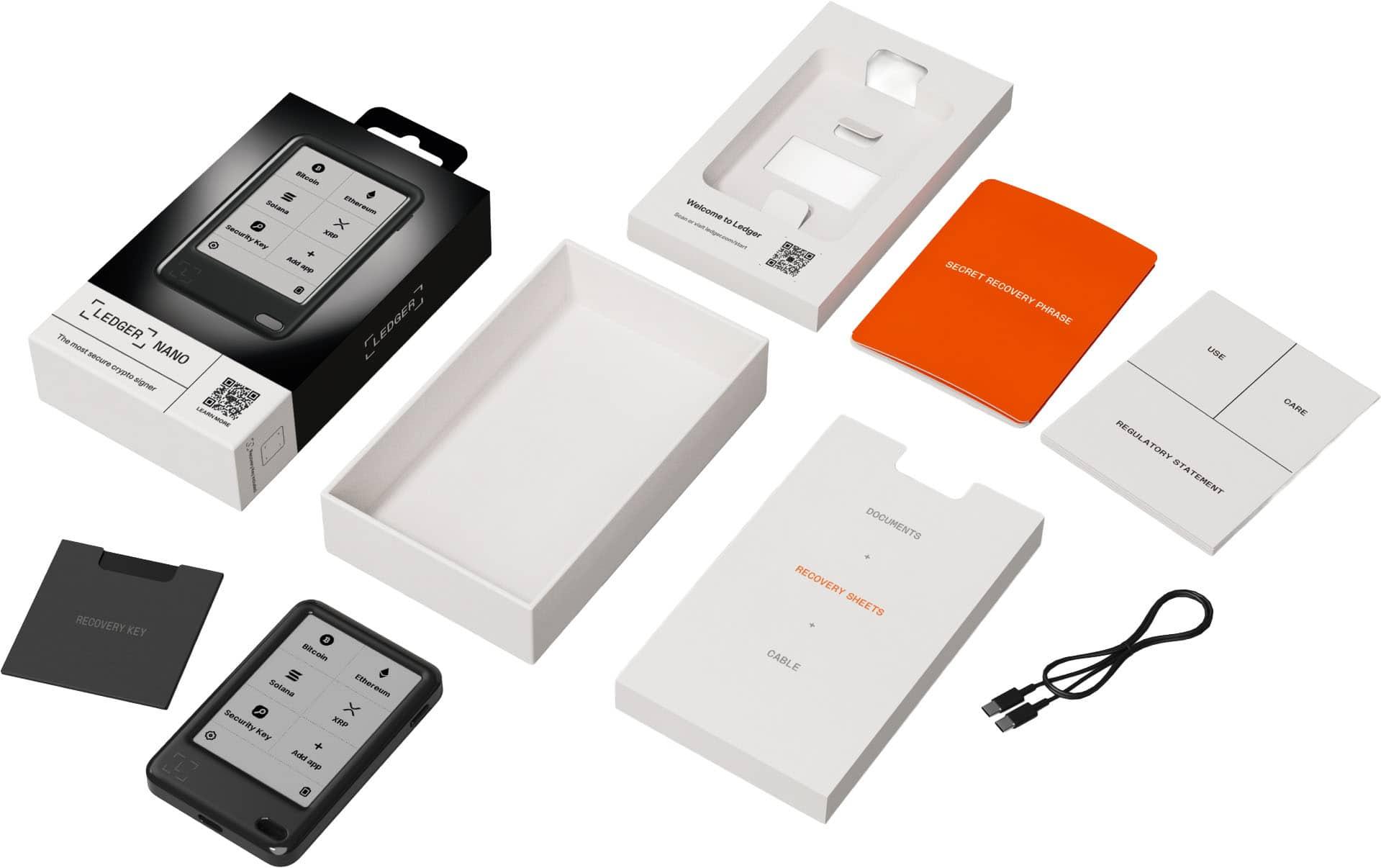
The standard Ledger Nano Gen5 package contains:
- One Ledger Nano Gen5 hardware wallet
- One USB-C to USB-C cable
- Three recovery sheets
- One Ledger Recovery Key card
- Safety and regulatory information
What I Like About the Ledger Nano Gen5
The 2.8-Inch Touchscreen Makes Transaction Verification Easier
The 2.8-inch E Ink touchscreen is the biggest reason to choose the Ledger Nano Gen5 over older Nano models. It gives you much more space to check wallet addresses, crypto amounts, and transaction details before you approve a transfer.
Nano Gen5
2.8-inch touchscreen, 300 × 400 pixels
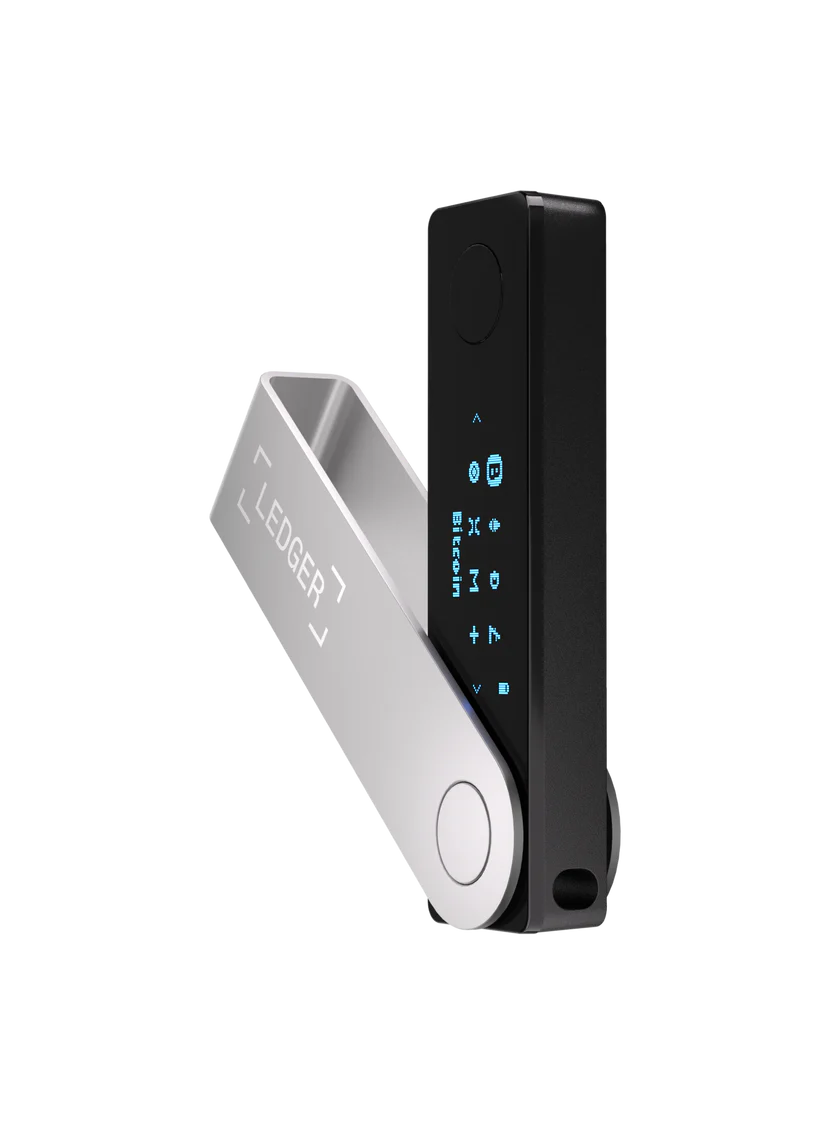
Nano X
1.09-inch OLED, 128 × 64 pixels
The Gen5 gives you a much larger display and touch controls. You can move between the transaction screens, inspect the details, and confirm the action with less effort. Its scratch-resistant glass and anti-glare coating also help keep text readable under bright light.
Plus, the touchscreen also improves everyday tasks like entering your PIN, selecting crypto apps, and navigating device settings. Obviously, these may sound like small changes. But they become useful after you manage several wallets or sign transactions regularly.
CC EAL6+ Secure Element Keeps Private Keys Isolated
The Gen5 stores the key inside a Secure Element chip, the ST33K1M5. It’s the same kind of chip found in passports and bank cards. When you send crypto, the device signs the transaction inside the chip. Only the signature leaves, never the key.
The chip carries a CC EAL6+ certification from an independent testing standard called Common Criteria. The Nano X uses an older EAL5+ chip, so this is a real step up.
Now, there are two honest caveats here. The rating covers the chip, not your habits. And Ledger’s own security team, called Donjon, tested the device while outside auditors reviewed it only. So, treat that as a good sign, not a guarantee.
Clear Signing and Transaction Checks Help Spot Risky Transactions
Blind signing is what drains wallets. Basically, it means approving a block of unreadable data and hoping it matches what a website promised. Clear Signing shows the details in plain language on the device: the amount, the receiving address, and the permissions you’re granting.
Plus, transaction Check goes one step further on Ethereum. It simulates the transaction before you sign and then flags warning signs such as phishing and address poisoning, which is a trick where a lookalike address lands in your history. The checks run through partners named Blockaid, Tenderly, and Cyvers.
Still, there are three important limits:
- Transaction Check focuses on supported EVM transactions only: You shouldn’t assume that it screens every Bitcoin, Solana, XRP, or other blockchain action.
- Not every app supports Clear Signing: Some transactions may still display technical data that you cannot easily understand.
- A clean result doesn’t prove safety: Nowadays, new scams, malicious approvals, and complex contracts can escape detection.
The Included Ledger Recovery Key Adds Another Backup Option
The Ledger Recovery Key is one of my favorite additions because it addresses a common problem: what happens if you lose your hardware wallet and don’t want to type 24 recovery words into a replacement device?
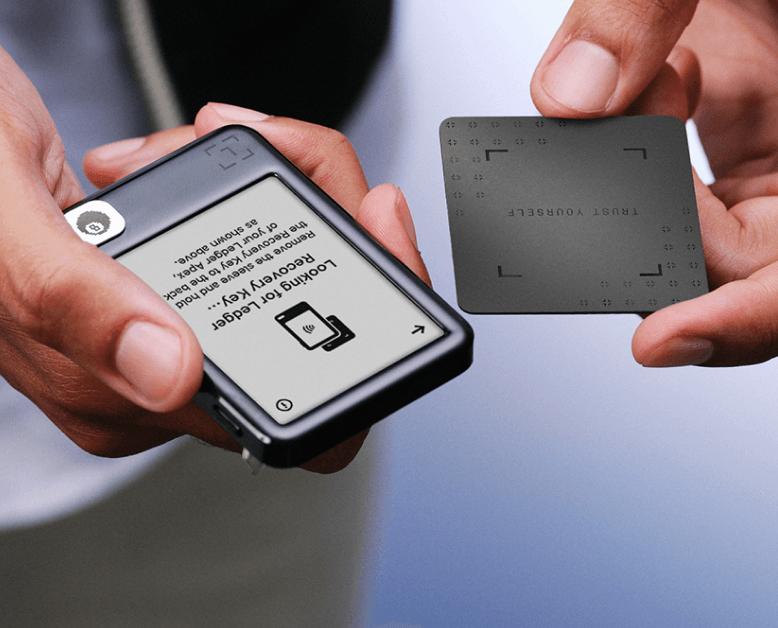
Ledger includes a Recovery Key card with every standard Nano Gen5. The card contains its own Secure Element and stores an encrypted backup of your 24-word Secret Recovery Phrase. It communicates with the wallet through NFC.
You can create the backup by opening the Recovery Key feature on your Ledger, tapping the card against the device, following the security checks, and creating a separate 4–8 digit PIN for the card. You can later use the card and its PIN to restore access on a compatible Ledger touchscreen device.
Here are the details that matter:
| Feature | Ledger Recovery Key |
|---|---|
| Backup type | Encrypted recovery phrase |
| Storage | Physical Secure Element card |
| Communication | Encrypted NFC |
| PIN | 4–8 digits |
| Incorrect PIN attempts | Three attempts wipe the card backup |
| Internet required | No |
| Subscription | No |
| Identity verification | No |
| Included with Gen5 | Yes |
Also, the card is actually different from the optional Ledger Recover subscription. It stores your backup locally, rather than sending encrypted fragments to outside backup providers.
What I Don’t Like About the Ledger Nano Gen5
The Plastic Body Feels Less Premium Than the Ledger Flex
The Ledger Nano Gen5 has a plastic frame and plastic back. At $179, that’s not necessarily a problem for daily use, but it makes the device less appealing if you want premium materials.
Now, in comparison, the $249 Ledger Flex actually uses an aluminum frame and offers a more refined design. It also has a higher-resolution E Ink screen with Gorilla Glass protection. Of course, a metal case doesn’t make your private keys safer. The internal security architecture matters much more than the outer finish. Still, someone spending nearly $200 might reasonably expect a stronger-feeling case.
Also, don’t confuse scratch-resistant glass with an unbreakable or waterproof device. The Nano Gen5 needs protection from drops, moisture, and pressure on its screen
The E Ink Screen Is Not as Smooth and Sometimes Lags
The Nano Gen5’s E Ink display doesn’t refresh as quickly as a modern OLED or LCD screen. You may notice a short delay after tapping an option or moving between menus.
You know, E Ink works very differently from a smartphone screen. It changes the display using electronically controlled pigment particles. That technology keeps power use low and produces clear text, but screen updates can take longer.
You may also notice brief flashes or faint traces of an earlier image while the screen refreshes. Well, people sometimes call this effect “ghosting”. It doesn’t automatically mean the wallet has a hardware fault.
The screen also lacks a normal smartphone-style backlight, so using it in a dark room may require an outside light source. Now, does this make the wallet difficult to use? Not necessarily. Most hardware wallet tasks involve reading text, checking amounts, and approving transactions. You don’t need smooth animations for those actions. But someone who expects instant taps, fast scrolling, and bright colors may find the display disappointing.
$179 Is Expensive for Someone Who Only Wants to Hold Bitcoin
The Ledger Nano Gen5 is probably more hardware than you need if your main plan is to buy Bitcoin, transfer it to cold storage, and leave it untouched for months.
Okay, let’s compare its pricing to other models and see…
- Ledger’s Nano S Plus carries the same EAL6+ Secure Element and can already protect Bitcoin private keys. Its official price is around $59, making it $120 cheaper than the Gen5. But here, you lose the touchscreen, Bluetooth, battery-powered mobile convenience, NFC Recovery Key support, and Transaction Check. But those missing features won’t matter much if you connect your wallet to a computer only a few times a year.
- Next, the Nano X also costs less at $99 and gives you Bluetooth connectivity with a small OLED display.
So, here’s the real question: Will you use the larger touchscreen often enough to justify paying more? For active crypto users, probably yes. For someone holding Bitcoin long-term, I’d lean toward a cheaper Ledger or a specialized Bitcoin-only hardware wallet, depending on their security needs
It Isn’t Fully Air-Gapped
Remember, the Ledger Nano Gen5 is not a fully air-gapped hardware wallet.
It uses Bluetooth Low Energy 5.2 to connect with supported smartphones and USB-C for wired connections. Now, those features improve convenience, but they create a communication path between the wallet and another device.
Your private keys remain inside the Secure Element during normal signing. Still, the wallet doesn’t offer the same physical isolation as a device that transfers unsigned and signed transactions using QR codes or a removable microSD card, without an active wired or radio connection. So, if you need QR-code based storage solutions, check out the ELLIPAL Titan 2.0 review and Keystone 3 Pro review.
Is the Ledger Nano 5th Gen Actually Safe?
Yes, the Ledger Nano Gen5 offers strong security for storing and managing crypto, but it cannot protect you from every type of attack. Its EAL6+ Secure Element, secure touchscreen, PIN protection, and transaction verification features make it a capable hardware wallet.
Can Someone Hack the Ledger Nano Gen5 Remotely?
No, over the years, I found no public proof of anyone pulling private keys out of a Ledger Nano over the internet. Its Nano signers have never been hacked: keys stay in the secure element chip, and signing needs your physical approval on the device.
The real losses came from other places.
- 2020 data leak. Customer contact details leaked, and scammers used them for phishing and even mailed fake devices.
- December 2023 Connect Kit attack. A former employee was phished, and attackers pushed bad code into a software library. At least $600,000 was stolen from people using apps that loaded it. The hardware wasn’t hacked.
- January 2026 Global-e breach. A payment partner exposed names, addresses, emails, and phone numbers. Ledger says keys and funds weren’t touched.
- October 2026 reseller tampering. Devices sold through a Southeast Asian reseller named CryptoBilis contained a hidden implant. On-chain analysts estimate $72 million to $93 million in losses across hundreds of wallets. Ledger confirmed an implant in at least one device and says the confirmed cases trace to that reseller.
That last one deserves attention. Public photos of the implant show it inside Nano X units, and Ledger hasn’t said which models were affected. I haven’t seen a report naming the Gen5, but I can’t promise it’s immune. Any device that passes through the wrong hands can be modified, obviously. Ledger’s Genuine Check can’t catch an added implant when the original chip is untouched, and Ledger says so itself.
Is Ledger Nano 5th Gen’s Closed-Source Firmware a Security Concern?
Yes, it’s a fair concern, and it comes down to trust. Parts of Ledger’s operating system and the Secure Element code aren’t public, so outsiders can’t read every line. But also, Ledger’s companion app and many device apps are open source, actually.
Now, Ledger’s explanation is that its chip supplier’s rules limit what it can publish, and it promised to open more code over time. But in return, it relies on “Donjon” and outside auditors to find flaws.
Of course, open-source crypto wallet fans say that isn’t enough, since you can’t check the code yourself. My take: if you can trust a large, audited company, the Gen5 is fine. If open source is a must, pick another brand, like Trezor wallet or Keystone wallet.
Can Ledger Recover Access Your Private Keys?
Ledger Recover is an optional paid backup service. It doesn’t give Ledger routine access to your private keys, but it does introduce a process that can export encrypted recovery material after you authorize the backup.
This is how it works: when you subscribe, your device encrypts a copy of your phrase and splits it into three pieces. Now, three separate companies each hold one piece, and you pass an ID check to get it back. It launched at $9.99 a month.
The backlash wasn’t about stolen funds. It was about the idea. The update that added Recover shipped to every Ledger device, and critics argued that proves the firmware can export an encrypted backup.
How Does the Ledger Nano Gen5 Perform in Everyday Use?
The Ledger Nano Gen5 crypto wallet offers an easier everyday workflow than the older button-based Ledger models, mainly because of its touchscreen and wireless mobile connection.
Initial Setup, PIN Creation, and Wallet Backup
- Check that the box is sealed and untouched.
- Download the Ledger Wallet app from Ledger’s official site, on your phone or computer.
- Press the power button on the right side. A short intro plays on the screen.
- Pair the signer by QR code or Bluetooth. The app runs a Genuine Check and offers any updates.
- Choose a PIN of 4 to 8 digits and give the device a name.
- Let the device create your 24 words, then write them on a Recovery Sheet in order and confirm them.
- Optional: tap the Recovery Key to the back and set its own PIN.
Sending and Receiving Crypto With Ledger Nano Gen5 Wallet
The Ledger Nano Gen5 crypto wallet works with the Ledger Wallet app, the companion software previously known as Ledger Live.
The app lets you view balances, receive payments, prepare outgoing transactions, manage assets, and access supported financial services. The Nano Gen5 signs the transactions after you approve them on its secure screen.
Now, to receive Bitcoin or another supported coin:
- Open Ledger Wallet and choose the correct account.
- Select Receive and connect your Nano Gen5.
- Open the appropriate cryptocurrency app on the device.
- Compare the receive address in Ledger Wallet with the address on your Ledger screen.
- Approve the address and share it with the sender.
To send crypto:
- Open the account and choose Send.
- Enter the destination address and amount.
- Select the appropriate network fee.
- Review the transaction details in Ledger Wallet.
- Check the amount, destination, and any available permissions on the Ledger Nano Gen5 cold wallet.
- Confirm the transaction directly on the hardware wallet.
Which Cryptocurrencies and Wallet Apps Does Ledger Nano Gen5 Wallet Support?
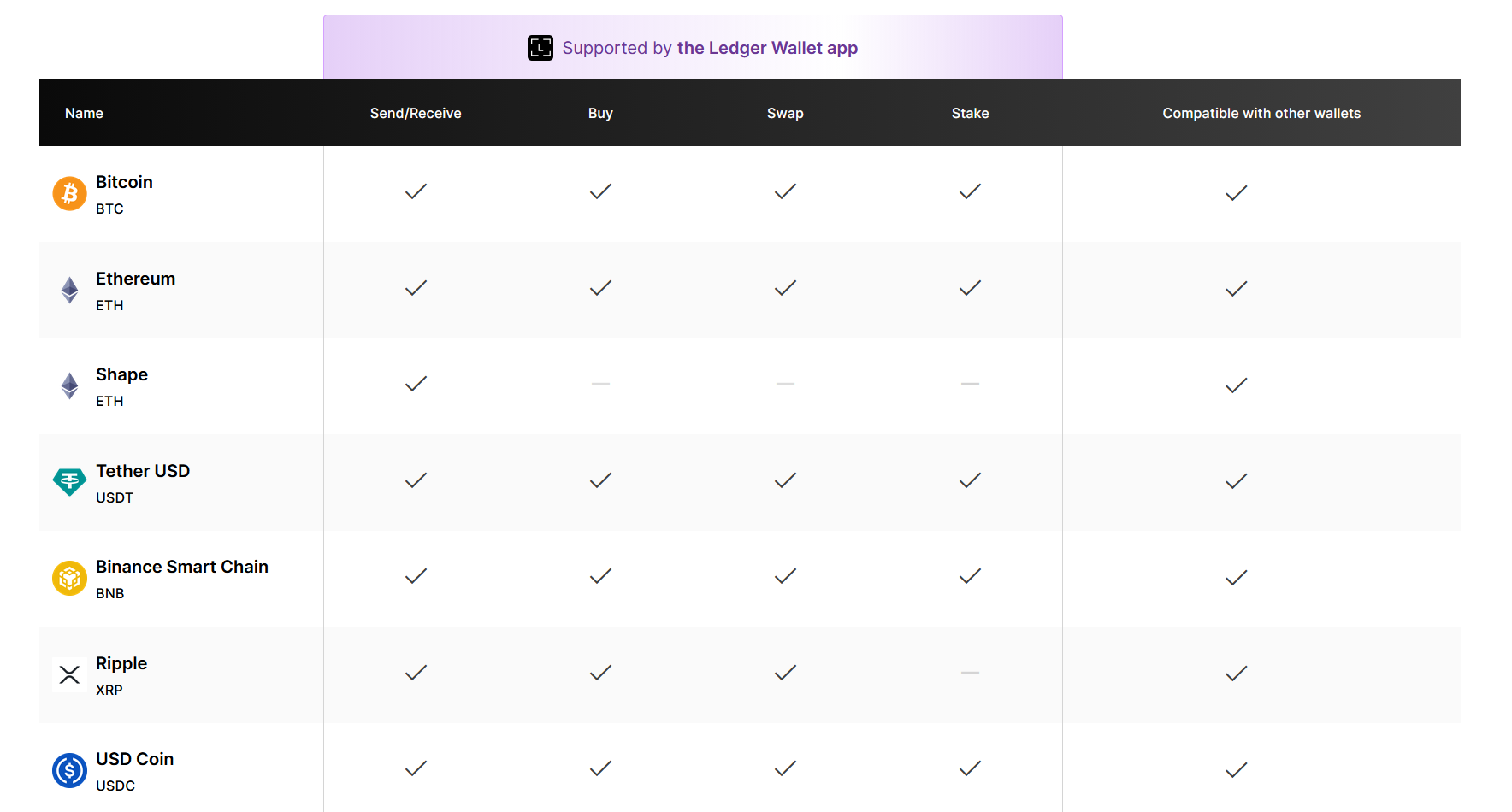
The Ledger Nano Gen5 supports Bitcoin, Ethereum, Solana, XRP, major stablecoins, and thousands of other digital assets through Ledger Wallet and compatible third-party apps. It supports more than 500 cryptocurrencies through Ledger Wallet and 15,000+ additional coins, tokens, and NFTs through external integrations.
Does It Work With MetaMask, Phantom, and Other Third-Party Wallets?
The Nano Gen5 can work with MetaMask through supported Ledger connections, but Phantom currently lists the Nano Gen5 as unsupported.

MetaMask
Ledger integration supports EVM accounts such as Ethereum and compatible networks. MetaMask’s documented extension workflow uses USB, not Bluetooth. Keep the browser, Ledger firmware, and Ethereum app updated.

Phantom
Phantom’s current hardware compatibility page explicitly places the Ledger Nano Gen5 on its unsupported list. It lists other Ledger devices, including Nano X and Flex, as supported.
Can You Stake Crypto and Use DeFi Safely?
Yes, you can use the Ledger Nano Gen5 hardware wallet for supported staking and DeFi activities while keeping your private keys inside the cold wallet. Plus, Ledger Wallet even provides an Earn section for supported staking and yield services. Ledger currently lists assets such as ETH, SOL, DOT, AVAX, TRX, POL, and BNB among its supported staking options.
Check out:
Ledger Nano Gen5 vs. X vs. Flex: Which Is Worth Buying?
The Ledger Nano Gen5 wallet offers the best middle ground between the affordable Ledger Nano X and the more premium Ledger Flex. All three use Ledger’s Secure Element security model, but they serve different buyers.
Nano X
$99
Nano Gen5
$179

Ledger Flex
$249
| Feature | Nano X | Nano Gen5 | Flex |
|---|---|---|---|
| US reference price | $99 | $179 | $249 |
| Display | 1.09″ OLED | 2.8″ E Ink | 2.8″ E Ink |
| Resolution | 128 × 64 | 300 × 400 | 480 × 600 |
| Touchscreen | No | Yes | Yes |
| Secure Element | EAL5+ | EAL6+ | EAL6+ |
| Bluetooth | Yes | Yes | Yes |
| USB-C | Yes | Yes | Yes |
| NFC | No | Yes | Yes |
| Clear Signing | Limited support | Yes | Yes |
| Transaction Check | No* | Yes | Yes |
| Recovery Key included | No | Yes | Yes |
| Wireless charging | No | No | No |
| Construction | Plastic/steel | Plastic | Aluminum frame |
| Weight | 34 g | 46 g | 57.5 g |
Is It Worth Upgrading From the Ledger Nano X?
- For daily use, yes, because the jump is big. You get a screen that’s easier to read, NFC, a Recovery Key, passkey logins, and a newer chip. The Nano X does hold a little more app data on paper, about 2 MB versus 1.5 MB.
- For security alone, no. Your Nano X also keeps keys inside a Secure Element, so you aren’t unsafe just because you own the older model. If you rarely use it and you’re happy, keep it.
Should You Pay $70 More for the Ledger Flex?
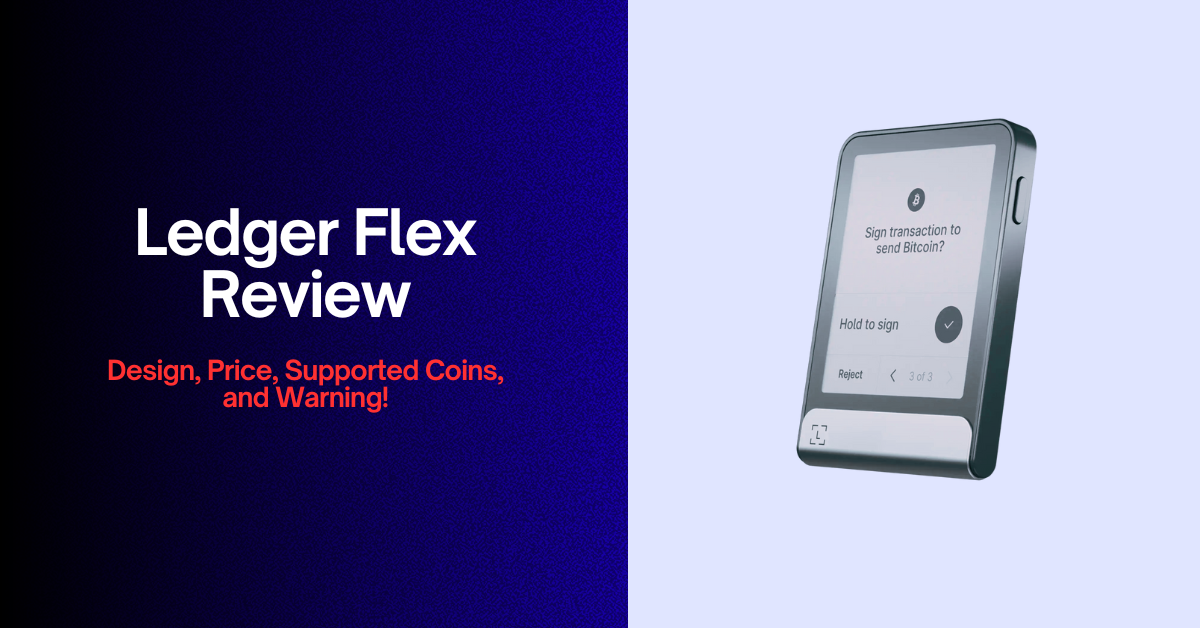
The Ledger Flex costs $249, which is $70 more. For that, you get a sharper screen with 16 shades of gray, tougher Gorilla Glass, and a more solid frame. The security chip, connectivity, and Recovery Key are the same.
So, you can pay the difference if you hold a lot, use your signer every day, or care about how a device feels in your hand. Otherwise, the Gen5 gives you most of the experience for less. Next, another model, the Ledger Stax at $399, adds a bigger curved screen and wireless charging, but most people don’t need it.
Who Should Buy the Ledger Nano Gen5 – and Who Should Avoid It?
It’s a good fit if you:
- Upgrade from a Nano X or Nano S Plus and want a screen you can actually read.
- Move crypto several times a month, on mobile or through MetaMask.
- Want a Recovery Key and passkey logins on the same device.
- Are new to self-custody and want an easier setup.
Look elsewhere if you:
- Hold only Bitcoin and almost never move it.
- Need open-source firmware or a fully air-gapped design.
- Use a Chromebook or often work in dark rooms.
- Want the nicest build and screen. Choose the Flex.
- Can only buy from a reseller or marketplace. That risk isn’t worth it.
Ledger Nano Gen5 Crypto Wallet Review: FAQs
Is Ledger Nano Gen5 Better Than Nano X?
Yes, the Nano Gen5 is better for transaction verification and ease of use, but the Nano X remains a good choice for basic cold storage. The Gen5 offers a larger 2.8-inch E Ink touchscreen, EAL6+ Secure Element, NFC, an included Recovery Key, and Transaction Check. The Nano X costs $80 less and still protects private keys in a dedicated Secure Element.
Can I Use Ledger Nano Gen5 Without Bluetooth?
Yes, you can use the Nano Gen5 without Bluetooth by connecting it through USB-C to a supported computer or Android device. You can turn Bluetooth off in the device settings. For iPhone users, Bluetooth is mandatory.
Can I Transfer My Existing Ledger Wallet to Nano Gen5?
Yes, you can restore your existing Ledger wallet on the Nano Gen5 using its original 24-word recovery phrase. The device can recreate the same private keys and account addresses, so you don’t need to send your crypto to new addresses.
Does Ledger Nano Gen5 Wallet Work With iPhone?
Yes, it connects to an iPhone over Bluetooth. You need iOS 15 or newer and the Ledger Wallet app. The USB-C port is meant for desktops and Android.
Can I Use Ledger Nano Gen5 Without Ledger Wallet App?
Yes, you can manage supported accounts through compatible third-party wallets, but Ledger Wallet remains the standard application for initial setup, device management, and updates.
How Long Will Ledger Nano Gen5 Last?
The Nano Gen5 can remain useful for several years with proper care, but Ledger doesn’t guarantee a fixed operating life for the entire device.
The Secure Element and plastic body don’t have a simple expiration date. The rechargeable battery, touchscreen, USB-C port, and ongoing firmware support will have a greater effect on how long you can comfortably use it. Now, like other rechargeable devices, the battery can lose capacity over time. You should avoid excessive heat, moisture, and physical damage.
Tip: Your funds do not depend on this particular device surviving forever. As long as you preserve your recovery phrase securely, you can restore your wallet on a compatible replacement crypto hardware wallet.
Tags: ledger nano gen5 wallet review, ledger nano gen5 hardware wallet review,ledger nano gen5 crypto wallet review, ledger nano 5th gen wallet review