
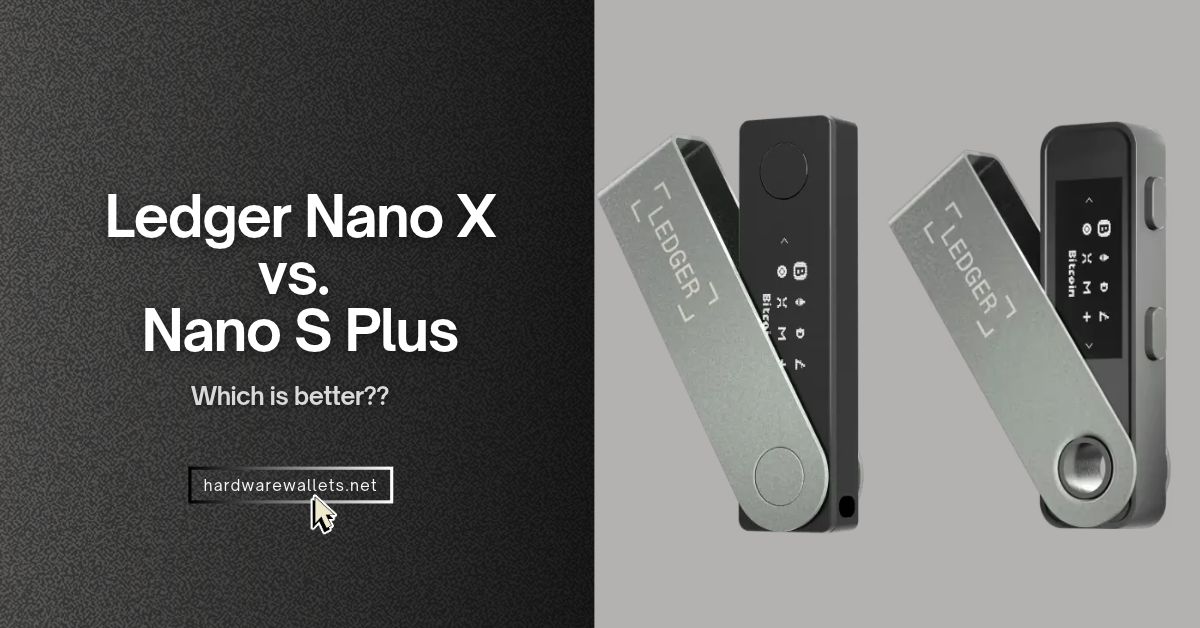
The biggest difference in the Ledger Nano S Plus vs Nano X comparison is how you connect your hardware wallet. The Nano S Plus costs less and works over USB on a computer or Android phone. The Nano X adds Bluetooth and a rechargeable battery, so you can approve transactions from an iPhone or Android phone without a cable.
So, is the Ledger Nano X worth the extra cost? Well, for iPhone signing, it’s the only option of the two. But if you mainly use a laptop, the Nano S Plus gives you the same size screen and support for the same major coins for less.
Here’s how the two compare on security, battery life, supported coins, and price…
Ledger Nano S Plus vs. Nano X at a Glance
| Key features |
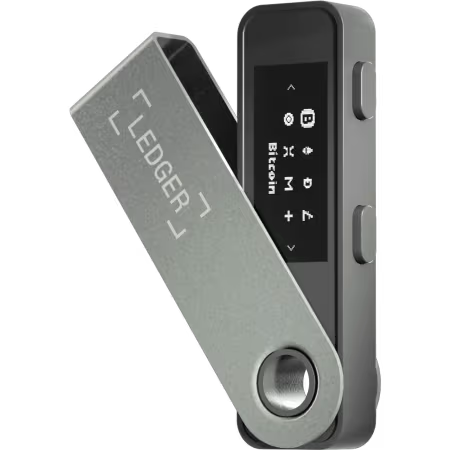 Ledger Nano S Plus
Best for wired use
Check price
Read review |
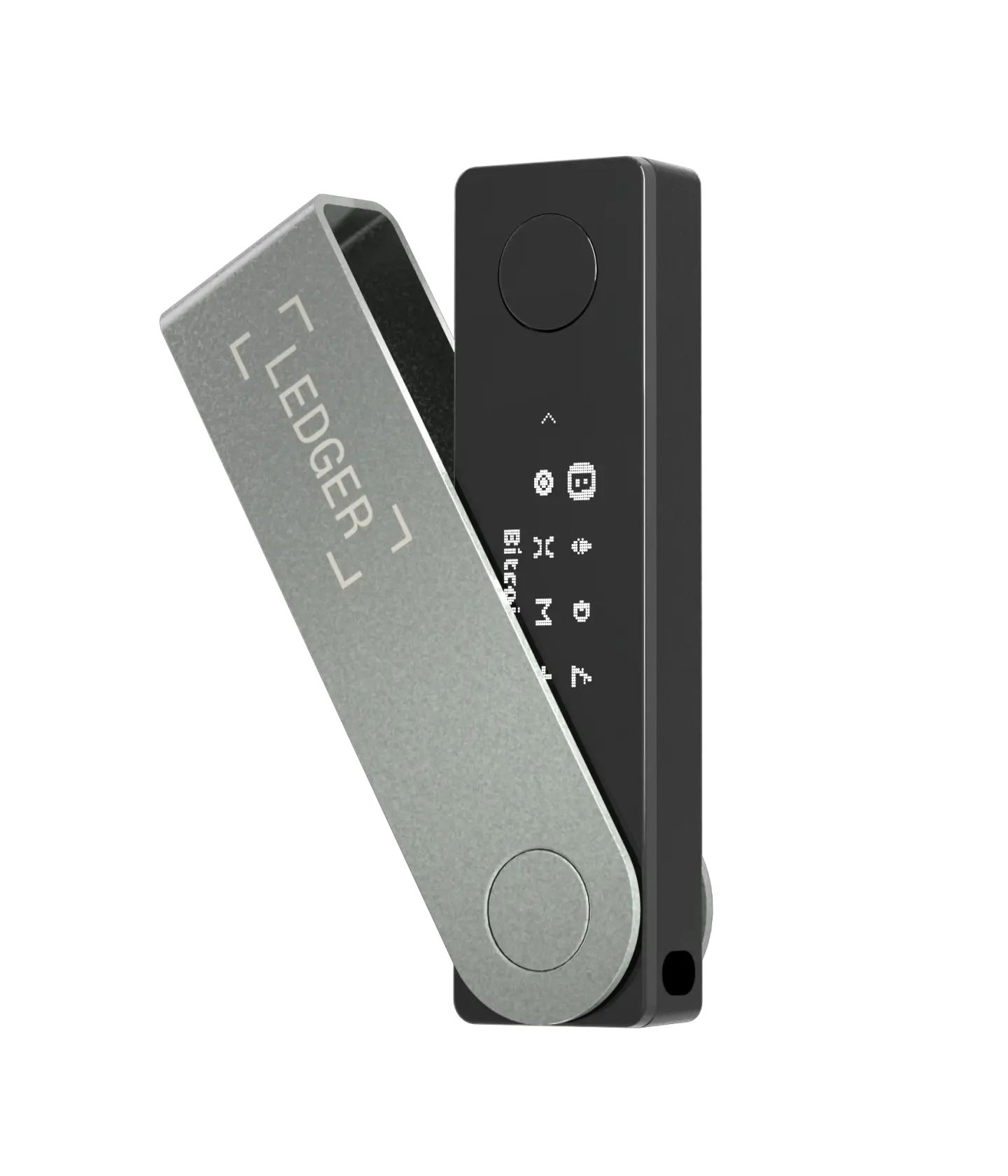 Ledger Nano X
Best for wireless phone use
Check price
Read review |
|---|---|---|
| US reference price | About $59 | About $99 |
| iPhone signing | No, even with USB-C | Yes, over Bluetooth |
| Android signing | USB only | USB or Bluetooth |
| Desktop connection | USB on Windows, Mac, and Ubuntu | USB on Windows, Mac, and Ubuntu |
| Battery | No battery to charge | Rechargeable, rated for about 5 hours |
| Screen and controls | 1.1-inch OLED, 128 × 64, two buttons | 1.1-inch OLED, 128 × 64, two buttons |
| Weight | 21 g | 34 g |
| Secure Element rating | CC EAL6+ | CC EAL5+ |
| Coin and token support | 500+ in Ledger Wallet, more via third-party wallets | 500+ in Ledger Wallet, more via third-party wallets |
| Blockchain apps | Up to 100, depending on app size | Up to 100, depending on app size |
| Wallet backup | 24-word recovery phrase, optional paid Ledger Recover | 24-word recovery phrase, optional paid Ledger Recover |
| Ledger Sync | Syncs app accounts, but doesn’t enable iPhone signing | Syncs app accounts across phone and computer |
| Passkeys and 2FA | Ledger Security Key over USB | Ledger Security Key over USB |
What’s the Difference Between the Ledger Nano S Plus and Nano X?
- Phone compatibility: The Ledger Nano X can sign transactions over Bluetooth on iPhone and Android. The Nano S Plus works only over USB on Android but can’t sign on an iPhone, even one with a USB-C port.
- Battery and charging: The Nano X has a rechargeable 100 mAh battery rated for about five hours of use, whereas the Ledger Nano S Plus has no battery and draws power through USB, so there’s nothing to charge before you use it.
- Security chip: The Nano S Plus uses a CC EAL6+ Secure Element, while the Nano X uses a CC EAL5+ chip. The higher rating applies to the chip and doesn’t prove that the Nano S Plus is safer overall.
- Size and screen: The Ledger Nano S Plus weighs 21 g versus 34 g for the Nano X. The Ledger Nano X is larger, but both have the same 1.1-inch OLED screen, so you don’t get more room to check a wallet address.
- Price and what you get: Ledger’s prices are about $59 for the Nano S Plus and $99 for the Nano X. The extra $40 mainly buys iPhone compatibility and cable-free Android use, not broader coin support
iPhone, Android, and Desktop Compatibility
| Criteria |
Ledger Nano S Plus
Check price
|
Ledger Nano X
Check price
|
|---|---|---|
| iPhone transaction signing | No, even on a USB-C iPhone | Yes, over Bluetooth on iOS 15.1 or later |
| iPhone connection over USB | No | No |
| Android transaction signing | USB cable on Android 10 or later | USB cable or Bluetooth on Android 10 or later |
| Windows, Mac, and Linux | USB only | USB only |
| Desktop OS requirements | Windows 10+, macOS 13+, Ubuntu 20.04 LTS+ | Windows 10+, macOS 13+, Ubuntu 20.04 LTS+ |
| Chromebook support | No | No |
| Bluetooth | None | Bluetooth Low Energy 5.2 on the currently listed model |
| NFC | No | No |
| Port and included cable | USB-C port, USB-A to USB-C cable included | USB-C port, USB-A to USB-C cable included |
| Device software updates | Over USB | Over USB or Bluetooth. Devices below Ledger OS 2.4.1 need a wired update first. |
| Companion app | Ledger Wallet, formerly Ledger Live | Ledger Wallet, formerly Ledger Live |
Battery Life and Charging
| Criteria |
Ledger Nano S Plus
Check price
|
Ledger Nano X
Check price
|
|---|---|---|
| Built-in battery | None | 100 mAh rechargeable lithium-ion battery |
| Rated battery life | Not applicable | About 5 hours per charge, according to Ledger |
| How it gets power | Draws power from the connected device over USB | Runs on its battery or connects over USB |
| Charging method | No charging needed | USB-C |
| Signing without a cable | No | Yes, over Bluetooth with a supported phone |
| Battery saver mode | Not applicable | Yes |
| User-replaceable battery | Not applicable | No |
| Best fit for occasional use | No battery to top up before you use it | Charge it before you need to sign wirelessly |
Security Chips and Bluetooth
| Criteria |
Ledger Nano S Plus
Check price
|
Ledger Nano X
Check price
|
|---|---|---|
| Secure Element chip | ST33K1M5 | ST33J2M0 |
| Chip certification | CC EAL6+ | CC EAL5+ |
| Device operating system | Ledger OS | Ledger OS |
| PIN length | 4–8 digits | 4–8 digits |
| Optional passphrase | Yes | Yes |
| Transaction approval | Confirm on the wallet with its physical buttons | Confirm on the wallet with its physical buttons |
| Bluetooth security | No Bluetooth connection | Encrypted Bluetooth connection. It does not transmit your private keys or recovery phrase. |
| Can you turn off Bluetooth? | Not applicable | Yes. USB still works on supported computers and Android phones. |
| Clear Signing | Available for supported transactions, with details shown on the small display | Available for supported transactions, with details shown on the small display |
| Ledger Transaction Check | No | No |
| Standard backup | 24-word recovery phrase, with three paper recovery sheets in the box | 24-word recovery phrase, with three paper recovery sheets in the box |
| Ledger Recover subscription | Optional, through the desktop app | Optional, through the desktop or mobile app |
| Ledger Recovery Key NFC card | Not supported | Not supported |
Size, Weight, and Screen Readability
| Criteria |
Ledger Nano S Plus
Check price
|
Ledger Nano X
Check price
|
|---|---|---|
| Dimensions | 62.4 × 17.4 × 8.2 mm | 72 × 18.6 × 11.7 mm |
| Weight | 21 g | 34 g |
| Screen size | 1.1 inches | 1.1 inches |
| Display type | Monochrome OLED | Monochrome OLED |
| Screen resolution | 128 × 64 pixels | 128 × 64 pixels |
| Touchscreen | No | No |
| Controls | Two physical buttons | Two physical buttons |
| Brightness adjustment | Yes, in device settings | No brightness setting in the device menu |
| Body materials | Plastic body with brushed stainless steel swivel cover | Plastic body with brushed stainless steel swivel cover |
| Reviewing long addresses | Scroll through the address on the device | Scroll through the address on the device |
Is the Ledger Nano X More Secure Than the Nano S Plus?
No. There’s no clear security winner between the two. The Nano S Plus has a CC EAL6+ Secure Element, while the Nano X has a CC EAL5+ chip. That’s a difference in how the chips were evaluated, not proof that one crypto hardware wallet is safer overall.
Also, Bluetooth on the Nano X doesn’t transmit your private keys or recovery phrase. You still approve each transaction on the wallet itself, and you can turn Bluetooth off and use USB instead. Hence, with either cold wallet, what matters most is keeping your recovery phrase private and checking the address on the device before you approve a transfer
Do the Ledger Nano S Plus and Nano X Support the Same Coins?
Yes, both support the same major coins and broadly the same range of tokens (over 15,000+ tokens in total). You can manage Bitcoin, Ethereum, Solana, and XRP directly in the Ledger Wallet app, formerly Ledger Live. Plus, other new altcoin assets may need a compatible third-party wallet.
Is the Ledger Nano X Worth the Extra Cost?
Yes, if you want to approve transactions on an iPhone or use Android without a cable. Otherwise, the Nano S Plus is the better value. At Ledger’s reference prices of about $59 and $99, the extra $40 mainly buys Bluetooth and a rechargeable battery. It doesn’t get you a bigger screen or broader coin support.
| Criteria |
Ledger Nano S Plus
Check price
|
Ledger Nano X
Check price
|
|---|---|---|
| Official US reference price | About $59 | About $99 |
| Price difference | About $40 less | About $40 more |
| What the price gets you | Wired signing on desktop and Android, with no battery to charge | The same wired options, plus Bluetooth signing on iPhone and Android |
| Assets managed directly in Ledger Wallet | 500+ crypto assets and Ethereum and Polygon NFTs | 500+ crypto assets and Ethereum and Polygon NFTs |
| Broader asset support | Ledger advertises 15,000+ coins and tokens across its wallet ecosystem | Same advertised coverage |
| Blockchain app capacity | Up to 100 apps, depending on app size | Up to 100 apps, depending on app size |
| Included accessories | USB cable, three recovery sheets, and keychain strap | USB cable, three recovery sheets, and keychain strap |
| US limited hardware warranty | 1 year | 1 year |
| Best for | Desktop users, wired Android users, and buyers who want a lower-cost backup | iPhone users and Android users who want to sign without a cable |
Read more comparison guides:
- Trezor Safe 7 vs. Safe 5
- Ledger Flex vs. Stax
- Ledger Nano X vs. ELLIPAL Titan 2.0
- Ledger vs Trezor Hardware Wallets Comparison
- Ledger Nano X vs. Trezor Safe 5
- Ledger Nano X vs. Tangem Wallet
FAQs: Ledger Nano S Plus vs. Nano X
Can You Use the Ledger Nano S Plus With a USB-C iPhone?
No. A USB-C iPhone can’t connect to the Ledger Nano S Plus to sign transactions. The USB-C port doesn’t change that. You can view synced accounts in the Ledger Wallet app on your iPhone, but you’ll still need a computer or compatible Android phone to approve a transfer with the Nano S Plus
Can You Use the Ledger Nano X Without Bluetooth?
Yes. You can turn off Bluetooth in the Nano X’s Control Center and use a USB cable with a computer or compatible Android phone. The exception is the iPhone. The Nano X doesn’t connect to an iPhone over USB, so you need Bluetooth to sign on iOS.
Can You Restore a Nano S Plus Recovery Phrase on a Nano X?
Yes. You can restore your Nano S Plus accounts on a Nano X using the same 24-word recovery phrase. You must choose the restore option during setup and enter the words on the Ledger Nano X itself, never in the Ledger Wallet app or on a website. Also, you don’t need to send your crypto anywhere. The recovery phrase gives the new device access to the same accounts.