
Quick Summary: The best Cardano wallets in 2026 include Ledger hardware wallets, Trezor, Daedalus, Eternl, Lace, Tangem Wallet, Typhon, ELLIPAL Titan, Trust Wallet, and Exodus, with each excelling in different areas such as staking, security, mobile use, and full‑node validation.
You see, choosing the best Cardano wallet is important if you want to store ADA safely, earn Cardano staking rewards, or even use dApps. Now, you have plenty of options, from Cardano hardware wallets like Ledger and Trezor to free Cardano wallets like Lace and Eternl. But obviously, not every wallet offers the same level of security, staking features, or ease of use.
So, which wallets support Cardano (ADA), and which one should you actually choose?
In this guide, I’ve compared the 10 best Cardano wallets in 2026, including hardware, mobile, and desktop options. We’ll look at their security, supported devices, ADA staking features, fees, and drawbacks to help you find the best ADA wallet for your needs.
Table of Contents
Best Cardano Wallets of 2026 Ranked: Top 10 Safest to Store ADA
Here are my top 10 picks for the best Cardano wallets, covering hardware wallets, mobile apps, and desktop wallets…
- Ledger Flex: Best Cardano Hardware Wallet Overall
- Trezor Safe 5: Best Open-Source-Focused Hardware Wallet for ADA
- Lace Wallet: Best Cardano Wallet for Beginners (Software wallet)
- Eternl Wallet: Best Cardano Wallet for DeFi and Advanced Users
- ELLIPAL Titan 2.0: 100% Air-Gapped QR-Code Based Cardano Wallet
- Daedalus Wallet: Best Cardano Wallet for Desktop & Full-Node Security
- Tangem Wallet: Best Card-Style Cold Wallet for Cardano
- Trust Wallet: Best Cardano Mobile Wallet for iOS and Android
- Typhon Wallet: Best Cardano Wallet for Staking and NFTs
- Exodus Wallet: Best Easy-to-Use Multi-Currency ADA Wallet
Comparison: Best Crypto Wallets for Cardano (ADA) Storage
You know, not all Cardano wallets offer the same features. Some focus on offline security, while others make ADA staking, NFT management, and DeFi access much easier for beginners. Here is a quick comparison of the 10 best Cardano wallets to help you choose the right one…
| Cardano Wallet | Best For | Wallet Type | Supported Devices | ADA Staking | Cardano dApps | Hardware Support | Price |
|---|---|---|---|---|---|---|---|
| Ledger Flex | Overall hardware security | Cold wallet | Desktop, iOS, Android | Yes | Via Lace | Built-in | $249 |
| Trezor Safe 5 | Open-source-focused security | Cold wallet | Desktop; compatible mobile apps | Yes | Via Lace, Eternl | Built-in | $129 |
| Lace Wallet | Beginners | Hot wallet | Browser, iOS, Android | Yes | Yes | Ledger, Trezor, others | Free |
| Eternl Wallet | DeFi and advanced users | Hot wallet | Browser, iOS, Android | Yes | Yes | Ledger, Trezor, Keystone | Free |
| ELLIPAL Titan 2.0 | Air-gapped storage | Cold wallet | iOS, Android app | Yes | No direct ADA dApp support | Built-in | $129 |
| Daedalus Wallet | Desktop full-node security | Full-node wallet | Windows, macOS, Linux | Yes | No built-in connector | Ledger, Trezor | Free |
| Tangem Wallet | NFC card-based storage | Cold wallet | iOS, Android | Yes | No direct ADA dApp support | Built-in | $54.9 |
| Trust Wallet | Mobile ADA management | Hot wallet | iOS, Android, browser | Yes | Limited ADA integration | None | Free |
| Typhon Wallet | Staking and NFTs | Hot wallet | Browser, web | Yes | Yes | Selected Ledger, Trezor, Keystone | Free |
| Exodus Wallet | Multi-currency management | Hot wallet | Windows, macOS, Linux, iOS, Android | Yes | No direct ADA dApp support | Trezor (ADA) | Free |
My Picks: Most Secure & Best Cardano Wallet Right Now
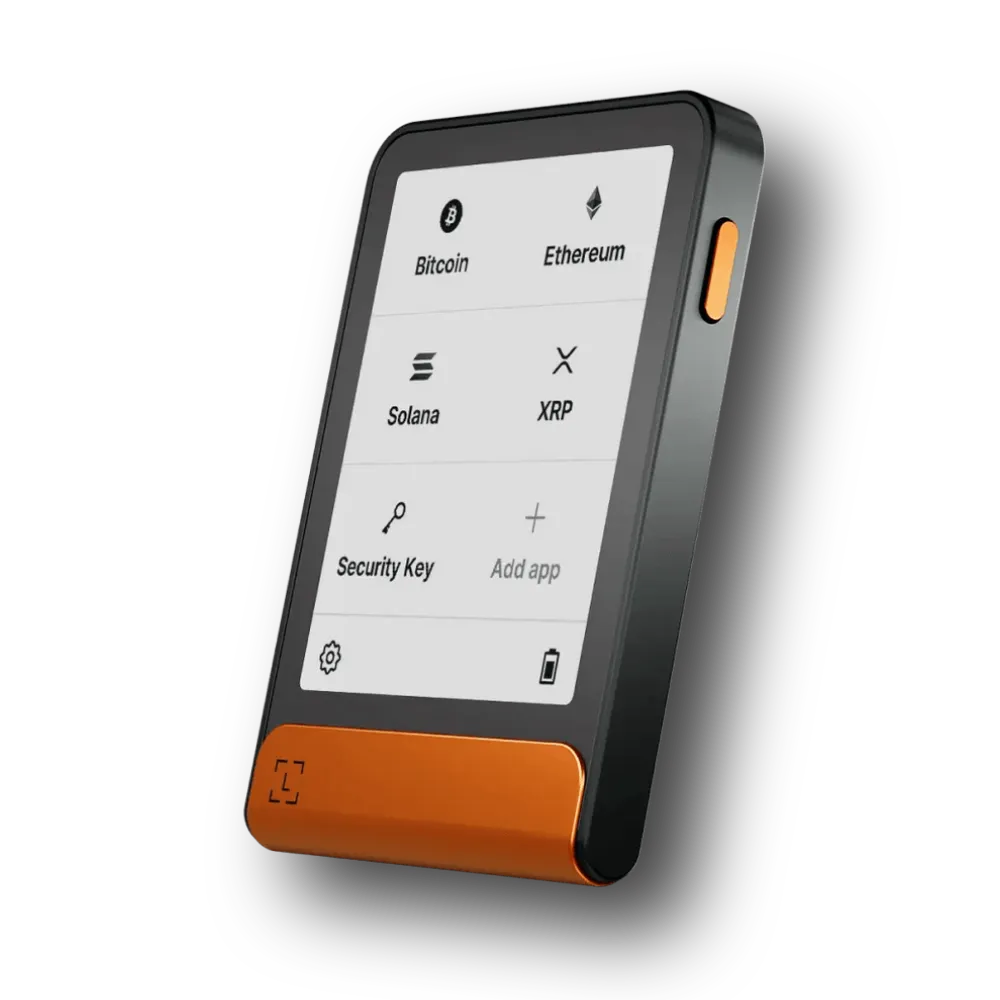
Ledger Flex
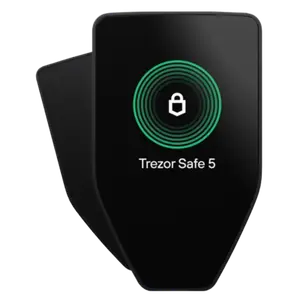
Trezor Safe 5
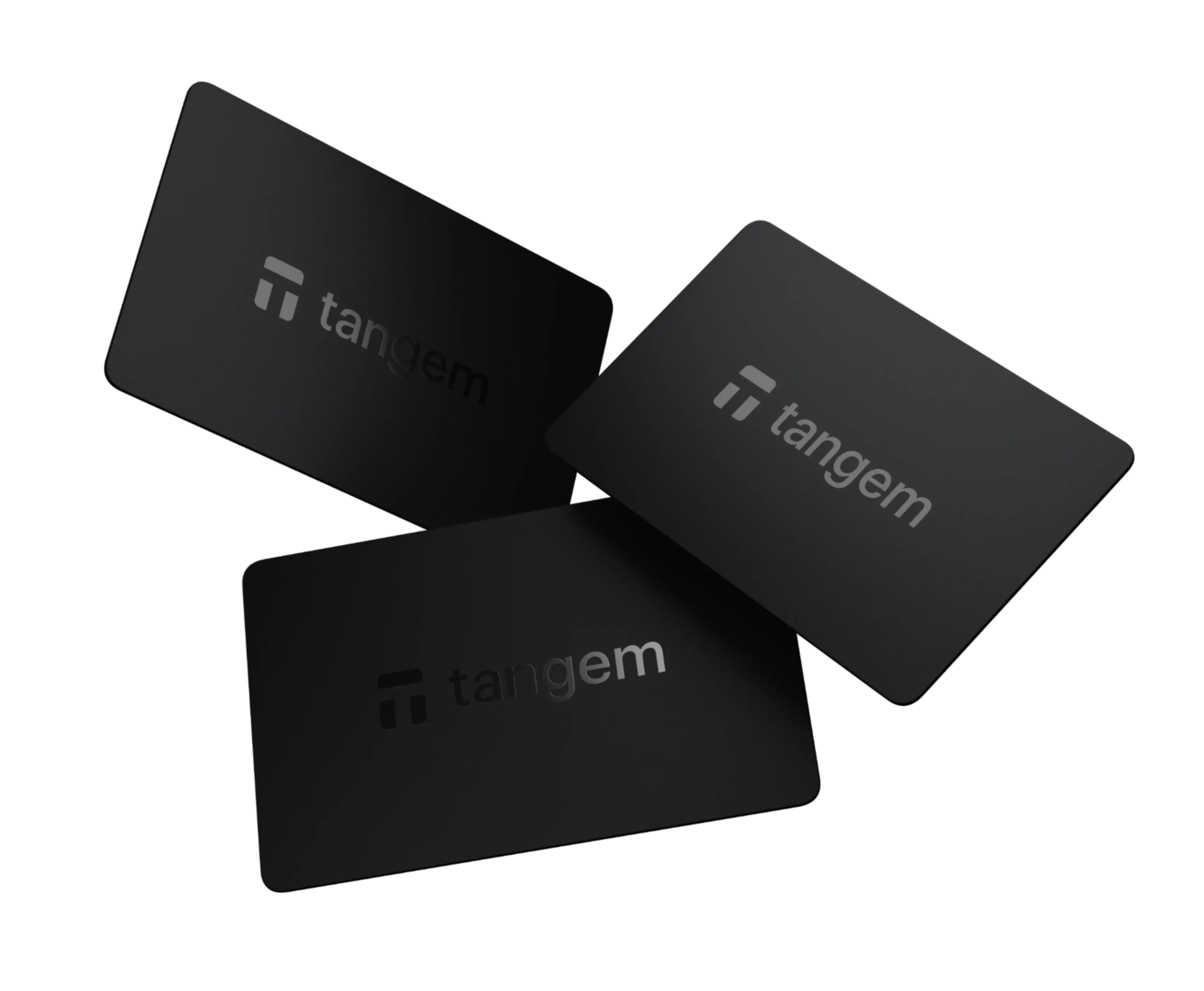
Tangem Wallet
Prices are listed in USD and may vary by region, shipping costs, taxes, and available discounts.
Full Reviews: 10 Best Cardano Wallets for Secure ADA Storage
Ledger Flex: Best Cardano Hardware Wallet Overall
Ledger Flex is my first choice for people who want to store ADA on a separate device without making every payment hard to handle. Its 2.84-inch E Ink touchscreen gives you room to check the receiving address and approve a transaction. You can manage Cardano in the Ledger Wallet app and use a compatible Cardano wallet, such as Lace, for more network features.
Wallet Details
The main reason to buy Ledger Flex is key protection. Your Cardano private keys stay inside its CC EAL6+ Secure Element rather than sitting in your browser or phone. You prepare a payment on a connected device, but you must approve it on the Flex screen. That extra check is useful if a fake website tries to show one address on your laptop and send funds somewhere else. Always read the address on the hardware screen before you sign.
Cardano works directly with Ledger Wallet, so you can send, receive, and stake ADA without starting with a separate browser extension. Cardano staking does not lock your ADA, and a stake-key registration usually needs a refundable 2 ADA deposit plus a network fee. You can also connect a supported Flex to Lace on a computer to work with Cardano native assets and other wallet tools.
I would use Flex for a larger ADA balance and keep a separate small software wallet for frequent DeFi trades. The hardware device signs, but it cannot tell you whether a smart contract is fair or a dApp is safe. Also, Flex uses Bluetooth and USB-C, not air-gapped QR signing. Ledger’s core device firmware is not fully open source, which may matter if you want to inspect every part of the wallet.
Key Insights
| ADA storage | Native Cardano support |
|---|---|
| Wallet management | Ledger Wallet app |
| Additional Cardano app | Lace; supported hardware pairing |
| ADA staking | Available in Ledger Wallet |
| Stake-key deposit | Usually 2 ADA, refundable |
| Private keys | Kept on the hardware wallet |
| Secure Element | CC EAL6+ |
| Display | 2.84-inch E Ink touchscreen |
| Connections | Bluetooth and USB-C |
| Cardano native tokens | Use compatible wallet features; check asset support |
| NFT and dApp access | Use a compatible Cardano interface |
| Backup | Device recovery phrase |
| Air-gapped signing | No |
| Firmware source | Not fully open source |
What I Like / What I Don’t Like
I like being able to check Cardano payments on a screen that is much larger than the ones on older hardware wallets. Direct support in Ledger Wallet is also less confusing than the older setup that pushed ADA users into third-party apps.
The downside is the price and the extra steps. Each outgoing payment needs the device nearby, and some Cardano tasks work better through Lace or another compatible wallet. Bluetooth is handy, but it does not turn Flex into an offline-only, air-gapped wallet. I would not buy it expecting every Cardano dApp to work the same way.
Among the best Cardano wallets, Flex is my best Cardano wallet for secure long-term ADA storage.
Pros
- Private keys remain off your computer and phone
- Large E Ink screen for transaction checks
- ADA sending, receiving, and staking in Ledger Wallet
- Supports Cardano access through Lace
- Can also protect many other crypto assets
Cons
- Costs much more than a free ADA app
- Requires hardware approval for spending
- Not air-gapped; uses Bluetooth or USB-C
- Some Cardano features need another wallet interface
- Core firmware is not fully open source
Trezor Safe 5: Best Open-Source-Focused Hardware Wallet for ADA
Trezor Safe 5 suits ADA holders who want hardware security and a more open approach to the software inside their wallet. It has a 1.54-inch color touchscreen, a secure chip, and vibration feedback when you confirm actions. Trezor Suite handles everyday Cardano payments and staking, while compatible Cardano apps can give you more control over other parts of the network.
Wallet Details
Trezor publishes its firmware code so people can inspect how it works. Safe 5 also uses an EAL6+ Secure Element to help protect against physical attacks. You enter sensitive information and approve spending on the wallet itself, not just on your computer. The small color screen is easier to read than a button-only device, although it offers less space than the Ledger Flex display.
For ADA, the simplest route is Trezor Suite on desktop. Add a Cardano account, receive your coins, and open the staking area when you want to delegate. Suite uses selected Everstake pools rather than letting you pick any stake pool from its normal staking screen. It also asks you to set a Cardano voting preference, such as abstaining or choosing a DRep. The usual refundable staking registration deposit is 2 ADA, plus a network fee. Your delegated ADA stays available to spend.
Lace lists Trezor Safe 5 as a supported hardware wallet, which helps if you want a Cardano-focused interface with native tokens and other features. Check the exact action before connecting a hardware wallet to a dApp, since a supported device does not mean every smart-contract action will work. One more point: Safe 5 uses a USB-C cable. It cannot sign transactions through Trezor Suite on an iPhone, so desktop or supported Android access matters.
Key Insights
| ADA support | Yes, via Trezor Suite |
|---|---|
| Cardano staking | Supported in desktop Suite |
| Staking pools in Suite | Selected Everstake pools |
| Other Cardano interface | Lace supports Safe 5 |
| Secure Element | CC EAL6+ |
| Firmware | Open source |
| Screen | 1.54-inch color touch display |
| Touch feedback | Haptic confirmation |
| Connection | USB-C cable |
| Recovery | 12-, 20-, or 24-word backup options |
| Advanced backup | Multi-share backup supported |
| iPhone signing | Not through wired Trezor Suite |
| Air-gapped signing | No |
| Stake-key deposit | Usually 2 ADA plus a fee |
What I Like / What I Don’t Like
What stands out to me is the open firmware paired with a secure chip. You can keep ADA keys on dedicated hardware without giving up the chance for outside experts to inspect the code. The color screen and touch feedback make PIN entry and payment approval easier to follow, too.
I like that staking works in Trezor Suite, but the built-in pool selection is limited. People who want to compare many Cardano pools will likely prefer a third-party wallet interface. The cable is another small drawback, especially for iPhone owners who want to sign payments away from a computer.
Safe 5 is one of the best Cardano wallets for transparent hardware security and long-term ADA holdings.
Pros
- Open-source firmware and security design
- EAL6+ chip protects sensitive wallet data
- Color touchscreen with haptic feedback
- Cardano staking available in Trezor Suite
- Lace supports this hardware model
Cons
- Trezor Suite limits the available staking pools
- No Bluetooth or QR-based air-gap option
- Cannot sign via Trezor Suite on iPhone
- Smaller screen than some premium hardware wallets
- Full Cardano dApp support varies by companion app

Lace Wallet: Best Cardano Wallet for Beginners (Software Wallet)
Lace Wallet is a good place to start if you have just bought ADA and want to do more than watch its price. The Cardano-focused interface lets you send funds, choose a stake pool, and manage native tokens without downloading the full blockchain. It also has a clear NFT view and dApp connections, so you can learn Cardano one feature at a time.
Wallet Details
Lace comes from Input Output Global, one of the main groups behind Cardano. Its browser wallet works as a light wallet, which means it gets the blockchain information it needs without storing the entire chain on your computer. You can create a wallet, write down the recovery phrase, and receive ADA or Cardano native tokens at a Cardano address.
Staking is one of its easier features. You can look through stake pools, delegate ADA, and check the rewards that arrive over time. Your ADA does not get locked by normal Cardano delegation. Lace also includes governance options and can help you set a DRep voting preference. For DeFi, its dApp connector links your wallet with supported Cardano websites. Some smart-contract actions need collateral, and Lace explains when you need to set it aside; 5 ADA is a common setup amount.
The browser extension supports Chrome and Brave, and Lace has mobile options as well. Always get the app or extension from Lace’s official links and verify the publisher. A normal Lace wallet stores keys in software, so it is not cold storage. You can use selected hardware wallets, including Ledger Flex and Trezor Safe 5, with supported Lace setups when you want stronger key isolation. Hardware signing and dApp support may differ by platform.
Key Insights
| Wallet type | Self-custody light wallet |
|---|---|
| ADA support | Send and receive natively |
| Cardano native tokens | Supported |
| Cardano NFTs | View, send, and receive |
| Staking | Choose pools and track rewards |
| Governance | DRep delegation options |
| dApp connector | Available on supported platforms |
| Collateral for dApps | Often 5 ADA when required |
| Browser support | Chrome and Brave |
| Mobile access | Mobile apps; features vary by device |
| Ledger Flex pairing | Supported on compatible setup |
| Trezor Safe 5 pairing | Supported on compatible setup |
| Runs a full node | No |
| Price | Free; blockchain fees apply |
What I Like / What I Don’t Like
I like that Lace explains Cardano tasks without putting too many technical tools in front of you at once. The staking view is especially helpful. You can see the pool you choose and follow your rewards instead of guessing what happens after delegation.
There is one clear trade-off: a normal Lace wallet keeps its keys in the software environment you use. A fake extension, exposed recovery phrase, or infected device can put funds at risk. Also, the extra account, governance, and smart-contract controls may still take a little learning for someone who only knows exchange wallets.
Lace is my best Cardano wallet for beginners who want to learn staking and native assets.
Pros
- Cardano-first layout is easy to learn
- ADA staking and pool selection built in
- Supports native tokens and Cardano NFTs
- Connects to supported Cardano dApps
- Can pair with selected hardware wallets
Cons
- Normal software setup is a hot wallet
- Full node verification is not included
- Some dApps require collateral and extra steps
- Hardware features vary across platforms
- You must protect the recovery phrase yourself
Eternl Wallet: Best Cardano Wallet for DeFi and Advanced Users
Eternl Wallet gives active Cardano users more controls than most simple ADA apps. You can work with native tokens, NFTs, several accounts, staking pools, and Cardano dApps from one place. Its many settings can look busy at first, but they become useful when you hold different assets or need to check a transaction before signing it.
Wallet Details
The main attraction is choice. Eternl lets you use a browser extension or web wallet, and it also provides mobile access. You can keep several Cardano accounts under one setup and use them for different purposes. For example, you might hold your long-term ADA in one account and keep a smaller amount in another for DeFi. Separate accounts also let you delegate balances to different stake pools, instead of sending your whole balance through a single pool.
Eternl supports Cardano native assets and NFT management, plus a dApp connector for decentralized exchanges, lending services, and other Web3 tools. Its built-in dApp browser is designed to show the website and permissions requested before you connect. That is useful, but you still need to examine every transaction. Smart contracts may ask you to supply collateral, and the wallet cannot guarantee that a project is safe or that a token has real value.
You can use Eternl as a normal software wallet or connect supported Ledger and Trezor devices. A hardware wallet keeps the signing key away from the browser, but some special transactions depend on the connected model and current integration. For staking, you can inspect pools, delegate, and track rewards. Network charges, refundable deposits, and minimum ADA amounts attached to token outputs still apply.
Key Insights
| Wallet category | Advanced Cardano light wallet |
|---|---|
| Access | Web, extension, and mobile options |
| ADA staking | Stake-pool selection |
| Multiple pools | Possible via separate accounts |
| Multi-account tools | Supported |
| Cardano native assets | Supported |
| Cardano NFTs | Supported |
| dApp access | Connector and built-in browser |
| Collateral | May be required for smart contracts |
| Hardware pairing | Supported Ledger and Trezor models |
| Custody | User holds keys |
| Runs full node | No |
| Best use | DeFi, staking, and asset control |
| Price | Free; transaction fees apply |
What I Like / What I Don’t Like
I like Eternl most when a wallet has to do real work. You can keep ADA, NFTs, and tokens organized while seeing more information about the transactions you approve. Multiple accounts are also handy for keeping a spending balance away from funds you plan to hold for months.
My main complaint is the learning curve. There are plenty of menus, and Cardano terms such as UTxO, collateral, and stake key may confuse someone on day one. The wallet also lives in a connected browser or phone unless you use hardware. A good interface cannot protect you from approving a bad dApp transaction.
Eternl is one of the best Cardano wallets for people who often use DeFi and separate accounts.
Pros
- Strong Cardano DeFi and dApp tools
- Multiple accounts for organizing assets
- Stake-pool choice across different accounts
- Good native-token and NFT support
- Compatible with selected hardware wallets
Cons
- More menus and settings than most beginners need
- Hot wallet unless hardware-backed
- Smart-contract approvals still carry risks
- Hardware transactions can have compatibility limits
- Requires care with collateral and ADA minimums
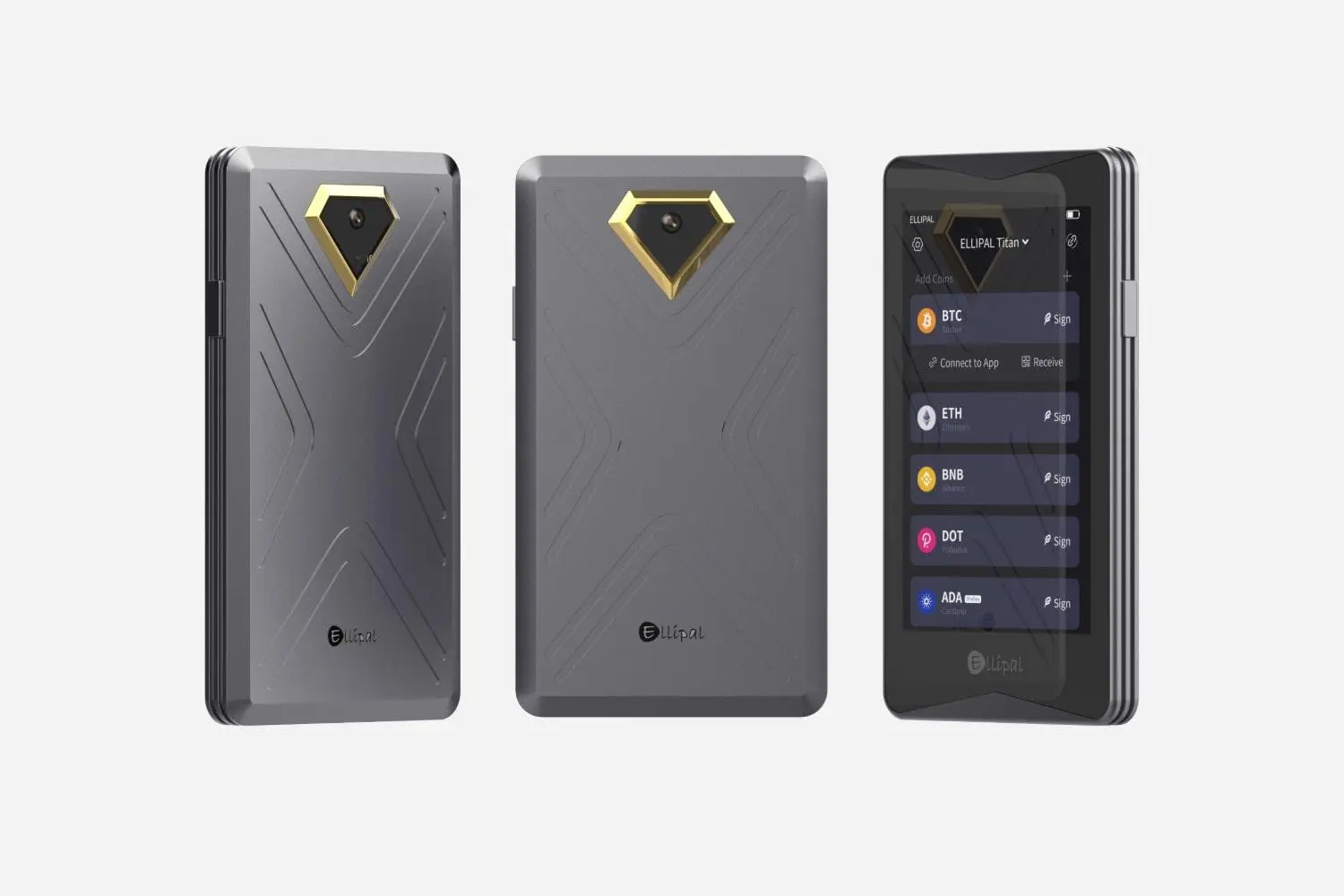
ELLIPAL Titan 2.0: 100% Air-Gapped QR-Code Based Cardano Wallet
ELLIPAL Titan 2.0 is built for ADA holders who do not want their signing device connected by Bluetooth, Wi-Fi, or a USB data cable. You use the phone app to prepare a Cardano payment, then move the transaction to the wallet using QR codes. The large screen and sealed metal body make it an interesting cold-storage choice, though the extra scanning steps are not for everyone.
Wallet Details
With the Titan 2.0, the private key stays in the hardware device while the ELLIPAL phone app talks to the network. To send ADA, you build a transaction in the app, scan its code using the wallet camera, check the payment on the 4-inch touchscreen, and scan the signed result back into your phone. The device uses an EAL5+ Secure Element and an anti-tamper design. It has no wireless radio or normal data connection for transaction signing.
Cardano ADA is supported in the ELLIPAL system, and the ELLIPAL app lists ADA staking among its supported earning features. That means you can keep the signing step on the hardware device while managing delegation through the app. Still, do not assume that every Cardano token, NFT, or dApp works just because the device supports ADA. Check the exact Cardano asset and transaction type in the current ELLIPAL app before moving valuable funds.
The setup also needs some patience. ELLIPAL generates a recovery phrase, and you must store it somewhere safe that is not connected to the internet. Firmware updates use a separate security adapter and microSD card. You should test a small ADA transfer and recovery process before using the wallet for a large holding. Air-gapped signing reduces one type of attack; it does not remove scam links or wrong-address mistakes.
Key Insights
| Cardano support | ADA supported |
|---|---|
| Staking | ADA staking listed in ELLIPAL app |
| Signing method | Offline QR-code exchange |
| Network access | Via ELLIPAL mobile app |
| Display | 4-inch touchscreen |
| Secure Element | CC EAL5+ |
| Physical design | Sealed metal body |
| Wireless radios | No Wi-Fi, Bluetooth, or NFC |
| USB data connection | Not used for signing |
| Firmware updates | Security adapter and microSD |
| Backup | Recovery phrase |
| Cardano native tokens | Verify individual asset support |
| Cardano dApps | Check exact app compatibility |
| Mobile platform | iOS and Android app |
What I Like / What I Don’t Like
I like that ELLIPAL makes the signing step easy to understand. Your phone can be online, but the Titan itself does not have to connect to it.
There is a real cost in convenience, though. You need to scan codes in both directions for payments, and firmware maintenance is less quick than a normal cable update. I would also check Cardano features carefully before buying. ADA support alone does not promise the same NFT and dApp coverage you get in a Cardano-first browser wallet.
I would choose Titan 2.0 for air-gapped ADA storage, not for nonstop Cardano DeFi trading.
Pros
- Offline QR signing keeps keys away from a data cable
- Large display for checking payment details
- Metal sealed body and EAL5+ secure chip
- ADA staking listed in companion app
- Supports iOS and Android companion devices
Cons
- Each outgoing transaction needs QR scans
- Less convenient for frequent Cardano DeFi activity
- Cardano token and NFT support needs checking
- Offline firmware updates take more steps
- Hardware device must be kept and backed up safely
Daedalus Wallet: Best Cardano Wallet for Desktop & Full-Node Security
Daedalus Wallet is for Cardano users who want their computer to check blockchain data rather than rely mainly on another company’s server. It runs a full Cardano node, so it needs much more storage, memory, and setup time than Lace or Eternl. That trade-off gives you greater control over verification, but it does not turn a normal desktop wallet into cold storage.
Wallet Details
A full node downloads and checks the Cardano blockchain on your own machine. That can reduce how much you depend on a remote wallet service to tell you what happened on the network. Daedalus also lets you keep ADA, manage native assets, and delegate to a stake pool. It is made for Windows, macOS, and Linux, with no official iPhone or Android version. Anyone advertising a Daedalus mobile download is a serious warning sign.
The hardware requirements are not small. The current Daedalus download page recommends 24 GB of RAM, says 32 GB is better, and lists roughly 250–300 GB of free drive space, with storage needs growing over time. Your first sync can take a while, and you need a reliable internet connection. You are running more of the network software yourself, not just a tiny wallet window.
One recent change matters here. In June 2026, Daedalus development and support moved from Input Output Global to Se7en Labs. Your existing addresses and funds were not moved by that change, but you should use the current official Daedalus download and support links. Also, remember that Daedalus stores the spending keys on your computer in a standard software setup. A full node helps with independent verification; it cannot protect an exposed recovery phrase or an infected computer. Back up the phrase offline and keep the machine updated.
Key Insights
| Wallet category | Full-node desktop wallet |
|---|---|
| Cardano support | Native ADA management |
| Full blockchain | Downloads and verifies locally |
| Operating systems | Windows, macOS, Linux |
| Mobile app | No official mobile version |
| Recommended RAM | 24 GB; 32 GB preferred |
| Free drive space | About 250–300 GB; grows |
| Internet | Broadband recommended |
| Stake-pool delegation | Supported |
| Cardano native assets | Supported |
| DApp browser connector | Not a primary feature |
| Private keys | On desktop in standard setup |
| Current development/support | Se7en Labs since June 2026 |
| Cost | Free; network fees apply |
What I Like / What I Don’t Like
What I like about Daedalus is the independence. You can verify Cardano chain data locally rather than asking a light-wallet provider for every answer.
The drawbacks are hard to ignore for daily use. Full syncing takes time, the software needs a capable computer, and the chain keeps using more disk space. I also would not call it the safest option just because it runs a full node. Your ADA keys still need protection from computer malware, theft, and exposed backups.
Daedalus is among the best Cardano wallets for local verification, not quick mobile payments.
Pros
- Checks Cardano blockchain data locally
- Gives users more control over node verification
- Native ADA and staking functions
- Available on major desktop operating systems
- Free software with a Cardano-first design
Cons
- High RAM and disk-space requirements
- First sync can be slow
- No official mobile app
- Private keys remain on the PC in a normal setup
- Not built for quick browser dApp connections
Tangem Wallet: Best Card-Style Cold Wallet for Cardano
Tangem Wallet takes a very different approach to storing Cardano. Instead of carrying a device with a screen and buttons, you tap a thin card against an NFC-enabled phone to approve wallet actions. The private key stays inside the card’s chip, while the Tangem app handles ADA balances and payments.
Wallet Details
Tangem’s card has no display, battery, Wi-Fi, or USB connection. You start a payment in the iOS or Android app, review it on your phone, and hold the card near the phone to authorize it. The hardware key does not need to leave the chip. That makes everyday use simple, although you do not get an independent screen on the card for checking the exact receiving address. You must be careful about what the phone shows.
A major update for ADA holders is native Cardano staking in the Tangem app. Tangem lists a minimum of 5 ADA to start. Its current flow uses 3 ADA for staking and a 2 ADA refundable registration deposit; it stakes the full balance rather than letting you choose a smaller amount. Newly received ADA joins the delegated balance, and normal Cardano staking does not lock your funds. The service uses staking integrations, so review the current pool and provider terms before you confirm.
Tangem normally creates a seedless wallet with backup cards. You should set up the other cards during the first setup and keep them in different safe places. A seed phrase is optional on supported second-generation cards, but you cannot add one later to a wallet that was already created in seedless mode. There is another limitation for Cardano collectors: Tangem’s listed NFT gallery networks do not include Cardano. Check native-token support before sending anything beyond ADA.
Key Insights
| Hardware format | NFC card or ring |
|---|---|
| Cardano ADA | Supported |
| ADA staking | Native app feature |
| Minimum staking amount | 5 ADA |
| Registration deposit | 2 ADA, refundable |
| Stake amount | Entire supported ADA balance |
| Phone support | iOS and Android with NFC |
| Device screen | None |
| Device battery | None |
| Private keys | Protected inside card chip |
| Backup | 2–3 cards, seed phrase optional |
| Cardano NFT gallery | Not listed as supported |
| Token support | Check each Cardano native asset |
| Desktop-only operation | No; phone is required |
What I Like / What I Don’t Like
I like that Tangem fits in a wallet and needs almost no hardware learning. Tap the card, approve the ADA transfer, and put it back somewhere safe.
The part I would think about before buying is recovery. In seedless mode, your extra cards are your backups, so losing every card can mean losing access for good. The lack of a device screen is another trade-off. You rely on your phone to show the address correctly. Cardano NFT users will also find fewer tools than in Lace or Eternl.
Tangem is one of the best Cardano wallets for simple card-based ADA holding and staking.
Pros
- Very easy NFC tap-to-sign setup
- Private key stays in the card chip
- No charging, cables, or hardware buttons
- ADA staking supported directly in the app
- Backup cards offer a seedless option
Cons
- No device screen to verify the destination address
- Phone with NFC is required
- Seedless recovery depends on backup cards
- Cardano NFTs are not listed in its NFT gallery
- Not a specialist Cardano DeFi wallet
Trust Wallet: Best Cardano Mobile Wallet for iOS and Android
Trust Wallet is a convenient ADA wallet if you use your phone for most crypto tasks. It lets you receive and send Cardano, check your balance, and stake ADA without running desktop software. You can also keep many other cryptocurrencies in the same app.
Wallet Details
You can install Trust Wallet on iOS or Android, create a self-custody wallet, and back up the recovery phrase before adding ADA. Your private keys belong to you, but a normal phone setup is still a hot wallet. Anyone who gets the phrase can take your funds, and an infected or unlocked phone can create risks. I would enable phone security and store the written backup away from the device.
Trust Wallet includes Cardano staking through its Earn section. You can choose the available staking provider, confirm delegation, and check rewards from the app. It also provides a governance step for Cardano users who need to select a DRep or set a voting preference before claiming rewards. Normal Cardano delegation does not lock your ADA, although registration deposits and network fees still apply. Reward amounts change with network conditions and pool performance, so do not treat a displayed rate as a promise.
Trust Wallet also includes buying and swapping tools through different services. Those are optional and may charge more than the blockchain fee alone. The main thing to check is asset coverage: support for ADA does not always mean every Cardano native token, NFT, or dApp action has the same support. Check the token’s exact network and the current app features before sending a Cardano collectible. For active Cardano DeFi, a dedicated wallet such as Eternl may offer better tools.
Key Insights
| Wallet category | Self-custody mobile wallet |
|---|---|
| Platforms | iOS and Android; browser option |
| Cardano ADA | Send and receive |
| ADA staking | Available in Earn |
| Governance | DRep or voting-preference workflow |
| Private keys | Stored on the user device |
| Recovery | Wallet recovery phrase |
| Multi-coin support | Yes |
| Buy and swap | Third-party services; fees vary |
| Cardano native tokens | Verify exact token support |
| Cardano NFTs | Check current asset features |
| Air-gapped cold storage | No |
| Full Cardano node | No |
| Price | Free app; fees still apply |
What I Like / What I Don’t Like
I like Trust Wallet for quick ADA payments and checking a balance while away from a computer. The main screens are easy to understand, and built-in staking is useful if you do not want to install a separate Cardano extension.
I would be more careful with larger savings. Trust Wallet cannot keep your normal phone-based keys offline the way a hardware wallet can. It also has a lot of general crypto features, but Cardano token and NFT collectors may miss the deeper tools found in a specialist wallet. Buying and swap services can add fees, too.
Trust Wallet is my best Cardano wallet choice for simple mobile ADA tasks, not deep DeFi.
Pros
- Simple ADA access on iPhone and Android
- Built-in Cardano staking
- Supports many other cryptocurrencies
- No separate desktop installation needed
- Self-custody recovery phrase
Cons
- Normal phone setup keeps keys online
- Less Cardano-specific control than Eternl
- Asset and NFT support needs checking
- Third-party buy and swap fees vary
- Not a dedicated hardware cold wallet

Typhon Wallet: Best Cardano Wallet for Staking and NFTs
Typhon Wallet is a useful option for Cardano users who stake ADA and keep NFTs in the same wallet. It has a built-in NFT view, a staking center, and support for multiple wallet accounts. Instead of hiding Cardano features behind a simple balance screen, Typhon puts the tools closer to where you need them.
Wallet Details
Typhon runs as a Cardano web wallet or browser extension. Its official site lists extensions for Chrome, Brave, and Edge. You can receive ADA, work with Cardano native tokens, and send or view NFTs from the wallet. Its single-address approach also keeps receiving simpler than wallets that show many changing addresses. As with any Cardano wallet, native-token transfers may require a minimum amount of ADA in the output.
Staking is one of its strongest areas. Typhon lets you review pool information, delegate ADA, and see rewards in its staking center. It also supports multiple accounts under a wallet, which can let you delegate balances to more than one stake pool. That does not mean splitting a single account among several pools in the usual way; the separate accounts make the difference. Typhon also lists voting registration and transaction metadata tools, although governance features should be checked against the current Cardano rules.
The official Typhon site lists hardware support for selected Ledger Nano, Trezor Model T, and Keystone devices. Do not assume that a newer model works without checking the current compatibility list. For a software-only wallet, you need to guard the recovery phrase and the computer itself. Browser dApps also deserve care: a legitimate wallet can still sign a transaction that moves assets to the wrong contract if you approve it without reading the details.
Key Insights
| Wallet category | Cardano light web wallet |
|---|---|
| Extension browsers | Chrome, Brave, Edge |
| ADA transfers | Supported |
| Native tokens | Supported |
| NFT functions | Send, receive, and view |
| Staking | Pool selection and rewards center |
| Multi-delegation | Via multiple accounts |
| Multiple accounts | Supported |
| Receiving addresses | Single-address approach |
| Transaction metadata | Supported |
| Voting | Voting registration tools listed |
| Hardware options | Selected Ledger, Trezor, Keystone |
| Full node | No |
| Price | Free; network fees apply |
What I Like / What I Don’t Like
I like how Typhon brings NFT management and staking together. You do not need to jump between several sites just to see collectibles, compare pools, and track ADA rewards. The multi-account system is also useful for people who want a separate balance for a second staking pool.
The limits are mostly about setup and software security. You need a browser or web interface, and some Cardano features make more sense after you learn how accounts and staking keys work. Hardware support is model-specific, too. I would check it before buying a new device only to use with Typhon.
Typhon belongs among the best Cardano wallets for staking control and NFT management.
Pros
- Strong Cardano staking dashboard
- NFT gallery with send and receive tools
- Multi-account delegation to different pools
- Supports Cardano native tokens
- Selected hardware-wallet integrations
Cons
- More advanced than a simple mobile wallet
- No dedicated full-node verification
- Hardware compatibility depends on exact model
- Software-only use keeps keys on connected devices
- Requires care with browser dApp approvals
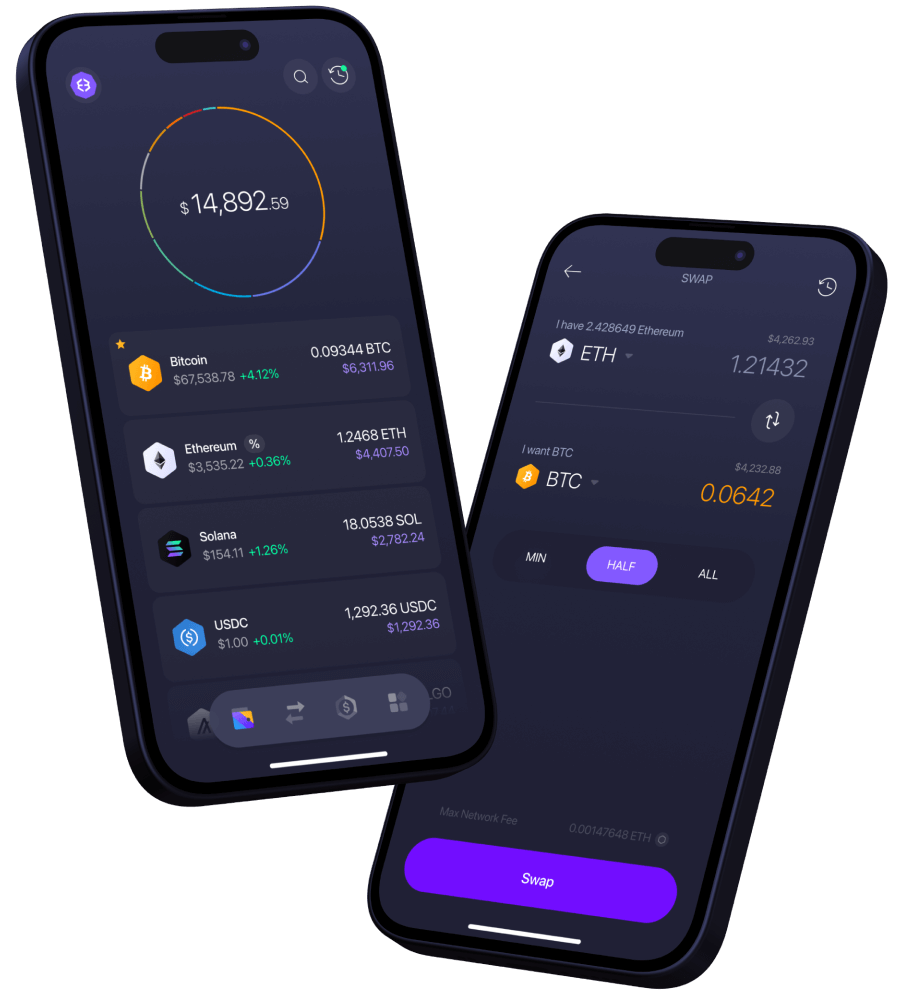
Exodus Wallet: Best Easy-to-Use Multi-Currency ADA Wallet
Exodus Wallet is a good ADA option if you want one clean place to manage Cardano, Bitcoin, Ethereum, and other popular coins. You also get native Cardano staking without needing a separate wallet extension. Its easy layout comes with fewer Cardano-specific controls, so it is better for regular holders than power users.
Wallet Details
Exodus works on desktop and mobile and keeps normal wallet keys under your control. You can receive ADA, move funds, and add supported Cardano native tokens, including custom tokens, in the current apps. Cardano’s minimum-ADA rules still matter: an output holding native tokens needs some ADA with it, so your full balance may not always be available to send. Exodus explains these locked or reserved amounts in its Cardano help pages.
Staking is simple but not very flexible. Exodus currently requires at least 5 ADA to start, and it delegates your full ADA balance rather than a chosen part. First rewards generally take around 15–20 days, followed by payouts about every five days. Your ADA remains available to send or swap while delegated. Exodus does not let you stake ADA held in a connected Trezor or Ledger portfolio through its normal Exodus staking flow. That is an important detail if you want to combine easy staking with hardware cold storage.
Exodus also has Cardano NFT functions, but they differ by platform. Its help center lists Cardano NFT sending, receiving, and viewing on mobile, not the desktop NFT gallery. Buy and swap features use outside partners or liquidity services, so fees and availability can vary. For Cardano dApps, stake-pool shopping, or detailed governance tools, a Cardano-first wallet offers more control. I would also protect the recovery phrase offline because a normal Exodus wallet remains a software hot wallet.
Key Insights
| Wallet category | Multi-currency software wallet |
|---|---|
| Platforms | Desktop and mobile |
| ADA support | Send and receive |
| Cardano custom tokens | Supported on mobile and desktop |
| ADA staking | Available on mobile and desktop |
| Minimum staking balance | 5 ADA |
| Delegated amount | Entire ADA balance |
| First staking rewards | Usually 15–20 days |
| Later rewards | About every 5 days |
| Staked ADA locked | No |
| Hardware-portfolio ADA staking | Not through Exodus staking |
| Cardano NFT gallery | Mobile: yes; desktop: no |
| Buy and swap | Service fees and availability vary |
| Custody | Recovery-phrase-based self-custody |
What I Like / What I Don’t Like
I like Exodus for people who hold ADA but do not want their whole wallet built around Cardano. ADA staking is also simple: you can start from the coin page without learning how to compare dozens of pools.
The trade-off is control. You cannot select a special portion of your ADA balance to stake, and the standard staking setup does not work with the hardware-wallet ADA portfolio. Cardano collectors should also know that the desktop NFT gallery does not match the mobile one.
Exodus belongs among the best Cardano wallets for people who want ADA beside other coins.
Pros
- Friendly desktop and mobile apps
- ADA staking with a simple setup
- Supports Cardano native and custom tokens
- Easy multi-currency portfolio tracking
- Cardano NFT functions on mobile
Cons
- Normal software wallet is not cold storage
- Stakes the full ADA balance, not a selected part
- Hardware-held ADA cannot use Exodus staking flow
- Desktop Cardano NFT gallery is not supported
- Less flexible for Cardano DeFi and pool selection
Other popular guides to explore:
- Best Monero Wallets
- Best Solana Wallets
- Best Ethereum Wallets
- Best USDT wallets
- Best Cold Wallets
- Best NFT Wallets
- Best DeFi Wallets
Which Crypto Wallets Support Cardano (ADA)?
There are several popular crypto wallets support Cardano (ADA), including Ledger, Trezor, Lace, Eternl, Trust Wallet, and Exodus. Here are the main types of wallets that support Cardano and what you can expect from each.
Which Hardware Wallets Support Cardano?
Ledger Flex, Trezor Safe 5, ELLIPAL Titan 2.0, and Tangem Wallet are good options for storing ADA offline. Plus, Ledger Flex and Trezor Safe 5 also work with compatible Cardano software wallets. So, you can manage ADA, stake your coins, and use supported Cardano apps without exposing your private keys. (read: list of best crypto hardware wallets)
Which Mobile Wallets Support ADA?
Trust Wallet, Lace, Eternl, and Exodus offer mobile apps for managing Cardano. You can send and receive ADA, check your balance, and use supported staking features right from your Android or iPhone. Also, Trust Wallet and Exodus work well for people who own several cryptocurrencies, but Lace and Eternl focus more on Cardano features, including staking, native tokens, and decentralized apps. (read: list of best crypto mobile wallets)
Which Desktop Wallets Support Cardano?
Daedalus, Exodus, Lace, and Eternl are the best Cardano wallets for Desktop users. Daedalus works differently from most ADA wallets. It downloads and checks the Cardano blockchain on your computer. So, you’ll need more storage space and time to set it up. Exodus offers a simpler desktop experience, while Lace and Eternl provide browser-extension-based access to Cardano.
Which Cardano Wallet Is Best for Staking ADA?
Lace and Eternl are among the best Cardano wallets for staking ADA, especially if you want to choose your own stake pool. Both let you delegate ADA, track rewards, and manage staking without giving up control of your coins.
Also, Yes. Ledger Flex, Trezor Safe 5, Tangem, and ELLIPAL Titan 2.0 support ADA staking through their compatible wallet apps.
You can stake Cardano through Trezor Suite, Ledger Wallet, or supported third-party software. Tangem and ELLIPAL also offer ADA staking in their mobile apps. Here, the good part is that your hardware device still protects your private keys while you earn staking rewards.
Conclusion: Which Cardano Wallet Should You Choose?
In a nutshell, the best Cardano wallet really comes down to what matters most to you: security, staking, or everyday use.
- For long-term ADA storage, I’d choose Ledger Flex for its secure hardware design and touchscreen. Trezor Safe 5 is another strong option, especially if you prefer open-source firmware.
- Lace is a great starting point if you’re new to Cardano and want a free hot wallet for Cardano with staking support. Eternl makes more sense for advanced users who need extra control over stake pools, NFTs, and DeFi apps.
- For mobile users, Trust Wallet offers an easy way to manage ADA alongside other cryptocurrencies.
FAQs About the Best Cardano Wallets
What Is the Best Wallet for Cardano (ADA)?
Ledger Flex is one of the best Cardano wallets for long-term storage because it keeps your private keys offline. Now, for a free software wallet for Cardano, Lace is a good choice for beginners, while Eternl offers more advanced staking and DeFi features.
What Is the Best Free Cardano Wallet?
Lace is one of the best free Cardano wallets for beginners. It supports ADA storage, staking, NFTs, and Cardano dApps without charging a wallet purchase fee. Eternl, Typhon, Trust Wallet, and Exodus are also free options, although network and service fees may apply.
What Is the Best Cardano Wallet for iPhone?
Trust Wallet is a good Cardano wallet for iPhone users who want to manage ADA alongside Bitcoin, Ethereum, and other cryptocurrencies. You can send, receive, and stake ADA from its mobile app.
Does MetaMask Support Cardano (ADA)?
MetaMask does not offer native Cardano support in its standard wallet interface. Still, you can access Cardano through the NuFi Cardano Wallet Snap. It lets you manage ADA, stake coins, and connect to supported Cardano dApps through NuFi’s interface. Your native ADA balance won’t appear in MetaMask’s regular asset list